


· 17 min read
E-Commerce Site Audit: 10-Step 2026 Conversion Checklist
The median e-commerce site we audit scores 68 (D+); 52% carry Product schema errors. Run this 10-step audit to find your leaks and fix them in order.
Redirect chains fail on 24.3% of the sites we audit. A 24-point website migration checklist for SEO covering pre-launch, launch day, and the 90 days after.

Charles Duncan · Co-founder & CTO, SEOmator
Leads the engineering behind SEOmator's crawler, audit engine and rank tracking

A website migration checklist for SEO is a phased set of checks — before launch, on launch day, and after — that keeps rankings intact while URLs change. This one runs 24 items. It is ordered by the four defects our audit engine actually catches after bad migrations: redirect chains, broken internal links, orphan pages, and soft 404s.
Checklist overview:
- Total items: 24
- Phases: 3 (pre-launch, launch day, post-launch)
- Time to complete: 2–6 weeks depending on site size
- Skill level: Intermediate — needs SEO and dev working together
- Tools needed: a crawler, Google Search Console, a redirect checker, rank tracking
Most migration guides tell you to "set up 301 redirects" and move on. That advice is not wrong, it is just not specific enough to act on. I run engineering for SEOmator's crawler and audit engine, so what I mostly see is the aftermath: sites that come through a migration and then fail the same handful of checks, over and over.
Here is what that failure actually looks like across the 100,000+ sites we have audited in 2026.

When a migration damages SEO, it rarely shows up as one dramatic event. It shows up as measurable, nameable defects — the same four, in roughly the same proportions, every time. These are aggregates from our audit engine (251 rules across 20 categories) over H1 2026.
| Defect | Sites failing | Typical severity |
|---|---|---|
| Broken internal links (4xx) | 36.1% | median 14 per site |
| Redirect chains, 2+ hops | 24.3% | rule #10 overall |
| Orphan pages | 22.8% | median 8% of pages |
| Soft 404s | 21.5% | top Technical SEO fail |
Those four are the migration signature. A hosting move alone rarely produces them; a URL restructure produces all four at once.
The reason this matters more than it used to: crawlers are already spending a growing share of their budget on hops and dead ends. Across the sites we monitor, redirects rose from 13.9% of all crawler responses in January 2026 to 14.9% in June, while 4xx rejections hit 37.2%. Adding a chain-heavy migration on top of that is asking a crawler to work harder for less.
The honest answer is longer than most teams plan for. According to Search Engine Journal's study of 892 domain migrations, it took an average of 523 days for the new domain to match the old one's organic traffic, and 17% never got back to pre-migration levels even after 1,000 days. The fastest recoveries in that dataset came in at 19 to 33 days.
That spread — 19 days to never — is the whole argument for a checklist. The variable is not luck. It is whether the work below got done before launch.
Website migration, while beneficial for various reasons, brings along legitimate concerns about SEO – will your site's rankings suffer? What happens to your carefully curated backlinks?
These questions are not unfounded. In fact, they stem from a fundamental truth about website migration – that it can significantly impact your SEO.
How your site performs in search engine rankings is a derivative of a multitude of factors - your website's relevance, the quality of your content, user experience, link equity, among others. Now, when you undertake a website migration, several of these elements are bound to change.

But with a strategic plan in place, and by following the website migration checklist below, you can work through these changes methodically, avoiding the pitfalls that cost rankings.
There is a newer reason to protect rankings through a move. In our tracking, 91.3% of Google AI Overview citations go to pages already ranking in the organic top 20 (H1 2026 average). AI Overviews now appear on 26.0% of the keywords we track, up from 18.9% in January.
So the classic ranking drop is no longer the only cost. Lose position 8 in a migration and you quietly lose the AI citation that came with it — on a surface that is expanding month over month. You can check whether your pages are still being cited with our GEO audit tool.
Not every migration carries the same risk, and the checklist you need scales with the type. Before planning anything, find your row in this table — it tells you how much of the 24 items below you genuinely need.
| Migration type | URLs change? | SEO risk | Priority items |
|---|---|---|---|
| Hosting change | No | Low | 6, 12, 16 |
| Platform update | Rarely | Low | 2, 8, 22 |
| CMS change | Usually | High | all 24 |
| Website redesign | Sometimes | Medium | 2, 8, 22 |
| Domain change | Yes | Critical | all 24 |
| Content migration | Sometimes | Medium | 3, 5, 17 |
| Structural changes | Yes | High | 3, 5, 19 |
| Hybrid migration | Yes | Critical | all 24 |
Each type serves a specific purpose and carries its own set of challenges and opportunities.
First on the list is the hosting change. This kind of migration occurs when you decide to shift your website from one web hosting provider to another.
You may want to undertake a hosting change for reasons like looking for better service, more storage space, improved security features, or lower prices.
Changing your hosting might sound trivial, but it carries some risks. For instance, if not handled precisely, there could be potential downtime during the transfer, affecting your site's visibility and user experience. Careful planning and timing are what keep a hosting change uneventful.
A platform update is a type of website migration where you upgrade your website's existing platform to a newer version. This might be done to benefit from improved features, boost your site's performance, or to stay up-to-date with technical advancements.
However, every update comes with its own set of challenges, and it's essential to ensure that the upgrade aligns with your website's needs. URLs usually survive a platform update, but templates often do not — and a template change can silently drop title tags, canonicals, or structured data across thousands of pages at once.
A Content Management System (CMS) change is when you decide to shift from one CMS platform to another. This is usually driven by the need for better functionality, improving user experience, boosting SEO capabilities, or simply a change to a more user-friendly platform.

While a CMS change can be beneficial, it also involves detailed planning and execution. The significant areas to consider during a CMS change include preserving your URLs, ensuring the new CMS supports your existing functionality, and maintaining your current SEO status.
If the new system cannot reproduce your URL structure exactly, you are running a structural migration too — treat it as a hybrid.
A website redesign is one of the most common types of website migration. This is when you decide to give your website a visual overhaul. It involves changes to the site's overall look and feel, including its layout, color scheme, image placement, fonts, and more.
Redesigning your website can breathe new life into it, making it more appealing and engaging for your audience. However, it's essential to remember that a successful website redesign should improve user experience and not just the aesthetics. Be sure to plan carefully, consider your audience's preferences and compatibility issues across different devices and browsers.
Teams often assume a redesign is SEO-neutral because the URLs did not move. Then the new templates ship with heavier JavaScript, and content that used to be in the raw HTML is only in the rendered DOM. That specific failure — content present after rendering but absent from raw HTML — fails on 31.4% of the sites we audit. If your redesign moves you onto a JavaScript framework, our guide to SEO for single page applications covers that failure mode in depth.
A domain change migration happens when you decide to change your website's domain name. This can be due to rebranding, business changes, or just a desire for a better, more SEO-friendly domain name.
Changing a domain comes with its own set of challenges, primarily pertaining to SEO. You could potentially lose your established SEO reputation, so it matters that you use the correct process to change domains.
It includes setting up redirects from your old domain to the new one and notifying search engines about the change. If done correctly, a domain change can yield positive results for your brand. This is also the migration type the 523-day recovery figure was measured on.
Next up, we have content migration, which involves moving content from one website to another or even within different parts of the same website. Content migration becomes necessary when redesigning websites or changing CMS platforms.
When migrating content, you need to ensure that all the migrated content is mapped correctly, avoids any duplication, and maintains SEO-friendly structures where possible.
Structural changes involve altering your website's structure, including internal links, navigation menus, and URL structures. These changes aim to improve user experience and facilitate effortless navigation on the site.
Changing the structure of your website requires thorough planning to avoid any negative impact on your site's SEO. You also need to closely monitor any changes to the site's structure to quickly identify and fix issues that might hurt its functionality or visibility.
Structural changes are also the fastest way to generate orphan pages — pages that still exist but no longer have any internal link pointing at them. If you are weighing where content should live, our guide on subdomain vs. subdirectory covers that decision in depth.
Lastly, we have hybrid migrations. As the name suggests, hybrid migrations involve more than one type of migration at the same time. For example, you might decide to change your CMS, redesign your website, and migrate your content simultaneously.
While hybrid migrations can expedite the overall migration process, they also entail a higher level of complexity and risk. Hybrids are the case where skipping a single item on this checklist tends to be the one that hurts.
/blog/ from every path is a structural migration wearing a redesign's clothes.A website migration serves a multitude of purposes. As discussed earlier, it may arise from the need to provide a better user experience, keep up with the latest technological advancements, or make changes to the content management system, among others.
Let's break down the distinct motives behind a typical website migration:
🌟Improving user experience: One of the primary drivers behind website migration is the necessity to enhance your website's user experience. Whether it's a platform update or a website redesign, the goal is to provide a smoother browsing experience for your users, and in turn build longer-term engagement.
🌟Adapting to technological advancements: As technology constantly evolves and paves the way for significant advancements, it becomes necessary for websites to keep up. Be it a hosting change, CMS change, or platform update, these migrations are often undertaken to adopt new technology, shed outdated systems, and stay competitive.
🌟Staying relevant: Sometimes, businesses need to switch up their content or rebrand entirely to stay pertinent in their industry or niche. A content migration or domain change can help align your brand with its current objectives and market standards.
🌟Optimizing SEO: A well-executed website migration can lead to improved SEO performance. Migrating with an SEO-friendly approach can help in boosting site rankings by implementing faster loading times, streamlined navigation, and quality content.

Everything here happens before a single visitor sees the new site. This phase is where migrations are actually won — every item below is far cheaper to do now than to diagnose later.
Check: Determine your website migration's end goal right at the beginning of the process, and confirm whether URLs change. Why it matters: This could be anything from attaining a faster website, improving server resources, to complete rebranding — and the type determines how much of this checklist applies. How to fix: Write it down and get dev, SEO, and content to agree before scoping. Tool: The risk table above.
Check: Assemble your migration team, then capture organic sessions, keyword positions, and a full site health score — dated, before anything changes. Why it matters: Your team includes not only developers but also project managers, content writers, SEO specialists, and even social media managers. Without a baseline you cannot prove the migration caused a drop, or that it did not. How to fix: Assign tasks and responsibilities to each member early on. Then run a free SEO audit and save the report — the median site we audit scores 71 (a C+), so know your number. Tool: Free SEO Audit Tool, Google SERP rank checker, GA4.
Before you start with migration, you must take stock of your current SEO performance. This will serve as a valuable point of reference to compare your website's performance post-migration.
Check: Build one list of every indexable URL from four sources — a full crawl, Search Console, analytics, and your XML sitemaps. Why it matters: Any URL missing from this list will not get a redirect. Sitemaps alone are never complete; they miss the old, orphaned, and forgotten pages that still hold links. How to fix: Crawl the site, then union the four exports and dedupe. Tool: SEO Crawler, Search Console's Pages report.
Check: Export your referring domains and, specifically, your most-linked individual URLs. Why it matters: These are the URLs where a missed redirect costs the most. A page with 200 referring domains and no redirect is the single most expensive mistake available during a migration. How to fix: Sort by referring domains and mark the top 100 as must-not-break. Tool: Any backlink index; keep the export dated.
Check: Every old URL maps to the single most relevant new URL. No blanket redirects to the homepage.
Why it matters: This is the highest-stakes artifact of the entire migration. Bulk-redirecting to the homepage is read as a soft 404 — the top Technical SEO failure we record, at 21.5% of sites.
How to fix: Map by intent, not by pattern matching. Where no equivalent exists, redirect to the closest parent category rather than the homepage.
Tool: A spreadsheet with old_url, new_url, type, status.
Check: A complete, restorable backup of files, database, and the current DNS records. Why it matters: Before you start the migration process, ensure you have a complete backup of your website. It's an essential security measure in case something goes wrong during the migration — and it is your rollback plan. How to fix: Take the backup, then verify it restores into a scratch environment. An untested backup is a guess. Tool: Your host's backup system plus an off-host copy.
Check: Staging returns Disallow: / in robots.txt and, better, sits behind HTTP authentication.
Why it matters: While you don't want to confuse or lead your audience to an unfinished site, trusted individuals still need access to your new site. An indexed staging site competes with production for the same content.
How to fix: Establish privacy settings that restrict access to your team members while they are working on the site. Use authentication as the primary block — robots.txt alone does not prevent indexing of a URL that gets linked.
Tool: Robots.txt guide.
Check: Titles, meta descriptions, canonicals, hreflang, structured data, and headings all present and correct on the new templates. Why it matters: Before launching the migrating website, test everything on a secure staging server. This ensures that errors, if any, are made known and are corrected without causing any harm to your live site. Template-level bugs multiply — missing or duplicate meta descriptions already fail on 52.4% of the sites we audit. How to fix: Crawl staging exactly as you would production and diff the output against your pre-migration crawl. Tool: SEO Crawler pointed at the authenticated staging URL.
Check: Before migrating to a newly acquired domain, ensure it hasn't been previously penalized by Google. Then write down the conditions that must be true to launch. Why it matters: The last thing you need is to start with a domain that's tainted in Google's eyes. And migrations slip because launch dates are commitments while QA results are opinions — written criteria turn the decision into a fact. How to fix: Google's transparency report can help you check the domain. For launch criteria, use three to five binary conditions: redirect map complete, staging crawl clean, backup verified, rollback owner named. Tool: Your project tracker.

Cutover day. These items are sequenced — do them in order, and verify each before starting the next.
Check: All 301s from the map are live and return a single hop to a 200. Why it matters: Setup 301 redirects to guide search engines and users from your old URLs to the new ones. This is what allows link equity to pass to the redirected pages — but chains are the #10 most-failed rule we record, at 24.3% of sites. How to fix: Implement server-side or at the CDN. Avoid plugin-based redirects for large maps — they add latency and tend to chain. Tool: URL Redirect Checker.
Check: Production robots.txt no longer disallows crawling, and no noindex tag survived the deploy.
Why it matters: Once you're ready to invite users into your new website, make sure you have removed any temporary blocks that you had set up against search engines. This ensures that Google can access your website and start indexing your new pages.
How to fix: Grep the built output for noindex before and after deploy. Do not trust the CMS toggle alone.
Tool: How to check if a page has noindex.
noindex and calling it done. The tag usually lives in a shared template, so it hits article and product pages while the homepage looks perfectly fine.Check: DNS records point where intended, TTLs were lowered ahead of the move, and the old host stays live during propagation. Why it matters: Accuracy is key while updating DNS settings. DNS misconfigurations can lead to elongated downtime or could even make your website unreachable. How to fix: Diagram your DNS setup plan and verify everything. Lower TTL 24–48 hours before cutover, and keep a keen eye on DNS propagation. Tool: Your DNS provider's dashboard.
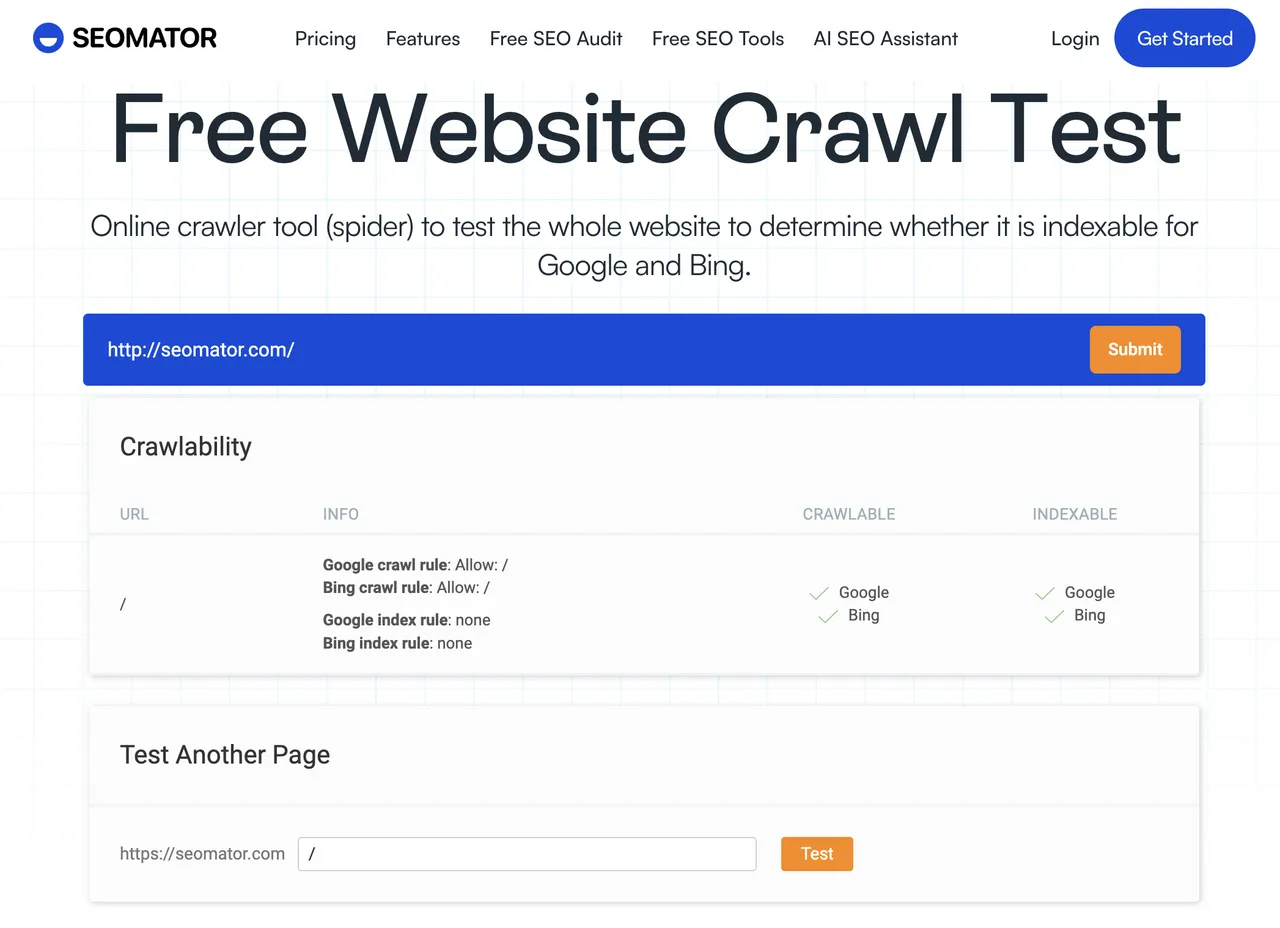
Check: Googlebot can fetch and render the new pages, and rendered content matches the raw HTML. Why it matters: It's important that Google's bots are able to crawl and index your new web pages correctly. Raw-versus-rendered mismatch fails on 31.4% of sites we audit — if your content only exists after JavaScript runs, you are betting rankings on the render queue. How to fix: Test a page from each template type, not just the homepage. Tool: SEOmator's website crawlability test tool and Search Console URL Inspection.
Check: New sitemaps submitted in Search Console and Bing Webmaster Tools, listing only canonical 200-status URLs. Why it matters: Sitemaps are how you tell search engines what changed and speed up rediscovery of the new URL set. How to fix: Keep the old sitemap available briefly so the old URLs get recrawled and their redirects discovered. Tool: How to find the sitemap of a website.
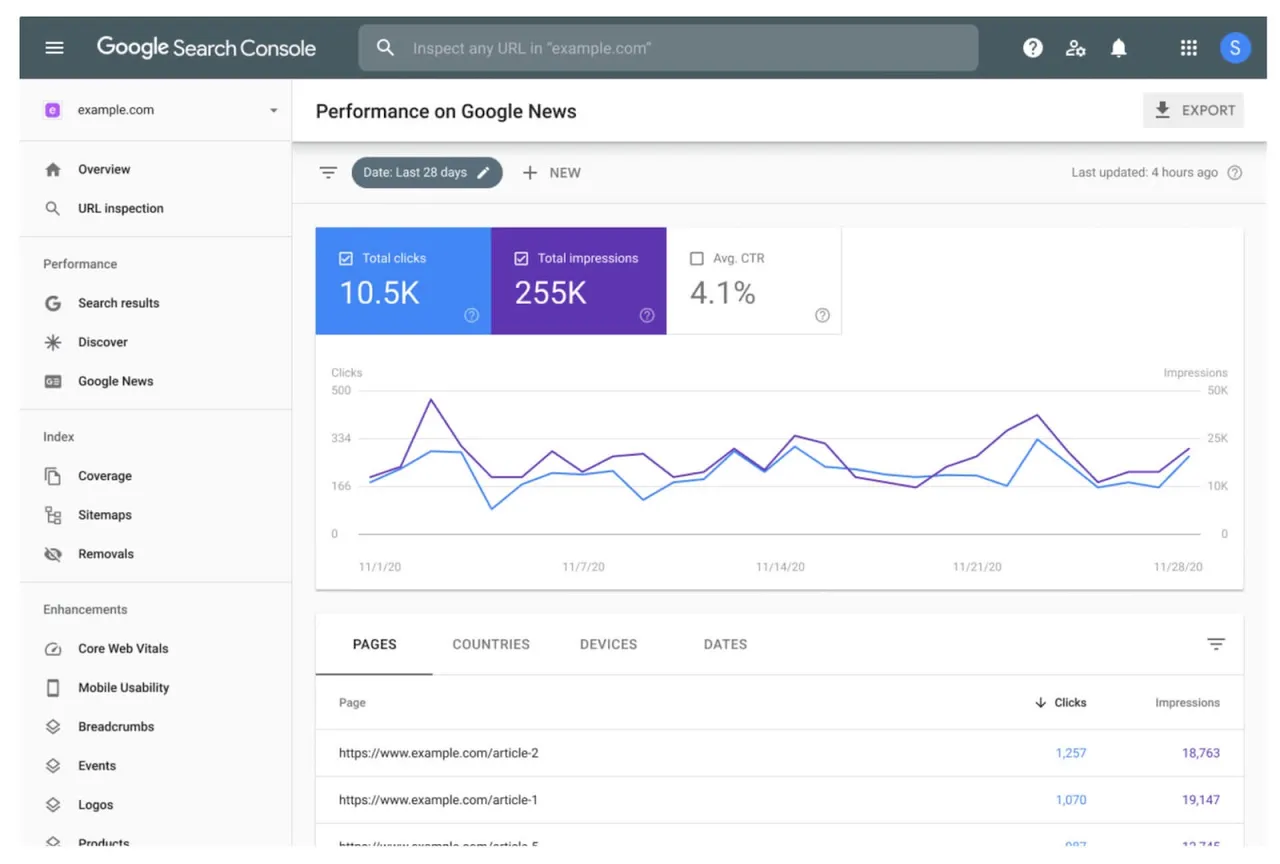
Check: Ensure that your migrated website is verified in Google Search Console, and for a domain change, file the Change of Address. Why it matters: This not only confirms your ownership but also enables you to keep track of your site's performance in Google's search results. Change of Address tells Google the move is intentional and speeds up the transfer of signals. How to fix: Verify both old and new properties, keep both, and file the change while the old domain still resolves. Tool: Google Search Console.
Check: GA4 is firing on the new templates, conversion events still register, and consent mode behaves. Why it matters: Broken tracking looks exactly like a traffic collapse. Before you diagnose an SEO problem, rule out that you are simply no longer measuring. How to fix: Fire a test conversion on every template before announcing the launch. Tool: GA4 DebugView.

Congratulations — you made it through the planning and execution of your website migration. But this isn't the end of your journey. What follows the 'Go-live' is a critical phase where you monitor and report on the results of the migration.
Check: Zero redirect loops, no chains longer than one hop, and no unintended 404s. Why it matters: This is the single most productive post-launch check. It catches the two most common defects — chains at 24.3% and broken internal links at 36.1% — in one pass. How to fix: Rewrite chained redirects to point directly at their final destination. Tool: SEO Crawler, URL Redirect Checker.
Check: Internal links point at final destinations, not through redirects. Why it matters: Broken internal links fail on 36.1% of audited sites at a median of 14 per site. Leaving your own links pointing at redirects spends crawl budget on hops you control and could simply remove. How to fix: Ship the redirect map and the internal-link rewrite in the same release, not weeks apart. Tool: SEO Crawler internal links report.
Check: Every page you intended to keep has at least one internal link pointing at it. Why it matters: Orphan pages fail on 22.8% of audited sites, and where they occur the median site has 8% of its pages orphaned. Restructures create them silently — the page still resolves, so nothing looks broken. How to fix: Diff your pre-migration URL inventory against the post-migration crawl. Anything in the first list and not linked in the second is an orphan. Tool: Orphan pages: how to find and fix them.
Check: Use your set KPIs and Google Analytics to keep a close eye on your site's performance. Watch that indexed page count trends toward the old total. Why it matters: Look out for changes in metrics like bounce rate, session duration, page views. Index coverage moves before rankings do, which makes it the earliest reliable warning signal you have. How to fix: Investigate any category that spikes. A jump in "Excluded by noindex" points straight back at item 11. Tool: How to fix 'Crawled — currently not indexed'.
Check: Use Google Search Console and rank tracking to monitor your SEO performance. Keep track of your site's rankings, organic traffic, indexed pages, and backlinks. Why it matters: A small dip in the first fortnight is normal as engines recrawl and reindex. A sustained slide on commercial pages is not, and the earlier you separate the two the cheaper the fix. How to fix: If specific pages slide, check their redirect first, then their internal links, then their content parity. Tool: Google SERP rank checker, and our guide on monitoring organic rank.
Check: LCP under 2.5s and INP under 200ms on mobile, per template. Why it matters: New templates are new performance profiles. Mobile LCP already fails on 58.4% of the sites we audit, and a redesign is a common way to join them. How to fix: Measure per template rather than sitewide — one heavy template can drag the whole field dataset. Tool: How to fix failed Core Web Vitals assessment.
Check: External links pointing at old URLs resolve through a redirect to a relevant page. Why it matters: This is where your redirect map pays for itself. Any high-value inbound link hitting a 404 is lost equity you already earned. How to fix: Fix the redirect first, then email your most valuable linking domains to update the URL directly. Take into account user feedback and use it to enhance your website's user experience. Tool: Your backlink export from item 4, re-crawled.
Check: Whether the pages that were cited in AI Overviews and assistants before the move are still cited after. Why it matters: With 91.3% of AI Overview citations going to pages already in the organic top 20, AI visibility follows rankings — but it recovers on its own schedule, so it needs its own check. How to fix: Re-run your prompt set 30 and 90 days after launch and compare against the pre-migration baseline. Tool: GEO audit tool.

If you cannot do all 24, do these in this order.
| Priority | Items | Fix first if... |
|---|---|---|
| Critical | 5, 10, 11 | URLs are changing at all |
| High | 2, 3, 17, 18 | You have earned backlinks |
| Medium | 8, 19, 20, 21 | The site is large or templated |
| Low | 23, 24 | Core checks already pass |
Items 5, 10, and 11 are non-negotiable. A complete redirect map, deployed cleanly, with the staging blocks removed, prevents the majority of the damage we see in post-migration audits. Everything else is optimization on top of that foundation.

Set the rhythm before launch so nobody has to decide what to check while under pressure.
| Window | Frequency | Watch for |
|---|---|---|
| Days 1–7 | Daily | 404s, redirect fails, index drops |
| Days 8–30 | 2–3× weekly | Ranking trends, crawl stats |
| Days 31–90 | Weekly | Organic traffic vs baseline |
| Day 90 | Once | Full re-audit vs item 2 |
At day 90, re-run the same audit you ran in item 2 and compare the two reports directly. Compile your findings and insights into reports that outline the success of the migration, the issues faced, the improvements seen, and the future actions to be taken.
Website migration isn't a process you can rush through. The timeline for a website migration can vary greatly depending on several factors - the complexity of the project, the size of your website, the type of migration you're undertaking, the expertise of your team, among others.
Preparation and planning might take anywhere from a few weeks to a couple of months. Actual execution, including testing and going live, may extend from a couple of weeks to several months. Post-migration monitoring is an ongoing process and could go on indefinitely, as you consistently aim for progress and improvements.
Rushing through a website migration might do more harm than good. Each stage of the process is critical and requires its share of time and attention.
A short dip in the first weeks is common as search engines recrawl and reindex, and it is not automatically a failure. Sustained loss is a different signal. In Search Engine Journal's 892-migration dataset, average recovery took 523 days and 17% of sites never returned to prior levels — but the fastest came back within 19 to 33 days. The difference is almost entirely redirect quality and content parity.
No. Google's position is that 30x redirects do not lose PageRank — Gary Illyes stated it directly in 2016, and Google's URL-change documentation carries the same guidance. The widely repeated "you lose 15%" figure is a stale echo of much older advice. The real risk is not decay through a correct redirect; it is chains, loops, and redirects pointing at irrelevant destinations.
Item 5, the 1:1 redirect map. Every other post-launch problem is easier to fix than a missing or wrong redirect, because a wrong redirect silently discards the equity of the page it should have preserved. Build it before anything ships.
Just like the timeline, the cost of a website migration can differ significantly from one project to another. Again, various factors influence the overall cost - the scale of your site, the complexity of the migration, whether you're hiring an agency or doing it in-house, the costs of any new software, hardware, or hosting services you might need, and so on.
Budget for unexpected expenses that might pop up during the process. Effective budgeting can help you manage costs without compromising the quality of your migration.
Keep in mind that while cost-saving is important, you mustn't compromise on essential aspects that might impact your website's performance in the long run. A well-executed migration is indeed an investment with significant returns in terms of improved performance, better user experience, and potential growth in traffic.
Preparing for a website migration is all about strategic planning. Begin with defining your migration goals and understanding your current website. Gather your migration team and ensure all members understand their roles and responsibilities clearly.
You'll also need to benchmark your SEO performance before the migration. This will give you a reference point to compare your website's post-migration performance.
Finally, create a detailed, step-by-step migration plan, taking into account all facets of the process – from preparation and execution to post-migration monitoring.
The foundation of a successful migration is a well-thought-out plan. An attentive approach to the preparation stage can pave the way for a smooth and effective migration.
The software you'll require for a website migration depends on the type and scale of your migration. Some essential tools you might need include:
Site-crawling tools like SEOmator's Free SEO Audit Tool: These can help you understand your current website's structure, identify errors, and aid in the creation of efficient redirects.
SEO tracking software like Google Analytics, Google Search Console, or the SEO crawler: These can provide the insights you need into your website's SEO performance, both pre and post-migration.
Project management tools like Asana or Trello: These can help keep your team organized and your migration project on track.
Backup tools: Depending on your CMS, different tools are available to make a complete backup of your website accessible.
For most sites, a subdirectory consolidates authority more effectively. That decision deserves its own analysis, which we cover in subdomain vs. subdirectory.
Compare a full audit at day 90 against the baseline you captured in item 2 — organic sessions, keyword positions, indexed pages, and site health score. If rankings recovered but health score dropped, you have accumulated technical debt that will surface later.
Migrations do not fail because someone forgot that redirects matter. They fail in the specifics — a chain nobody crawled for, a noindex that shipped with the templates, a page with 200 referring domains that got mapped to the homepage.
Migration has a large impact on your website's SEO. A well-executed migration can boost your SEO performance, while a poorly handled one can harm your rankings. Map out your current SEO performance properly before the migration. This will help you compare and monitor any changes post-migration. To prevent any SEO damage, ensure to do proper URL mapping and establish efficient 301 redirects.
The importance of taking a complete backup of your current site cannot be stressed enough. It's your safety net in case things go awry during the migration.
After your new website is live, it's important to keep a vigilant eye on its performance. Not only should you watch for changes in metrics like bounce rates, page views, session durations, but also keep a check on user feedback.
That is why the four defects at the top of this guide are worth committing to memory. Redirect chains, broken internal links, orphan pages, and soft 404s account for most of what we see in post-migration audits, and every one of them is detectable before launch by crawling staging the same way you would crawl production.
Start with items 5, 10, and 11. Then benchmark your current site so that in 90 days you can prove what the move actually did.
Methodology: audit figures are aggregates from SEOmator's audit engine — 251 rules across 20 categories, across 100,000+ audits and 50M+ crawled pages, January–July 2026. Crawler response-code shares come from Agent Analytics across 500+ tracked sites. Shares describe the SEOmator panel (roughly 60% B2B SaaS, 20% e-commerce, 20% mixed), not the web as a whole.
You might also want to read:
- Why SEO Audit is Important & How to do SEO Audit of Any Website
- 301 Redirect or URL Canonicalization
Who wrote it, what changed and how to tell us about a mistake.

Charles Duncan
Co-founder & CTO, SEOmator
Leads the engineering behind SEOmator's crawler, audit engine and rank tracking
Charles Duncan is co-founder and CTO of SEOmator, where he leads the engineering behind the platform's site crawler, audit engine, and rank-tracking infrastructure. He writes about the technical foundations of SEO — how search engines and AI answer engines crawl, render, and index the modern web — and what that means for the people building sites on it.
Charles retires from SEOmator at the end of October 2026.
Published · Updated
Spot a mistake or a number that has gone stale? Tell us. We correct it and log the change in the History above. Report an error →
SEOmator Rank Tracker
Technical fixes are invisible until positions move. Track the keywords a fix was meant to affect and watch whether it actually landed.
SEOmator Rank Tracker· 17 min read
The median e-commerce site we audit scores 68 (D+); 52% carry Product schema errors. Run this 10-step audit to find your leaks and fix them in order.

· 12 min read
Across 100,000+ site audits, 39.8% had an E-E-A-T-category failure. Use this 11-step checklist to audit experience, expertise, authority, and trust.

· 10 min read
Run a complete Shopify SEO audit for 2026 with this 4-phase checklist covering Core Web Vitals (INP), AI Overviews readiness, structured data, and free audit tools.


