


How to Do an SEO Audit of Any Website (2026 Guide)
Learn how to do an SEO audit of any website in 2026 — technical, on-page, off-page, and AI-search checks — then run a free audit to fix issues fast.
Run a complete Shopify SEO audit for 2026 with this 4-phase checklist covering Core Web Vitals (INP), AI Overviews readiness, structured data, and free audit tools.

A Shopify SEO audit is a systematic evaluation of your store's search optimization across technical performance, on-page elements, content quality, and link health. According to Statista, global retail e-commerce sales reached roughly $6.4 trillion in 2025 and are projected to keep climbing, making SEO optimization critical for Shopify store visibility in an increasingly competitive market.
This guide walks you through the Shopify SEO audit checklist I've refined after auditing over 150 Shopify stores since 2019. I built SEOmator to put that same technical auditing in reach of teams without a dedicated SEO engineer, so at each step I'll point you to the free tools we run for the job. You'll learn exactly what to check, which tools to use, and how to prioritize fixes for maximum impact.
| Phase | Key Areas | Priority | Time Required |
|---|---|---|---|
| 1. Preparation | Goals, data collection, competitor analysis | High | 2-3 hours |
| 2. Technical Audit | Site speed, mobile, sitemap, robots.txt, HTTPS | Critical | 3-4 hours |
| 3. On-Page Audit | Title tags, meta descriptions, headers, content | High | 4-6 hours |
| 4. Off-Page Audit | Internal links, backlinks, social integration | Medium | 2-3 hours |
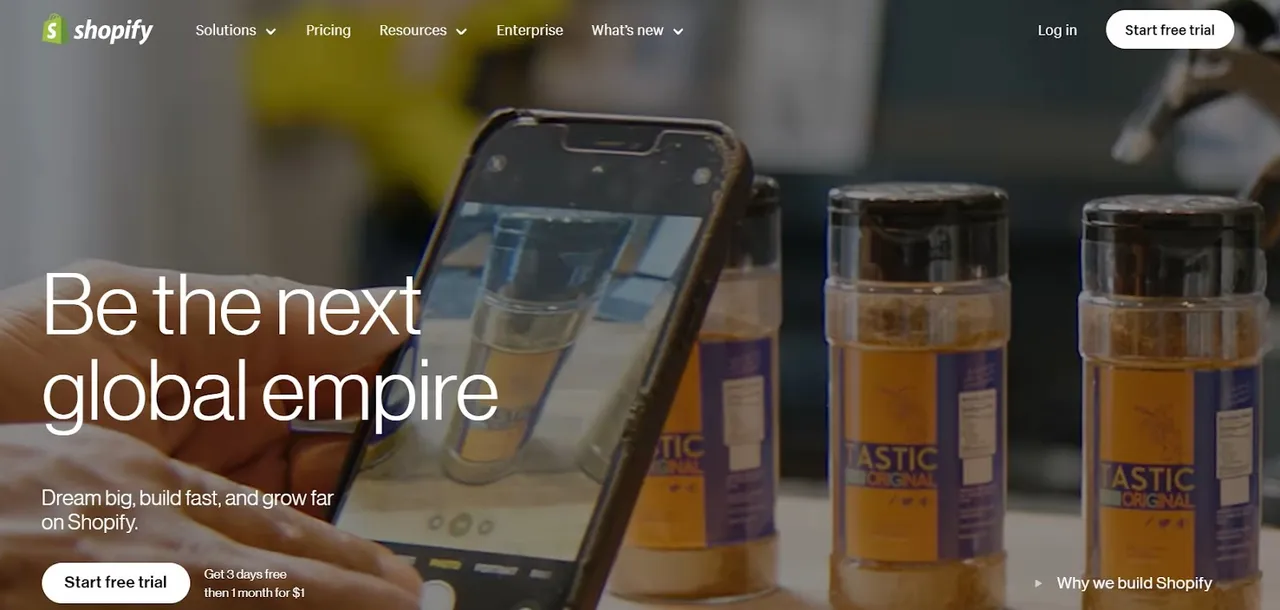
Shopify powers millions of live stores across 175+ countries according to BuiltWith, and its share of the U.S. e-commerce platform market has climbed to around 30% in 2025. With this level of competition, an SEO audit identifies the specific weaknesses preventing your store from ranking—think of it as a diagnostic scan that reveals exactly what needs fixing.
Here's why regular Shopify SEO audits matter:
Identify Technical SEO Issues: Audits uncover problems like slow page speed, broken links, missing meta tags, and crawl errors that directly impact your rankings. I've seen stores recover from 50% traffic drops simply by fixing crawl issues discovered in an audit.
Improve User Experience: According to Google, 53% of mobile users abandon sites that take longer than 3 seconds to load. Audits reveal UX problems affecting both rankings and conversions.
Boost Conversion Rates: When I audit e-commerce stores, I typically find 15-30% of product pages have thin content or missing meta descriptions. Fixing these issues consistently improves both traffic and sales.
Stay Ahead of Algorithm Changes: Google ships thousands of ranking changes a year, and the March 2024 core update folded the old helpful content system directly into core ranking. In my 12 years doing SEO, the stores that ride out these updates aren't the ones chasing every rumor — they're the ones running a regular audit, so a shift shows up as a small fix instead of a traffic cliff.
Benchmark Against Competitors: Audits reveal how your SEO compares to top competitors, highlighting opportunities they're exploiting that you're missing.
You may also want to read: How to Conduct an E-Commerce Site Audit to Fire up Conversions
I've broken this audit process into four distinct phases that I follow with every Shopify store. This approach ensures nothing gets overlooked while keeping the process manageable.
A thorough preparation phase streamlines the entire audit process and prevents wasted effort on low-priority issues.
Define Your Goals: What specific outcomes do you want? Increasing organic traffic by 30%? Ranking for specific product keywords? Reducing bounce rate? Clear goals determine which audit findings to prioritize.
Gather Baseline Data: Before making changes, document your current metrics. Use Google Analytics and Google Search Console to record organic traffic, keyword rankings, bounce rate, average session duration, and conversion rates.
Benchmark Competitors: Analyze your top 3-5 competitors' SEO strategies. Look at their keyword targeting, site structure, content depth, and backlink profiles using our backlink checker. To compare traffic levels, run their domains through our free organic traffic checker.
Review Past Audits: If you've conducted previous audits, review what was fixed and what still needs attention. This prevents duplicate work and highlights recurring issues.
Assemble Your SEO Toolkit: Essential free tools include:
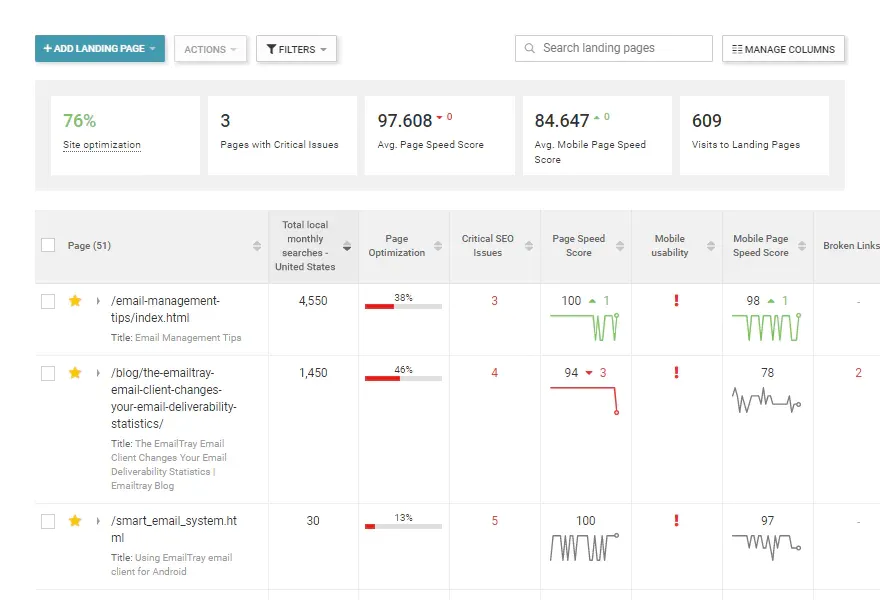
Technical SEO forms the foundation of your store's search visibility. Even the best content won't rank if crawlers can't properly access and index your pages.
You can audit your Shopify store manually using this checklist, or run our free SEO audit tool for automated analysis with actionable recommendations. We built the audit engine to flag exactly these technical problems — crawl blocks, broken canonicals, missing schema — and rank them by impact so you're not left guessing what to fix first.
Initial Analysis: Run a full crawl using Screaming Frog or SEOmator to identify all indexable pages, response codes, and technical issues. Our crawler renders JavaScript the way Googlebot does, so on app-heavy Shopify themes it catches the client-side content and links a raw-HTML crawl would miss.
Document Current Performance: Create a spreadsheet tracking organic traffic (by page), keyword rankings (for top 20 keywords), Core Web Vitals scores, and crawl error counts. This becomes your benchmark for measuring improvement.
Evaluate Current Targeting: Are your product and collection pages targeting keywords people actually search for? Use our free keyword research tool to verify search volume and competition.
Find Untapped Opportunities: Long-tail keywords often convert better than head terms. For a store selling running shoes, "best running shoes for flat feet women" converts better than "running shoes" because the intent is clearer.
Map Keywords to Pages: Every product, collection, and blog page should target a unique primary keyword. Create a keyword map spreadsheet to prevent cannibalization.
Title Tags: Every page needs a unique, keyword-optimized title under 60 characters. Use our meta tags checker to audit all titles at once.
Meta Descriptions: Write compelling 150-160 character descriptions with your target keyword and a clear call-to-action. Missing or duplicate meta descriptions are common Shopify issues.
Header Structure: Use one H1 per page (usually your product/page title), then H2s for main sections, H3s for subsections. Shopify themes sometimes misuse header tags—verify with a browser extension.
Content Quality: Product descriptions should be unique (not manufacturer copy), at least 300 words, and include natural keyword usage. Thin content is a ranking killer.
Structured data tells Google—and AI answer engines—exactly what your products are, which is what powers rich results and product citations inside AI Overviews. Shopify themes add some Product schema automatically, but many stores ship incomplete or duplicated markup. Validate every product template for price, availability, aggregateRating, and review fields, and confirm there's exactly one Product entity per page. Our deeper walkthrough on structured data for e-commerce covers the fields that matter most.
Core Web Vitals: Test your homepage, top collection pages, and best-selling products using PageSpeed Insights. Target LCP under 2.5 seconds, INP under 200ms, and CLS under 0.1—note that INP replaced FID as the responsiveness metric in 2024, so any older checklist that still targets FID is outdated.
Common Shopify Speed Issues:
Mobile Optimization: Mobile drives roughly 59% of global e-commerce sales and the majority of store traffic in 2025, so responsive, fast-loading design is mandatory. Test using our mobile-friendly test.
XML Sitemap: Shopify auto-generates sitemaps at yourstore.com/sitemap.xml. Verify it's submitted in Google Search Console and contains all important pages.
Robots.txt: Check yourstore.com/robots.txt using our robots.txt tester. Shopify's default robots.txt blocks checkout, cart, and admin pages appropriately—don't modify unless you know what you're doing.
HTTPS Security: Shopify provides free SSL certificates. Verify all pages load via HTTPS with no mixed content warnings.
Internal Link Structure: Use our internal link checker to identify orphan pages, broken links, and poor link equity distribution. Every important page should be reachable within 3 clicks from the homepage.
Backlink Profile: Quality backlinks remain a top ranking factor. Audit your backlink profile for toxic links, lost links, and opportunities to build new ones from industry publications and partners.

After completing your audit, you'll have a list of issues to fix. Here's how to prioritize and implement effectively:
Critical First: Fix technical issues blocking crawling/indexing immediately—broken pages, sitemap errors, robots.txt problems. These prevent rankings entirely.
High Impact Second: Address site speed issues and missing/duplicate title tags next. These affect every page and have compounding effects.
Medium Impact Third: Content improvements, internal linking optimization, and meta description updates.
Break Into Sprints: Don't try to fix everything at once. Create 2-week implementation sprints focused on specific issue categories.
Shopify SEO Apps: Apps like those in the Shopify App Store can automate meta tag templates, image alt text, and structured data. Be selective—too many apps hurt performance.
Team Collaboration: If you have team members, assign specific audit categories to each person. One person handles technical issues while another focuses on content improvements.
A/B Testing: For significant changes (new title tag formats, redesigned product descriptions), test variations on a subset of pages before rolling out site-wide.
Document Changes: Keep a log of what you changed and when. This makes it easy to correlate ranking changes with specific optimizations.
SEO isn't a one-time project—it requires continuous attention to maintain and improve rankings.
Weekly: Check Google Search Console for new crawl errors, security issues, or manual actions.
Monthly: Review organic traffic trends, keyword ranking changes, and Core Web Vitals scores in Google Analytics.
Quarterly: Conduct mini-audits to catch new issues before they compound. Focus on recently added products/pages.
Follow Algorithm Updates: Subscribe to Google Search Central Blog for official announcements. Major updates can require strategy adjustments.
Invest in Learning: SEO evolves constantly. Allocate time for your team to stay updated through courses, webinars, and industry publications.
Customer Feedback: Site search queries reveal what customers look for but can't find. Cart abandonment surveys identify UX friction points.
Community Engagement: Join Shopify and SEO communities (Reddit's r/shopify, Shopify Community Forums) to learn from others' experiences and stay informed about platform changes.
Auditing for AI search means checking whether generative engines can read, trust, and cite your product data—not just whether you rank in the classic blue links. With AI Overviews on roughly 16% of e-commerce searches and rising, a 2026 Shopify audit has to cover structured data, AI-crawler access, and citable content, not only keyword positions. My take: this is the biggest shift I've watched hit e-commerce discovery in a decade, and most audit templates still stop at the ten blue links.
Informational shopping queries—the "best [product] for [use case]" searches that used to send discovery traffic—now show an AI Overview far more often than transactional ones, so review your blog and collection copy for clear, quotable answers a model can lift. Confirm your robots.txt isn't blocking AI crawlers like GPTBot, ClaudeBot, and PerplexityBot if you want to be eligible for AI citations, and check which of your terms already trigger an AI Overview with our AI Overview keyword checker.
Conduct a full audit quarterly and mini-audits monthly. After major site changes (new theme, site migration, large product additions), run an immediate audit to catch any issues introduced.
Yes. As of 2026, AI Overviews appear on roughly 16% of e-commerce searches, and engines like ChatGPT and Perplexity increasingly recommend products directly. A modern audit checks that your product data has valid structured data, that AI crawlers aren't blocked in robots.txt, and that your content is quotable—not just that you rank in the ten blue links.
Duplicate content from collection filtering and pagination. Shopify creates unique URLs for filtered product views (e.g., /collections/shoes?color=blue) which can cause duplicate content issues. Use canonical tags (Shopify handles this automatically) and avoid indexing filtered URLs.
Yes. Google Search Console, Google Analytics, PageSpeed Insights, and our free tools cover most audit needs end to end. Screaming Frog's free version handles up to 500 URLs—sufficient for most Shopify stores.
A thorough audit typically takes 10-15 hours spread across 1-2 weeks. This includes preparation (2-3 hours), technical analysis (4-6 hours), on-page review (3-4 hours), and documentation (1-2 hours).
For stores generating significant revenue, professional audits often deliver positive ROI through expertise and efficiency. However, this checklist enables store owners to conduct effective audits themselves, especially for stores under $50K monthly revenue.
You might also want to read:
SEOmator Rank Tracker
Technical fixes are invisible until positions move. Track the keywords a fix was meant to affect and watch whether it actually landed.
SEOmator Rank TrackerLearn how to do an SEO audit of any website in 2026 — technical, on-page, off-page, and AI-search checks — then run a free audit to fix issues fast.

Organic search drives 53% of SaaS traffic at a 702% ROI. This 8-step technical SEO audit fixes crawlability, Core Web Vitals, canonicals, and AI-search visibility.
An SEO audit for charities covers 16 areas from site indexing to local SEO. With organic search driving 44% of nonprofit website traffic and only 0.16% of visitors donating, a thorough audit helps maximize every visitor's potential to support your cause.


