Free Company Logo API: Any Domain to a 128 px Logo URL
SEOmator's Company Logo API turns a company name or domain into its logo: enter “Stripe” or “stripe.com” and get the matching company, its domain, and a stable 128 px logo URL you can hotlink or download. Any registered domain returns an image, so the lookup never comes back empty. Free, no signup.
 Reviewed by Charles Duncan, Co-founder & CTO
How does the company logo lookup work?
Two steps run behind one search box. A company name is first matched against SEOmator's company index to resolve it to the domain that company actually owns — the hard half, because “Apple” and “Delta” are brands, not hosts. That domain is then turned into a logo endpoint: a fixed URL that serves the site's own icon at 128 px, generated live at request time rather than served from a stored copy. Enter a domain directly and the first step is skipped entirely, which is why a domain always returns something and a name sometimes does not.
Type a name or a domain
One box takes both. A brand name searches the company index; a domain or full URL goes straight to the domain path. Input is capped at 100 characters, and there is nothing else to configure.
The domain gets resolved
A name returns a shortlist of matching companies, each with its own domain, so near-matches and subsidiaries surface next to the obvious answer. A domain returns that exact host first, with related companies after it.
Copy the URL or download the file
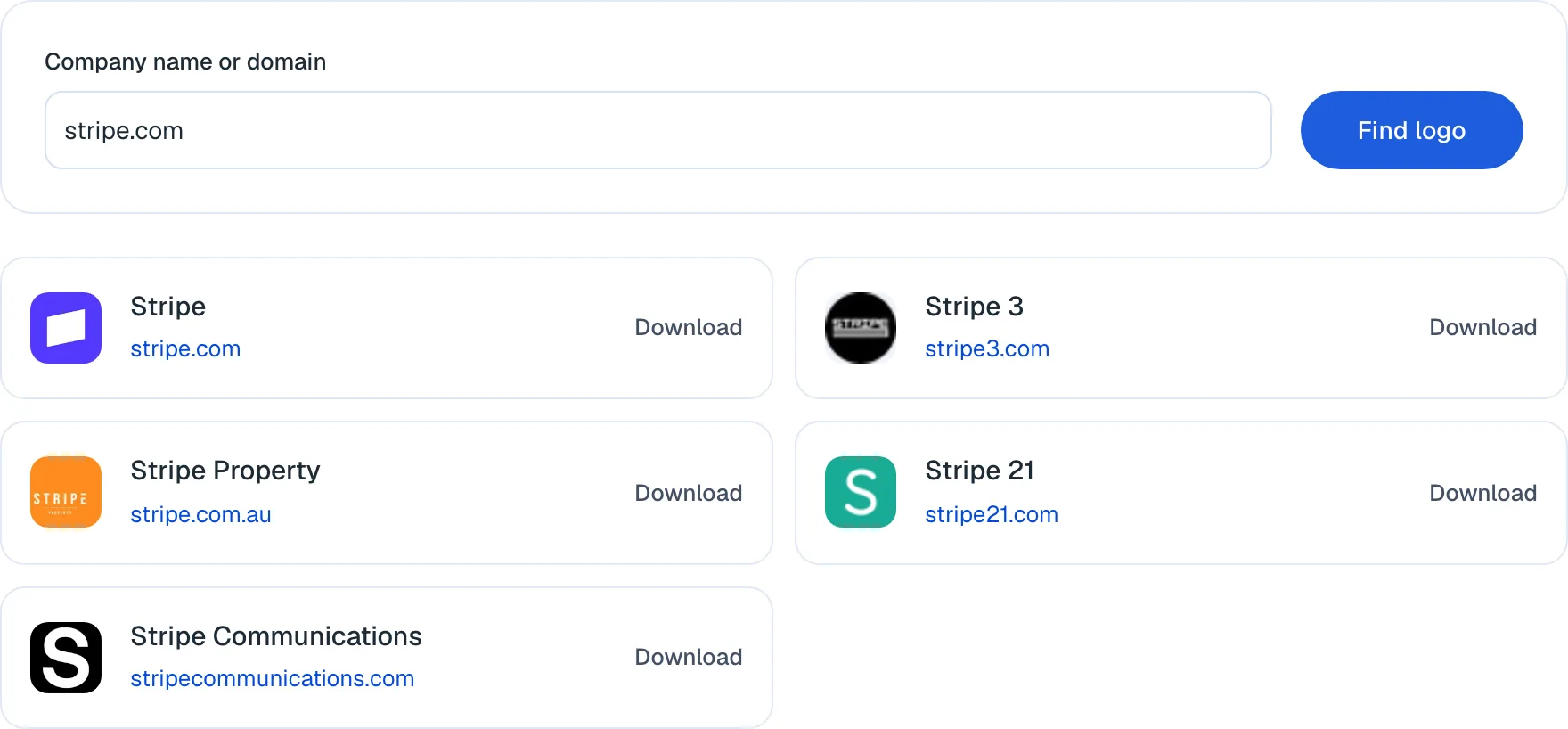
Every row carries the logo, the company name, a link to the domain and a download link. The logo address is a stable URL, so you can paste it into an image tag instead of hosting a copy.
What is free here, and what does an account add?
Every capability below is free and needs no sign-up. The marked ones are what a free SEOmator account adds once you know which domain you are looking at.
Name-to-domain resolution
Type a brand and get the domain it actually owns, disambiguated against a company index. This is the step that makes everything else possible, and the step hand-assembled logo sets get wrong.
A 128 px logo for every result
Each match returns its logo rendered at 128 px — the size that UI avatars, list rows and comparison tables are built from.
A stable, hotlinkable URL
The logo is an address, not a one-off file. Drop it into an image tag and it keeps resolving against the company's current icon, with no asset to host and nothing to re-download when a brand refreshes.
Any registered domain works
Hosts the company index has never heard of still return an image, because the logo endpoint is built from the domain itself. Obscure, regional and brand-new domains do not come back empty.
One-click download
Every row has a download link if you would rather keep a copy than hotlink one — useful when the logo is going into a slide or a mockup rather than a live page.
Related companies, not one guess
A search returns a shortlist rather than a single confident answer, so you can tell the company you meant from the four others trading under a similar name.
Audit the domain behind the logo
Run all 251 audit rules against the site you just resolved — the fastest way to judge a partner, a prospect or a link target once you know who they are.
Rank history for that domain
Track what a company ranks for over time instead of taking a single look at their site today.
Alerts on domains you watch
Get told when a site you are monitoring moves, instead of re-checking it by hand.
Create a free SEOmator account to audit, track and monitor the domains this lookup turns up.
Sign up freeExpert review of the company logo finder
 Reviewed byCharles Duncan · Co-founder & CTO
I reach for this the way I reach for a favicon fetch in a build script: I need a company's mark in a table or a list, and I want it as a URL rather than a file checked into a repo. The half it does genuinely well is the boring half — resolving a brand name to the domain that brand actually owns, which is where hand-assembled logo sets quietly go wrong and nobody notices until a competitor's mark is sitting on the wrong row. The limitation is that 128 px is an icon, not a brand asset: right for an avatar, a table row or a favicon-scale element, wrong for a hero image, a slide or anything that will be printed, and there is no vector or larger size behind it. The second thing to know is that when a site publishes no icon at all, the endpoint returns a generated placeholder rather than an error — so a result that looks blank is still a successful response, and you should look at the image before you ship it into a page.
How does our expert use this tool?
 Charles Duncan · Co-founder & CTO
Give every logo you embed an alt attribute
A logo dropped into a page is just an image, and images are where audits quietly fail. Across the 100,000+ sites our audit engine crawled between January and July 2026, images were a critical-failure category on 63.5% of them — most often missing alt text, on a median 19% of a site's images. Naming the mark in the alt text costs nothing and takes the most common on-page image failure off the table. Check yours with the free SEO audit.
Search the domain when you already know it
The name path depends on a company being in the index; the domain path does not, because the logo address is derived from the host itself. If you have the domain, use it — that is the difference between a guaranteed result and a maybe.
Hotlink for interfaces, download for artwork
In a live product, the URL is the better choice: it tracks the company's current icon, so a rebrand fixes itself. In a slide, a mockup or anything you will edit, download instead — you want a copy that cannot change under you the week before the pitch.
Never use this for your own logo
This is a lookup for other companies' marks. Your own
og:image, yourOrganizationschema logo and your favicon should all point at a real asset you control, at a size you chose. Across the same audits, 19.4% of sites were missing anog:imageentirely — check yours with the meta tags checker and wire the schema with the schema markup generator.Look at the image before you ship it
A miss does not fail loudly. A domain with no published icon returns a generated placeholder, and a parked or expired domain can return something that is technically an image and visually nothing. Two seconds of eyeballing beats a customer logo wall with a grey square in it.
Check the licence, not just the pixels
Finding a logo is a technical question; using it is a legal one. A mark being publicly reachable is not permission — most companies publish brand guidelines that say where their logo may appear, and comparative or customer-logo use is exactly the case those pages address.
On this page
What a logo lookup actually resolves
Two different problems hide inside "find me this company's logo", and only one of them is hard. Fetching an image once you know the host is close to mechanical — every site maintained in the last decade publishes an icon, and there is a well-known convention for where it lives. Working out which host a brand name belongs to is the hard half, and it is the half that fails silently.
"Stripe" is a brand, not a host. So is "Delta" — which is an airline, a faucet manufacturer, and a dental insurer, depending on who is asking. So is "Apple", "Square", "Monzo" and every other name that reads as an English word. Resolving a name to the domain that company actually owns is where a logo list quietly goes wrong, and the failure is silent: nobody notices that row 14 of the customer wall is a different company with a similar name until that company's legal team does.
This tool runs both steps. A name is matched against a company index to find its domain; the domain is then converted into a logo endpoint. Enter a domain and the first step is skipped, which is why the two paths behave differently:
- Name path. Depends on the company being in the index. Returns a shortlist rather than one answer, on purpose — you are better placed to pick between "Delta Air Lines" and "Delta Faucet" than any matcher is.
- Domain path. Depends on nothing. The logo address is derived from the host you typed, so a domain registered last week returns an image just as reliably as a Fortune 500 one.
If you have the domain, use it. The name path is a convenience; the domain path is a guarantee.
Why 128 px is the honest ceiling
The logo comes back at 128 pixels. That is not a limitation that will be lifted in a later version — it follows from where the image comes from.
An icon endpoint serves the mark a site publishes for browsers: the thing in the tab, the bookmark, the phone home screen. Sites publish it because browsers require it, which is exactly why this approach works for every domain instead of only for companies with a public brand kit. The trade is that you get the asset a site made for a 32-pixel tab, upscaled to a size that survives a list row.
That makes it right for:
- avatars and list rows
- comparison tables and pricing grids
- integration directories and customer walls
- favicon-scale UI elements
And wrong for:
- hero images and page banners
- slide decks projected at any real size
- anything printed
- anything you plan to recolor, crop tightly, or place on a contrasting background
There is no vector behind it and no larger size to request. If you need an SVG or a 2000-pixel PNG, the source is the company's own brand or press page, and you will be reading their usage terms anyway — see below.
The failure mode worth knowing
When a domain publishes no icon at all, the endpoint does not fail. It returns a generated placeholder — typically a letter tile — with a normal successful response.
This matters more in code than in the browser. A script that checks only whether the request succeeded will happily store a placeholder as a company's logo, and you will find out when the page ships. Parked domains, expired domains and domains behind a holding page all produce this. If you are pulling logos in a loop, look at the output before it goes live.
Hotlinking versus downloading
Each result gives you both: a URL you can reference directly, and a download link. They are not interchangeable, and the choice has consequences.
Hotlink when the logo lives in a running product. The URL resolves against the company's current icon at request time. Nothing is cached on our side, so a rebrand propagates to your page without anyone touching it. For a customer wall, an integrations page or an avatar fallback — surfaces that get stale precisely because nobody owns them — this is the whole argument. The counter-argument is real too: you have taken on a third-party request, which means it can be slow, blocked by a strict content-security policy, or unavailable while you are up.
Download when the logo is going into artwork. A slide deck, a mockup, a PDF, or anything a designer will edit needs a file that cannot change under you. The point of an asset in a pitch deck is that it looks the same the day you present it as it did the day you built it.
A reasonable middle path for production systems: fetch the URL once, store the file yourself, and keep the source URL alongside it so you can refresh on a schedule. You get stability and a way out of staleness, at the cost of writing the refresh job.
Where embedded logos break SEO audits
A logo on a page is an image, and images are among the most reliably broken things on the web. Across the 100,000+ sites our audit engine crawled between January and July 2026, images were a critical-failure category on 63.5% of them. The most common failure inside that category was missing alt text, on a median 19% of a site's images — it is the third most-failed individual rule we check.
Four things go wrong specifically with logos:
No alt text. A logo is one of the few images where the correct alt text is obvious — the company name, plus "logo" — and it still gets skipped, because logos are usually added in bulk by whoever built the grid rather than by whoever writes the copy. If a mark is purely decorative and the company name is already in adjacent text, an empty
alt=""is the right answer; a missing attribute never is.No dimensions. An image without width and height attributes gives the browser nothing to reserve space with, so the row jumps when the logo loads. A grid of twenty of them is a layout-shift problem that shows up in your Core Web Vitals rather than in your eyes. You know the size here — it is 128 by 128 — so there is no excuse for omitting it. Check the effect with the free website speed test.
Eager loading of below-the-fold marks. Customer walls sit near the bottom of a page. Twenty logos loading during the initial render compete with content the visitor can actually see. Lazy-load them.
Reaching for these as your own brand assets. Your own
og:image, yourOrganizationschema logo and your favicon should point at a real file you control, sized how you chose. Across the same audits, 19.4% of sites were missing anog:imageentirely, and structured data was a failing category on 64.8% — most often a missing or invalidOrganizationblock, which is where your own logo belongs. Fix the first with the meta tags checker and the second with the schema markup generator.Using another company's logo without getting it wrong
Finding a logo is a technical question. Using one is not, and the two get conflated constantly because the first is now trivial.
Company logos are trademarks. Public reachability is not permission — the mark being one HTTP request away says nothing about whether you may put it on a page. Most established companies publish brand guidelines, usually at
/brand,/pressor/legal/trademark, and those pages generally address exactly the uses this tool serves:- Customer and client walls. Almost always requires permission, and often an approved asset rather than a scraped icon. Many companies are happy to grant it; the ask is the point.
- Integration and compatibility pages. Usually permitted under a nominative-use clause, frequently with conditions on sizing, clear space and not implying endorsement.
- Comparison tables. Generally the most defensible use — you are identifying a competitor to discuss them — but tone matters, and some guidelines restrict comparative contexts explicitly.
- Anything suggesting partnership or endorsement. Reliably the line that gets crossed.
Read the guidelines for any mark that will be seen by customers, and get written permission where it is asked for. This is a description of common practice, not legal advice; when there is money or risk attached, ask someone qualified.
When this is the wrong tool
Being clear about the boundary saves more time than any feature:
- You have a picture and need the company's name. That is image recognition, and it works in the opposite direction from this tool. A reverse image search is what you want.
- You need print or large-format artwork. Go to the company's brand or press page for a vector.
- You need your own logo somewhere. Use your own file. Never resolve your own domain here and ship the result.
- You have a list of 500 companies. This is a single-query lookup — one name or domain per search, with a download link on each row. There is no upload, no batch mode and no CSV export.
- You need a supported API with a contract. There is no public endpoint, key, quota or SLA. The stable thing you can build on is the returned URL, not a documented service.
If what you need is the mark for a company you can name, at interface scale, without an account — that is the case this was built for.
Who is this company logo finder for?
Developers
An integrations page, a customer wall or an avatar fallback needs a mark per company. One URL per domain beats a folder of downloaded PNGs that goes stale the first time a partner rebrands.
Marketers and SEO teams
A competitor comparison table, a pitch deck or a dashboard needs consistent marks for a dozen companies. Resolve each name to its real domain first, then pull the logo — and audit those domains while you have the list.
Researchers and analysts
A prospect or market-map spreadsheet has company names but no domains. The lookup fills in both columns at once, which is usually the blocker rather than the logo itself.
Why use SEOmator's company logo finder?
Free, with no result paywall
No account, no card, and no “we found a match — sign up to see it” step. The list you get is the whole answer.
A URL, not a download
The result is an address you can hotlink, so the mark stays current without anyone re-downloading it. Downloading is the option, not the only path.
Name resolution is included
Most logo endpoints need a domain before they can do anything. This one takes the brand name and finds the domain first, which is the part that actually takes time by hand.
A live domain never comes back empty
Because the logo address is derived from the host, a domain outside the company index still returns an image instead of a dead end.
Honest about what 128 px is for
An icon-scale asset is sold here as an icon-scale asset. You will not discover the ceiling after building a hero section around it.
Part of a full toolkit
One of SEOmator's free SEO tools, alongside a technology check and a complete site audit.
The toolkit behind the logo finder
- Every lookup, with no account required
- $0
- Logo size returned for every match
- 128 px
- Websites audited by our engine, Jan–Jul 2026
- 100K+
Frequently asked questions about the company logo API
What is the Company Logo API & Logo Finder?
It is a free lookup that turns a company name or domain into that company's logo. Enter either one and you get the matching companies, the domain each one owns, and a 128 px logo URL for each — which you can hotlink directly or download. It answers the question “what is this company's mark, and where does it live?” rather than generating or designing anything.
How does the Company Logo API work?
A company name is matched against SEOmator's company index to resolve it to the domain that company owns, and the domain is then turned into a logo endpoint that serves the site's own icon at 128 px. Enter a domain instead of a name and the first step is skipped, so the exact host you typed is always resolved. Results appear as a list, one row per matching company.
Is the Company Logo API free to use?
Yes — free, with no account, no card and no trial clock. There is a generous per-visitor rate limit to keep the endpoint from being used as an open proxy, but nothing is held back behind a paywall. SEOmator charges for the paid platform — audits, rank tracking, AI-visibility monitoring — not for this lookup.
Is there a developer API endpoint I can call?
Not a documented, keyed one — there is no public API contract, quota or SLA to build against, and we would rather say so than imply otherwise. What you can rely on is the output: each result is a stable logo URL, so the practical integration is to store that URL alongside the company record and reference it from an image tag. If you need a guaranteed, supported endpoint with a contract behind it, this is not it.
Can I download logos in bulk or export a CSV?
No. This is a single-query lookup: one company name or domain per search, with a download link on each result row. There is no file upload, no batch mode and no CSV export. A search returning several rows is showing you matches for that one query, not processing a list.
Are the logos high resolution?
No — they are 128 px. That is icon resolution, and it is deliberate: the endpoint serves the site's own icon, which is what makes it work for every domain rather than only for companies with a published brand kit. It is the right size for avatars, table rows, favicons and UI lists, and the wrong size for hero images, banners, slides or print. There is no vector version and no larger size behind it.
How often are the logos updated?
There is no update cycle, because nothing is stored. The logo URL resolves against the company's current icon at the moment it is requested, so a company that changes its mark changes what your embedded URL serves — without you doing anything. That is the main argument for hotlinking the URL rather than downloading a copy.
What happens if a company has no logo?
You still get a response. When a domain publishes no icon, the endpoint returns a generated placeholder rather than an error, so a blank-looking result is a successful lookup and not a failure you can detect in code. Look at the image before using it. A brand name that is not in the company index is different: that search returns no matching companies at all, and the fix is usually to search the domain instead.
Can I integrate the logo finder into my website or application?
You can embed the results. Each logo is a stable URL, so putting one in an image tag works and keeps working as the company updates its icon — that covers customer walls, integration directories, comparison tables and avatar fallbacks. What you cannot do is call a documented API from your backend, because there is no public endpoint contract. Treat the URL as the integration surface, not the search.
Can I customize the appearance of logos for my project?
Not in the tool — there are no format, size, background or shape options, and what you get is what the endpoint serves. Everything cosmetic happens on your side: size, crop, rounded corners, a background behind transparent marks and dark-mode handling are all CSS on the image you embed. Worth planning for, because logos designed for a light background can disappear on a dark one.
How do I extract a favicon or icon from a website?
By hand, you would fetch the page, read its icon declarations, follow the one you want and fall back to the icon file at the site root when none is declared — which fails often enough to be annoying, because the declarations are optional and frequently wrong. This lookup does that resolution for you and hands back an address that already points at the right icon at 128 px, which for most uses is the whole job.
Can Google or an app identify a logo from an image?
Reverse image search and visual-recognition apps can often name a mark from a picture of it, and that is a genuinely different task from this one. This tool works the other way round: you start with a name or a domain — text — and it returns the image. If what you have is a screenshot of an unknown logo, a reverse image search is the right tool; if what you have is a company name, this is.
How do I get the image URL of a company's logo?
Search the company or its domain and use the address of the returned logo — that URL is the deliverable, and it is stable enough to store next to the company record in a database or spreadsheet. Copying an image address out of a company's own website works too, but those paths change on every redesign, which is exactly the breakage a resolved endpoint avoids.
Can I use the logos for commercial purposes?
Finding a logo and being allowed to use it are separate questions, and only the first is technical. Company logos are trademarks: publicly reachable does not mean freely usable. Most companies publish brand guidelines covering where and how their mark may appear, and the common cases here — a customer wall, an integrations page, a comparison table — are usually addressed there directly. Read them before shipping, and get permission where it is asked for. This is not legal advice.
Free SEO Tools powered by SEOmator
- Robots.txt Tester
- Free SEO Audit Tool
- Free Google SERP Checker
- Free Bing SERP Checker
- Free Backlink Checker Tool
- Free Keyword Research
- Page Crawl Test
- Mobile Support Test
- Bulk HTTP Status Test
- Website Speed Test
- Internal Link Checker
- Keyword Density
- Extract Meta Tags
- Sitemap Finder
- SEOmator AI SEO Assistant
- Organic Traffic Checker
- Free Website Technology Checker
- Domain Authority Checker
- Google Business Profile Audit
- Check Your URL Redirects
- Company Logo & Domain Finder
- YouTube SERP Rank Checker
- Find Competitor Keywords Free
- Free LLMs.txt Generator for AI
- Google AI Overview Keyword Tool
- Google AI Mode Analyzer Tool
- AI Brand Visibility Checker
- Keyword Competition Checker
- Page Authority Checker
- Free GEO Audit Tool
- URL Slug Generator for SEO
- Schema Markup Generator
Get started to see how your website performs.
Elevate your online presence with our tool: Get found, Get ahead