Free URL Slug Generator: Clean Slugs Without Leaving Your Browser
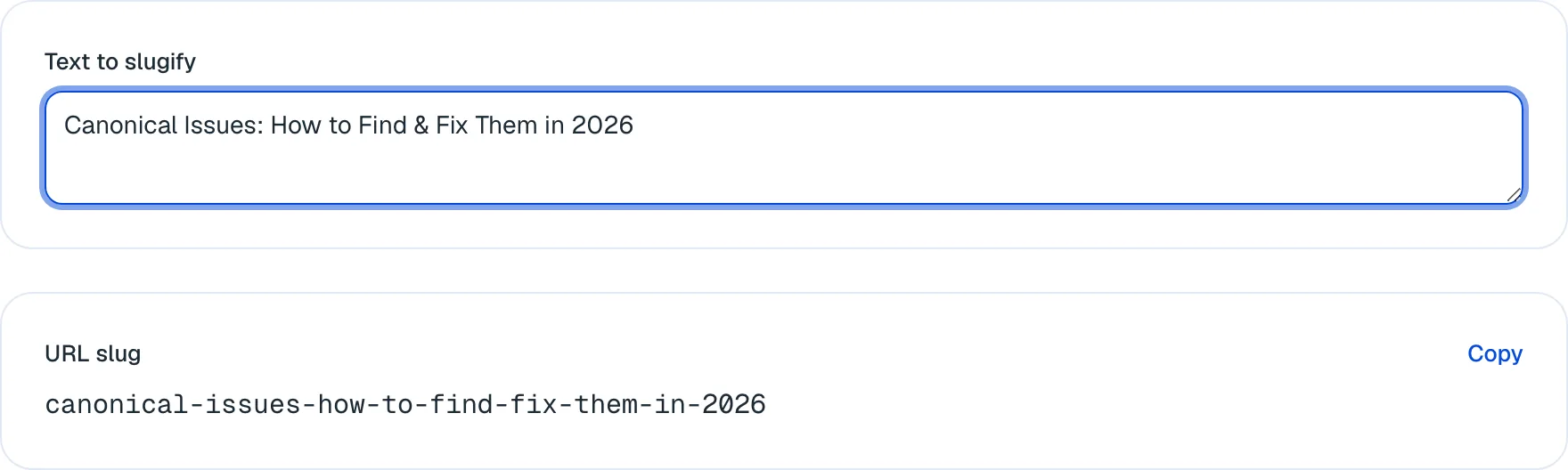
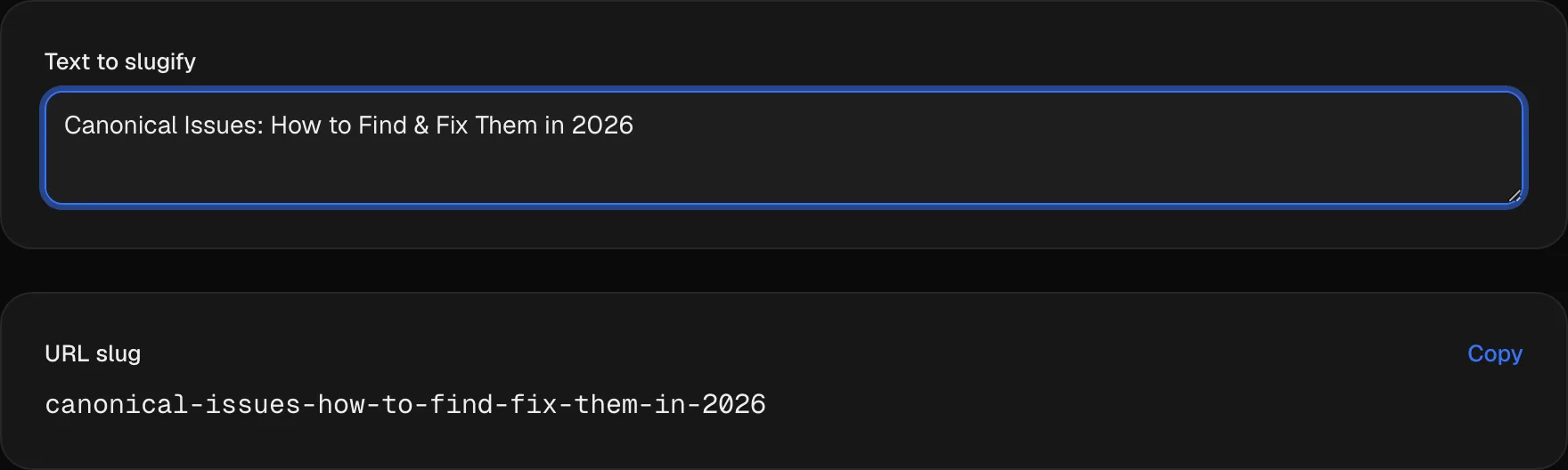
The free URL slug generator turns any headline into a clean URL slug as you type: spaces and punctuation become hyphens, repeated hyphens collapse, and everything drops to lowercase. Accented and non-Latin letters are kept, not stripped. It runs entirely in your browser, so nothing you paste is sent to us. No signup.
 Reviewed by Isabella Edwards, Technical SEO Content Manager
Type or paste some text above to generate a clean URL slug.
How does the URL slug generator work?
The whole transform is four steps, applied in order, in your browser. Every run of characters that isn't a letter, a digit or a hyphen becomes a single hyphen; repeated hyphens collapse into one; hyphens at the start and end are trimmed; and the result is lowercased. "Letter" means any script, so ä, é, ç and Cyrillic or Japanese characters survive the pass. Nothing is shortened, removed from a stop-word list, or added.
Paste your title or keyword
Type or paste the headline the page will carry, or the phrase you want the URL to be about. There's no length limit and no character you need to clean up first.
Watch the slug build as you type
There's no button and no waiting. The slug updates on every keystroke, so you can trim words and see the result shorten in the same motion.
Copy it into your CMS
One click puts the slug on your clipboard. Paste it into the URL field of WordPress, Webflow, Shopify or whatever you publish with — before you hit publish, not after.
What features are free, and what does an account add?
Everything in this grid works right now, no sign-up. The marked features unlock when you create a free SEOmator account.
Slugs that build as you type
No submit button and no round trip. Every keystroke re-renders the slug, so editing the phrase and editing the URL are the same action.
Nothing you paste is uploaded
The transform runs in your browser. There is no API call, so an unpublished headline stays on your machine — check the network tab if you want to confirm it.
Every script, not just English
Accented and non-Latin letters are kept rather than dropped or transliterated. "Ärzte für Zahnmedizin" comes back as "ärzte-für-zahnmedizin", which is what Google's own URL guidance recommends.
Hyphens, including from underscores
Spaces, punctuation, symbols and underscores all become hyphens, and repeats collapse. Google reads a hyphen as a word separator and an underscore as a word joiner.
One-click copy
The result goes straight to the clipboard, so the slug you looked at is the slug you paste — no manual retyping and no transcription slips.
Same input, same output, every time
The transform is deterministic and published on this page. Two people slugging the same headline get the same URL, which matters when a team shares a naming convention.
Full site audits
251 technical checks across the pages you've already published, including the URL-structure category this tool only covers one corner of.
Rank tracking for the pages you name
Watch positions for the URLs you just slugged, instead of re-checking them by hand after every publish.
Alerts when something moves
Get told when a tracked page shifts position, rather than remembering to look.
Create a free SEOmator account to audit the pages behind your URLs, track how they rank, and get alerted when they move.
Sign up freeExpert review of the URL slug generator
 Reviewed byIsabella Edwards · Technical SEO Content Manager
This is a formatter, not an editor, and I think the page is better for admitting it. Paste "The Best Guide to the Art of the Deal" and you get back the-best-guide-to-the-art-of-the-deal, every "the" and "of" still in place. Plenty of slug tools quietly strip those words for you; I'd rather make that call myself, because a stop word occasionally carries the meaning — "how to fix" and "how fix" are not the same phrase, and the second one reads like a machine wrote it. Two things I'd want a first-time user warned about. Apostrophes leave debris: "Google's Guide to URLs" becomes google-s-guide-to-urls, and that orphan s is easy to miss if you copy without reading. And the tool has no opinion at all about whether you should be generating this slug in the first place. If the page is already live and indexed, changing its URL is a redirect decision with real cost attached, not a tidiness exercise. Slug before you publish. After that, leave it alone unless something is genuinely broken.
How does our expert use this tool?
 Isabella Edwards · Technical SEO Content Manager
Fix the slug, then check what your CMS appends to it
A clean slug doesn't guarantee a clean URL. Across the 100,000-plus sites we audited between January and July 2026, 17.2% carried at least one critical URL-structure failure, and the most common one wasn't bad wording — it was session IDs and tracking parameters left indexable. Your slug can be perfect and the address bar still ends in ?sessionid=. Run a full site audit on what actually got published.
Read the output for orphan letters before you copy
Apostrophes, ampersands and decimal points all collapse to hyphens, and the leftovers are ugly. "Google's Guide to URLs" gives you google-s-guide-to-urls; "Price: $49.99" gives you price-49-99. Neither is wrong, exactly, but both are worth two seconds of editing. I retype the phrase without the punctuation and re-slug rather than hand-editing the output.
Decide the slug before you publish, not after
Renaming a live URL means a redirect, and redirects accumulate. In that same audit population, 24.3% of sites failed on redirect chains of two or more hops — usually because nobody removed the previous hop when they added a new one. If you must rename, point the old URL straight at the final destination and then re-check it with the redirect checker.
Cut the filler words yourself — the tool won't
There's no stop-word list in here. "A Complete Guide to the Best Running Shoes for Beginners" comes back with all nine of its small words attached. I delete them in the input box and watch the slug shorten live: running-shoes-for-beginners says the same thing in a third of the characters. Keep the ones that change the meaning.
Slug the topic, not the headline
Headlines carry things a URL shouldn't: years, "ultimate", "in 2026", the number in a listicle. A slug outlives all of them. Strip the headline down to what the page is permanently about, paste that, and the URL will still be accurate after next January's refresh.
Pick an umlaut policy once, and hold your team to it
The tool keeps ü, é and ç, so /über-uns and /ueber-uns are both reachable outcomes depending on what somebody typed. Either is fine on its own; having both across a site is not. Decide which one your German or French pages use, write it down, and paste text that already matches the rule.
On this page
Which part of a URL is the slug?
The slug is the last segment of the path — the piece that names the individual page. Everything before it is address and filing.
Take a real URL from this site and split it:
Part Example What it is Scheme https://The protocol Host seomator.comThe domain the page lives on Path /blog/technical-seo-auditEverything after the host Folder /blog/The section the page is filed under Slug technical-seo-auditThe name of this one page Most definitions you'll read say the slug is "everything after the domain name". That's true for a page sitting at the root and wrong for anything in a folder, which is most pages on most sites. The distinction matters when you're planning a URL, because the folder is doing half the descriptive work.
/blog/technical-seo-auditdoesn't need the word "blog" in its slug — it's already there, one level up.A slug has two jobs. It tells a person what a page is before they click, and it keeps telling them after the link has been pasted somewhere stripped of its title — a message, a spreadsheet, a citation in someone else's post. That second job is the one people forget, and it's the reason a slug outlives the headline it came from.
What exactly does this generator do to your text?
Four rules, applied in order, in your browser:
- Every run of characters that isn't a letter, a digit or a hyphen becomes a single hyphen.
- Repeated hyphens collapse into one.
- Hyphens at the start and end are trimmed off.
- The whole string is lowercased.
"Letter" means a letter in any script, not just A–Z. That single decision explains most of the surprising output below.
Here's what the shipped transform does to real input. We ran these through the function on 8 August 2026; paste any of them into the box above and you'll get the same thing back.
You paste You get What happened 10 Best SEO Tips for 202610-best-seo-tips-for-2026Spaces became hyphens, digits survived Google's Guide to URLsgoogle-s-guide-to-urlsThe apostrophe became a hyphen and left an orphan sHow to Use_Underscores_Herehow-to-use-underscores-hereUnderscores are not letters, so they became hyphens Price: $49.99 (50% off!)price-49-99-50-offColon, dollar sign, decimal point, brackets and %all collapsedLeading and trailingleading-and-trailingEdge hyphens were trimmed e-commerce SEO — best practicese-commerce-seo-best-practicesThe existing hyphen stayed; the em dash and its spaces became one Ärzte für Zahnmedizinärzte-für-zahnmedizinUmlauts kept, just lowercased Что такое SEOчто-такое-seoCyrillic kept Two rows there are worth pausing on. The apostrophe case is the one that catches people:
google-s-guide-to-urlsis a perfectly valid URL and it looks like a typo. Retype the phrase without the apostrophe before you copy. And the punctuation case shows why pasting a price or a stat straight in rarely works —price-49-99-50-offhas lost the information that made it readable.Nothing here is guesswork on our part. The transform is four lines of code with no configuration, no dictionary and no model behind it, which is why the same input always produces the same output. If two people on your team slug the same headline, they get the same URL.
What does it deliberately not do?
More than the marketing on most slug tools would suggest.
It doesn't remove stop words. Paste "The Best Guide to the Art of the Deal" and every
theandofcomes back attached. Plenty of generators strip those automatically. We don't, because the decision isn't as safe as it looks — "how to fix a leak" and "how fix leak" carry different meanings to a reader, and the second one reads like machine output. Delete the filler in the input box instead. The slug shortens as you type, so you can see what you're losing.It doesn't shorten anything. There's no character cap and no truncation. A 90-character headline produces a 90-character slug. That's your call to make, not ours to make silently.
It doesn't add keywords. A generator can't know what the page is meant to rank for. If the phrase you paste doesn't contain your target words, neither will the slug.
It doesn't transliterate.
üstaysü; it doesn't becomeueoru. More on that below.It doesn't check anything about your site. Whether the slug is already taken, whether the page exists, whether changing it is a good idea — all outside what a text transform can see. For the published side of that, run a full site audit and check the URLs you actually shipped.
How long should a slug be, and what goes in it?
Three to five words, in practice. There's no threshold you're penalised for crossing, and this tool enforces nothing, so the constraint is entirely about readability.
Two places long slugs get cut in the real world: the URL Google displays in a result, and the link preview when someone drops the address into Slack or a message. A slug you can read out loud without losing the thread survives both.
What to leave out is easier to specify than what to put in:
- Dates and years.
/best-rank-trackers-2026needs rewriting every January, and rewriting a URL is expensive (next section)./best-rank-trackersdoesn't. - The folder's word. If the page is at
/blog/, the slug doesn't need "blog" or "article" in it. - Listicle numbers.
/12-seo-tipsbecomes a lie the moment you add a thirteenth. - Superlatives from the headline. "Ultimate", "complete", "definitive" — none of them describe the topic.
- Stop words that aren't doing work. Keep the ones that are.
Repeating your target keyword in the folder and again in the slug doesn't compound. Google's URL structure guidance warns against overly complex URLs and recommends simple, descriptive words in the language of your audience — that's the whole brief.
- Dates and years.
What does changing a live slug cost you?
This is the question the tool can't answer for you, and the one worth thinking hardest about.
Renaming a published URL breaks the old address. Every external link, bookmark, shared message and cached search result pointing at it returns a 404 unless you put a 301 redirect from the old URL to the new one. Google's documentation is unambiguous that a permanent redirect is what you use here.
Even done properly, expect a quiet period while the new URL is crawled and the old one's signals consolidate onto it. How long depends on how often the page gets crawled, which you don't control.
Two habits keep the damage small:
Redirect to the final destination, not the previous step. If
/old-namealready points at/newer-nameand you rename again, point/old-nameat the new address directly rather than letting it hop through. Chains accumulate quietly — across the sites we audited in the first half of 2026, redirect chains of two or more hops were among the ten most common failures our engine finds. Re-check yours with the redirect checker after any rename.Update your own internal links. A redirect is a safety net for links you don't control. The ones inside your own site you can just fix, and leaving them pointing at a dead address wastes crawl budget for no reason. The internal link checker will show you which links on a page point where.
The practical conclusion: decide the slug before the page is published for the first time. After that, only rename when the URL is actively wrong — a typo, a product that changed its name, a path that contradicts the page. Tidiness is not a good enough reason.
What happens to umlauts, accents and non-Latin scripts?
They're kept. This surprises people, so here's what it looks like in practice, and why it's deliberate.
Ärzte für Zahnmedizinbecomesärzte-für-zahnmedizin.Что такое SEObecomesчто-такое-seo. The tool lowercases the characters and leaves them alone otherwise. That follows Google's URL guidance, which recommends UTF-8 encoding for non-ASCII characters rather than stripping them.The confusion comes later, when the URL shows up somewhere as percent-encoded:
What you see in the tool What browsers and log files often show ärzte-für-zahnmedizin%C3%A4rzte-f%C3%BCr-zahnmedizinüber-uns%C3%BCber-unsчто-такое-seo%D1%87%D1%82%D0%BE-...Same URL, two representations. Browsers display the readable form in the address bar and transmit the encoded one; analytics tools and server logs usually record the encoded version, which is why a German site's reports can look like line noise.
None of that breaks anything. But it's a reason plenty of teams choose to spell umlauts out instead —
/ueber-unsrather than/über-uns— and either convention is defensible. What isn't defensible is having both on the same site. The tool won't make the choice for you: if you wantue, typeuein the input.One caveat if you publish in a script that doesn't use spaces.
日本語のタイトルcomes back unchanged, with no hyphens at all, because there were no space characters to convert. That's correct behaviour and it may not be what you want. Add your own separators before you paste.
Who is this URL slug generator for?
Editors publishing on a CMS that auto-fills the URL
WordPress and Webflow both derive a slug from the headline, punctuation and all. Slug the phrase you actually want first, paste it into the URL field, and check the result with the meta tags checker once the page is live.
Developers naming routes and migrating a site
You have a spreadsheet of old page titles that need new paths. One deterministic transform means the mapping is reproducible instead of hand-typed, and the redirect checker confirms each old URL lands where you meant it to.
Teams publishing in more than one language
German, French and Cyrillic titles all pass through with their letters intact rather than getting mangled. Pair it with the internal link checker to confirm the localized pages actually link to each other after launch.
Why use SEOmator's URL slug generator?
Nothing leaves the page
No API call, no upload, no logging of what you typed. An unpublished headline is often the most confidential string a marketing team handles, and this tool never sees it.
The transform is published, not hidden
The four rules are written out on this page in order. You can predict the output before you paste, and explain to a colleague why a slug came out the way it did.
Your language's letters survive
ä, é, ç, ñ, Cyrillic, Japanese — all kept. Google's URL guidance recommends UTF-8 for non-ASCII characters rather than stripping them out.
Free, with no sign-up wall
No account, no credit card, no daily cap, and no trial that stops working after ten slugs.
Honest about what it isn't
It doesn't remove stop words, shorten anything, add keywords or judge whether a slug is good. We say so on the page rather than selling a transform we haven't built.
Part of a full toolkit
One of SEOmator's free SEO tools, alongside the redirect checker, the meta tags checker and a complete site audit.
The free toolkit behind real SEO workflows
- network requests — the slug is built in your browser
- 0
- to use, with no account and no daily cap
- $0
- people ran SEOmator's free tools in 2026
- 500K+
URL slug frequently asked questions
What is a URL slug?
The slug is the last segment of a URL's path — the human-readable part that names the individual page. In https://seomator.com/blog/technical-seo-audit, the slug is technical-seo-audit; /blog/ is the folder it sits in, not part of the slug. People often describe the slug as everything after the domain, which is close enough for a page at the root and wrong for anything filed in a folder. Its job is to tell a reader what the page is before they click it, and to keep telling them once the link has been pasted somewhere without its title.
What does this SEO slug generator actually do?
Four things, in order: it replaces every run of characters that isn't a letter, digit or hyphen with a single hyphen, collapses repeated hyphens, trims hyphens off both ends, and lowercases the result. That's the entire transform. It does not shorten your text, remove stop words, add keywords or check whether the slug is already in use. Paste "10 Best SEO Tips for 2026" and you get 10-best-seo-tips-for-2026 — the same words, formatted so a URL can carry them.
How long should a URL slug be?
Short enough to read in a search result, long enough to be unambiguous — in practice three to five words. There's no penalty threshold to stay under, and this tool applies no cap, so the constraint is human rather than technical. Two things get truncated in the real world: Google's displayed URL in a result, and the preview when someone pastes the link into Slack or a message. A slug that survives both is one you can read out loud without losing the thread. If you're at nine words, the filler is usually the problem, not the topic.
Does the URL slug affect SEO?
Directly, less than most people assume. Google has been clear that words in a URL are a very small ranking factor, and a page with a poor slug ranks fine every day of the week. Indirectly it matters more: the URL shows in the search result, so a readable one earns clicks a string of numbers doesn't, and it becomes the anchor text whenever somebody links to you by pasting the raw address. The bigger SEO story lives one level up in URL structure — parameters, session IDs, duplicate paths — which is where 17.2% of the sites we audited between January and July 2026 carried a critical failure.
What happens if you change a URL slug after publishing?
The old address stops working. Every external link, bookmark, shared message and cached result pointing at it hits a 404 unless you add a 301 redirect from the old URL to the new one, which is what Google's documentation tells you to do. Even done correctly, you'll usually see a short dip while the new URL is recrawled and the signals are consolidated. Two rules keep the damage small: redirect the old URL straight to the final destination rather than through an intermediate one, and update your own internal links to point at the new address instead of relying on the redirect. Across the sites we audited in the first half of 2026, 24.3% failed on redirect chains of two or more hops — almost always the residue of renames like this one.
Should a URL use hyphens or underscores?
Hyphens. Google's URL structure documentation recommends hyphens and explicitly advises against underscores, because a hyphen is read as a word separator and an underscore joins the words either side of it into one token. So url_slug_generator can be read as a single word, while url-slug-generator is read as three. This tool converts underscores to hyphens for exactly that reason — paste How_To_Fix_This and you'll get how-to-fix-this back.
Does the tool remove stop words like "the" and "and"?
No, and that's deliberate. A stop word is a common word — the, and, a, of — that search engines treat as low-signal. This tool keeps every one of them: "The Best Guide to the Art of the Deal" comes back as the-best-guide-to-the-art-of-the-deal. Removing them is usually a good idea and occasionally a terrible one, because a small word sometimes carries the meaning — "how to fix a leak" and "how fix leak" don't read the same to a human. Delete the filler in the input box, watch the slug shorten as you type, and keep the words that are doing work.
What happens to accents, umlauts and non-Latin characters?
They're kept. "Ärzte für Zahnmedizin" becomes ärzte-für-zahnmedizin, and "Что такое SEO" becomes что-такое-seo — the tool lowercases them but never transliterates or drops them. That matches Google's URL guidance, which recommends UTF-8 encoding for non-ASCII characters. One thing to expect: browsers and log files often show the percent-encoded form, so ärzte-für-zahnmedizin appears as %C3%A4rzte-f%C3%BCr-zahnmedizin in analytics and in some copied links. It's the same URL. If your team would rather spell umlauts out as ae/ue/oe, type them that way in the input — the tool won't do it for you.
Why are they called slugs?
It comes from newspapers. In hot-metal typesetting a slug was a line of cast metal, and newsrooms used the word for the short working name given to a story while it moved through production — before the headline was written. Content management systems borrowed both the word and the idea: a stable short label for a piece of content that stays put even when the headline changes. Which is the useful part of the analogy. The headline can be rewritten after publication; the slug shouldn't be.
How do you write an SEO-friendly URL?
Keep it readable, keep it stable and keep it lowercase. In practice: use words a person would recognise rather than IDs or dates; separate them with hyphens; drop the filler that adds length without meaning; put the page in a folder that describes its section, since the folder is part of the URL too; and pick the wording before you publish, because changing it later costs you a redirect. Avoid stuffing the same keyword into the folder and the slug — repeating it doesn't compound, and Google's own guidance warns against overly complex URLs.
Is this URL slug generator free?
Yes — no account, no email, no daily limit and no paid tier of the same tool. It also costs us nothing to run, which is why there's no catch: the transform executes in your browser, so there's no server doing work on your behalf. The only thing an account changes is what happens after the slug exists — auditing the published page, tracking how it ranks, and getting alerted when it moves.
Can I use the generated slug in WordPress, Webflow or Shopify?
Yes. The output is a plain lowercase string with hyphens, which every major CMS accepts in its URL or permalink field. WordPress calls it the permalink, Webflow calls it the slug, Shopify calls it the URL handle. All three also auto-generate one from your title, which is exactly the behaviour worth overriding: their version keeps the whole headline, dates and all. Paste yours over it before the page is published for the first time.
Free SEO Tools powered by SEOmator
- Robots.txt Tester
- Free SEO Audit Tool
- Free Google SERP Checker
- Free Bing SERP Checker
- Free Backlink Checker Tool
- Free Keyword Research
- Page Crawl Test
- Mobile Support Test
- Bulk HTTP Status Test
- Website Speed Test
- Internal Link Checker
- Keyword Density
- Extract Meta Tags
- Sitemap Finder
- SEOmator AI SEO Assistant
- Organic Traffic Checker
- Domain Authority Checker
- Google Business Profile Audit
- Check Your URL Redirects
- YouTube SERP Rank Checker
- Find Competitor Keywords Free
- Google AI Overview Keyword Tool
- Google AI Mode Analyzer Tool
- AI Brand Visibility Checker
- Keyword Competition Checker
- Page Authority Checker
- Free GEO Audit Tool
- URL Slug Generator for SEO
- Schema Markup Generator
Get started to see how your website performs.
Elevate your online presence with our tool: Get found, Get ahead