


· 21 min read
Website Migration Checklist for SEO: 24 Steps (2026)
Redirect chains fail on 24.3% of the sites we audit. A 24-point website migration checklist for SEO covering pre-launch, launch day, and the 90 days after.
The median e-commerce site we audit scores 68 (D+); 52% carry Product schema errors. Run this 10-step audit to find your leaks and fix them in order.

Charles Duncan · Co-founder & CTO, SEOmator
Leads the engineering behind SEOmator's crawler, audit engine and rank tracking

Quick answer: The median e-commerce site we audit scores 68 — a D+ — the lowest of the three verticals in our panel (H1 2026, 100,000+ sites). Its weakest category is structured data: 52% of the shops we audited carry Product or Offer schema errors. An e-commerce site audit finds those leaks before they cost you sales.
I own the audit engine and crawler behind those numbers, so here's the uncomfortable part: shops score worse than any site type we measure, and they don't fail where most checklists look. They fail on the markup that tells Google and AI shopping assistants what a product is, what it costs, and whether it's in stock.
| Vertical (H1 2026) | Median score | Gap vs e-commerce |
|---|---|---|
| B2B SaaS | 74 | +6 |
| Whole panel | 71 | +3 |
| Mixed / other | 70 | +2 |
| E-commerce | 68 | — |
Our panel runs roughly 60% B2B SaaS, 20% e-commerce, 20% mixed, so the e-commerce line is drawn from that 20% segment — worth knowing before you compare it against your own score. Methodology sits in our breakdown of 100,000+ audits.
So, let's tackle the process of how to conduct an ecommerce site audit to improve site performance, gain a leg up on the competition, and ultimately, increase revenue.
An e-commerce site audit is an in-depth analysis of all the elements that affect a website's visibility in search engine results. It covers aspects such as SEO, website design, user experience (UX), security among others.
The goal of the audit is to identify areas of improvement that can enhance the website's performance, increase website traffic and, ultimately, lead to more sales.
Hence, mastering how to conduct e-commerce website audits is what separates a store that compounds organic revenue from one that quietly leaks it. For scale: retail e-commerce is forecast to reach roughly $6.9 trillion worldwide in 2026, about 21% of all retail.

Regular e-commerce site audits bring multiple benefits that primarily keep you ahead of the competition. By conducting site audits, you will maintain your website's health, understand your customers and stay ahead of updates.
Here is a detailed analysis of the benefits of e-commerce website audit:
As they say in the digital world, "If you aren't on the first page, it's like you don't exist!"
SEO is a vital component of any e-commerce site's success strategy. An e-commerce site audit digs into your SEO strategies, enabling you to identify areas of improvement that could help increase your visibility and get you ranking higher in search engine results pages (SERPs).
An audit can give you insights into metadata optimization, alt text, and SEO-friendly URL structures nudging your site up those much-coveted ranking charts. That work compounds: organic search drives 43% of e-commerce traffic and 23.6% of online orders, so audit debt is revenue debt.

User experience (UX) is a linchpin in the e-commerce domain. The audit process helps identify potential issues for a smoother UX experience. This could be in terms of site navigation, site speed, website design, or mobile responsiveness.
Speed is the failure we see most: 58.4% of the sites we audit fail mobile LCP (above 2.5 seconds) and 29.6% fail INP (above 200ms), H1 2026. Start with Largest Contentful Paint (LCP) on the product template, then work through the rest of a failed Core Web Vitals assessment.
An enhanced UX lowers your bounce rate and can lift conversion rates. A smooth, engaging user journey directly affects a prospective customer's decision to buy.
e-commerce websites handle large quantities of sensitive data, including customer financial information. Also, they maintain large databases of customer information and transactions history. As such, they are high travel for cybercriminals, making website security a necessity, not a luxury, for any e-commerce business.
Regular e-commerce site audits assist in catching potential security vulnerabilities. You can promptly set corrective measures protecting your users' sensitive data, protecting your site's reputation, and ensuring trust among your customers.
Comparing your audit results with those of your competition helps you understand where you stand.
Identifying opportunities that your competitors are missing, or homing into tactics they are employing that you haven't engaged in, can give you the competitive edge needed to win in this e-commerce rat race.

As most marketers know, content is king. But even a king sometimes needs a wardrobe change! e-commerce website audits offer a unique opportunity to refine your content strategy.
A full analysis of existing content throws light onto content gaps you can exploit and highlight duplicate or irrelevant content you need to remove. It can rejuvenate your existing content to better align with user intent and SEO practices, amplifying your visibility on SERPs and potential customer engagement.
Scale and templates. A blog has fifty pages a human wrote; a store has forty thousand URLs a database generated from a handful of templates. That's why generic checklists miss the issues that cost stores money. On Shopify? We keep a Shopify-specific SEO audit checklist too; the checks below apply on any platform.
Three filters with ten options each can generate thousands of crawlable combinations from one category. Google's faceted navigation guidance is blunt about the cost: crawl budget spent on filter permutations is budget not spent on products. Decide which facets are indexable (usually the ones people search, like color or size), block the rest in robots.txt, and keep paginated series as self-referencing pages.
Audit the two templates that carry your revenue: the product detail page (PDP) and the product listing page (PLP). Sample five of each instead of hunting individual offenders. A missing <h1> on a PDP template is one fix that repairs ten thousand pages. I'd rather you fix twenty templates than two thousand pages.
Colour and size variants are where duplicate content quietly multiplies. If every variant has its own URL and near-identical copy, pick one canonical — usually the default — and point the rest at it. The exception is a variant with real search demand of its own ("black leather satchel"): give that one unique copy and let it stand alone. What you must not do is canonicalize variants to the category page.
Manufacturer copy pasted verbatim across a catalog is the content failure we see most on stores, and thin indexable pages already fail on 41.7% of the sites we audit (H1 2026). Rank products by revenue, rewrite the top 20% by hand, and template the rest with real attributes — dimensions, materials, compatibility — instead of adjectives. Our guide to e-commerce content optimization covers the rewrite order.
Out-of-stock handling is a schema question as much as a UX one. Keep the page indexable, mark availability as OutOfStock rather than dropping the Offer block, and show the buyer what to do next — restock date, notify-me, or a comparable product. Seasonal catalogs that hide out-of-stock URLs re-earn their rankings from scratch every year.
This is where e-commerce fails hardest: 52% of the shops we audited carry Product or Offer schema errors (H1 2026), and 47.9% of eligible pages across the panel carry no structured data at all. Usual causes: a missing price or priceCurrency, an availability value that contradicts the visible page, or reviews marked up that a shopper can't see. Validate against Google's Product structured data reference, and generate clean markup with our schema markup generator before touching the template.
Here's the order I run it in. Steps 1–3 build the map, 4–7 fix what search engines see, 8–10 fix what buyers see.
Between the product page and the payment confirmation, mostly. Two audits belong here, and neither shows up in a standard SEO crawl.
On the product page, check what a buyer sees before they read anything: about 56% of shoppers look at product images first, ahead of any copy. That makes image quality, zoom, and load order conversion work, not decoration — and it's a weak spot in our data, with 63.5% of audited sites failing the Images category at a median 19% of images missing alt text. Then confirm price, stock state, delivery estimate, and returns are visible without scrolling on a phone.
In the checkout, walk the flow yourself on a mid-range Android handset. Look for guest checkout, the number of form fields, whether shipping cost appears before the final step, which payment methods are offered, whether the numeric keyboard opens for card fields, and what the error says when a card is declined. Every one of those is a fix you can ship without an SEO argument.
Maintaining a regular e-commerce audit frequency is impactful and essential. Google's algorithm, and those of other search engines, undergo frequent changes aimed at enhancing user experience. Regular audits are important because they highlight these changes, aiding you to adapt promptly and avert any drops in your organic ranking.
E-commerce trends also shift constantly. A regular audit will ensure your online store remains updated with the latest trends, thereby providing an engaging experience to your prospective customers.
Understanding the best timing and consistency of your audits can make a world of difference in your website's performance. However the fact is, there's no one-size-fits-all frequency that's perfect for everyone.

The audit frequency predominantly hinges on aspects such as your e-commerce store size, the rate of content generation, changes in algorithms, updates to the structure of your website, and the current performance of your site.
As a general rule of thumb, run a full e-commerce site audit once a quarter, with a lightweight check every month. The monthly pass is short — crawl errors, index coverage, Core Web Vitals, schema on the PDP template — so the quarterly audit never turns up a three-month-old regression.
But watch out for signals that might necessitate immediate audits. These indications include sharp changes in site traffic, a drastic drop in e-commerce sales, the discovery of minor issues during regular spot-checks or after launching a new website design or SEO strategy.
Conducting an e-commerce website audit is a multi-step process.
It involves a technical SEO audit that ensures your website's infrastructure is sound, a content audit that assesses the quality and relevance of your content, and an off-page SEO audit that evaluates your website's domain authority, backlinks, and social signals.
While an e-commerce SEO audit is broad, it should not be mistaken for a website revamp. Items that don't usually fall within an SEO audit's purview include redesigning or rebuilding your website, detailed code corrections and content creation.
| Audit area | What it covers | Main checks |
|---|---|---|
| Technical SEO | Crawl and index health | Speed, mobile, schema, HTTPS |
| Content | Catalog copy quality | Keywords, PDP copy, images |
| Off-page | Authority signals | Backlinks, reviews, mentions |
Now, let's analyze the key components of a successful e-commerce site audit:
A technical SEO audit is the bedrock of any e-commerce site audit. It scrutinizes your website's infrastructure to ensure it complies with search engine guidelines and provides an impeccable user experience.
Here are the key steps:
📌Website Crawl: Utilize SEO audit tools to crawl your website and identify errors.
📌Robot.txt File: Verify if your site's robot.txt file is correctly set up, restricting or allowing search engine crawlers appropriately.
📌Site Speed: Ensure your pages load quickly. Page load speed is a critical ranking factor and directly impacts user experience.
📌XML Sitemap: Ensure your sitemap is updated and submitted to search engines.
📌Crawlability and Indexing: Compare crawled, submitted, and indexed URL counts, and account for every gap.
📌Structured Data: Validate Product, Offer, Review, and BreadcrumbList markup on the product and category templates.
📌Mobile Friendliness: Check that your site renders and behaves correctly on a real phone, since most store traffic arrives on mobile.
📌Site Architecture: Evaluate if your site's navigation is intuitive and user-friendly. Use internal links judiciously and avoid excessive linking that can confuse users and bots.
📌Site Security: HTTPS is no longer optional; it's a necessity for your site's security and SEO. Confirm that your website uses HTTPS and the SSL certificate is valid.
High-quality content carries incredible weight. It influences your search rankings, the value you provide to customers, and, ultimately, your conversions.
Content audit is a critical part of your e-commerce website audit, focusing on the quality of content, keyword usage, and relevance:
💡Check for Content Quality: Ensure all product descriptions are unique, informative, and user-friendly.
💡Keyword Placement and Density: Check if the right keywords are used appropriately in the right places without stuffing.
💡Meta Tags: Make sure your product title tags, descriptions and meta tags are of correct length and contain relevant keywords.
💡Content Freshness: Flag category copy and buying guides that still reference last season's range, pricing, or shipping terms.
💡Image Optimization: Verify if images contain appropriate alternative (alt) text and are compressed.
Lastly, we will examine the off-page SEO audit. Off-page SEO focuses on moving the needle of your website's authority and online reputation:
⚡Domain Authority: Use tools to evaluate your site's domain authority.
⚡Backlinks Profile: Investigate the quality and quantity of your backlinks. Prioritize authoritative and relevant backlinks.
⚡Online Reviews: Check review coverage and rating on the product pages themselves and on the third-party profiles buyers check before ordering.
⚡Social Signals: Review your brand's social media presence, shares, and engagement.
⚡Competitor Analysis: Understand key components of your competitor's off-page SEO tactics to identify opportunities.
Off-page SEO requires consistent effort. Although it may take time to see improvements, it forms a valuable part of your overall SEO strategy and website authority.
Rank findings by revenue impact against effort, then work top down. Most audit reports fail here: they hand over a thousand issues sorted by severity label rather than by what a fix is worth.
| Tier | What belongs here | Timeline |
|---|---|---|
| Fix now | Blocked crawls, broken checkout | Week 1 |
| Quick wins | Schema errors, missing alt text | Weeks 2–4 |
| Projects | Faceted nav, template speed | This quarter |
| Backlog | Catalog copy rewrites | Ongoing |
The failure rates below are a decent prior for what your own audit will surface. They're panel-wide across all verticals (H1 2026), so read them as "what usually breaks", not as your score:
| Category | Sites failing | Most common failure |
|---|---|---|
| Performance | 71.2% | Mobile LCP over 2.5s |
| Structured data | 64.8% | Invalid Product schema |
| Images | 63.5% | Missing alt text |
| Links | 57.3% | Broken internal links |
| AI / GEO readiness | 54.6% | AI bots blocked |
| Content | 41.7% | Thin indexable pages |
Broken internal links deserve a mention: they fail on 57.3% of audited sites at a median of 14 per site, and on a store they usually point at products that were deleted rather than redirected.
Yes, and it's now a measurable part of the audit rather than a bonus. AI/GEO readiness already fails on 54.6% of the audits we run — a category that barely existed in 2024.
Three numbers from our own prompt tracking set the expectation. Across roughly 340,000 e-commerce prompts we tracked in H1 2026, shopping surfaces triggered on 8.1% of runs — 11.6% for open-ended prompts like "best running shoes for flat feet" versus 2.7% for brand-direct ones. AI Overviews showed on about 19% of the e-commerce product queries we track through the first three weeks of July 2026, against roughly 27% across all tracked keywords. On the e-commerce sites we track, AI bots were 31.4% of bot hits over that same period.
That means three additions to the audit: confirm AI crawlers aren't blocked in robots.txt, make sure price and availability in your markup match the visible page (assistants quote the markup), and check which commercial keywords already produce an AI answer with our AI Overview keywords checker. The mechanics of earning citations are in our guide to answer engine optimization.
Conducting an e-commerce site audit can be quite a complex, detailed, and time-consuming process. But with the right tools in your tool kit, it becomes much simpler and faster. Consider these five, all targeted at SEO auditing:
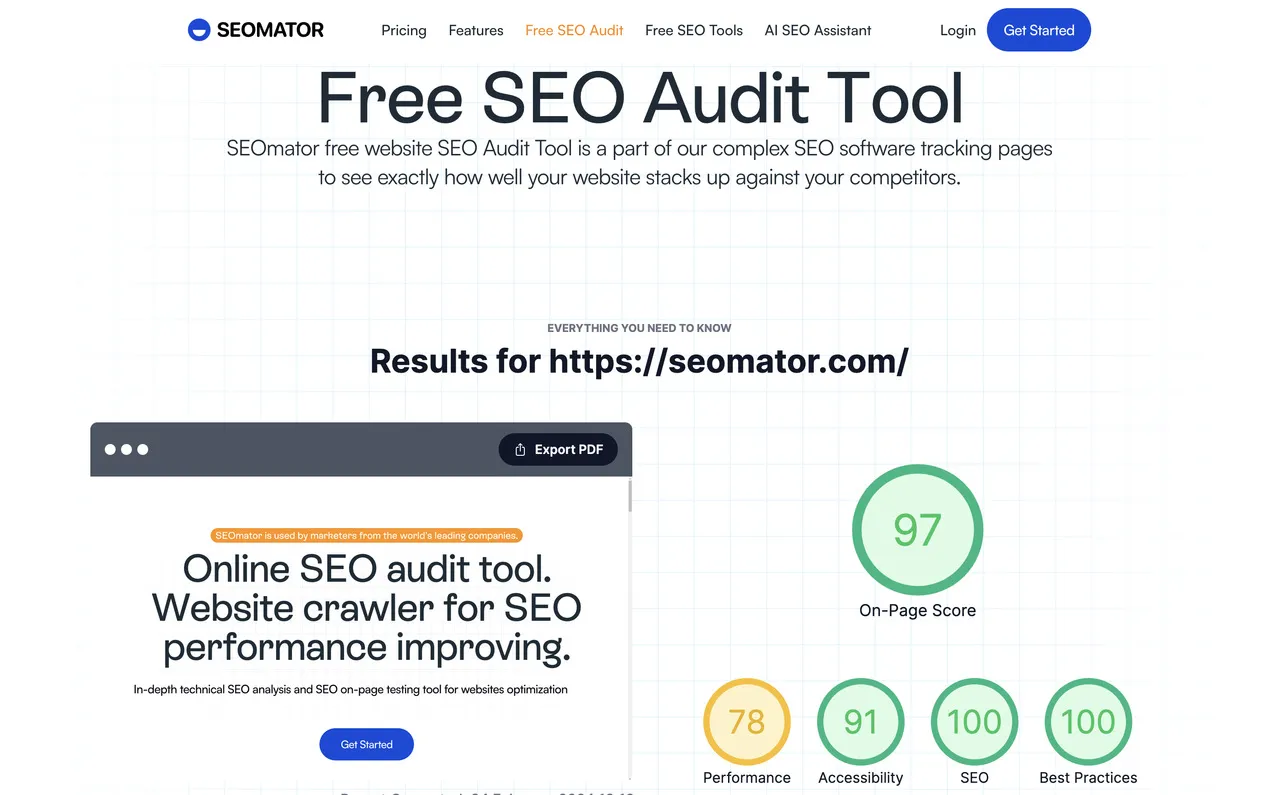
1. SEOmator: SEOmator's Free SEO Audit Tool provides a detailed analysis of your website's search engine optimization, including technical and on-page factors, content quality, and competitor analysis.
2. Google Analytics: Google Analytics is a gold mine for assessing e-commerce website performance. It provides detailed insights into visitor behavior, bounce rate, conversion rates, traffic sources, and much more for free, aiding you in understanding what works well on your website and what doesn't.
3. Google Search Console: Search Console is an essential tool for monitoring and maintaining your site's presence in Google Search results. It helps you spot and rectify website errors, submit a sitemap, and check key metrics like crawl rate, backlinks, and mobile usability.
4. Screaming Frog: a desktop crawler that helps you find broken links, analyze page titles and metadata, review meta robots and directives, and spot duplicate pages. Useful on catalogs small enough to fit in memory.
5. Copyscape: A must-have tool for identifying duplicate content across the web. This tool comes in handy to ensure your content is unique and valuable.
👉_Read our blog post:_ Expert Roundup: Free vs Paid SEO Audits
A structured review of everything that decides whether a store gets found and whether visitors buy: technical SEO, content, off-page authority, performance, and the checkout flow. It produces a prioritized list of fixes, not a redesign.
Company, customers, competitors, collaborators, and climate — a marketing-strategy framework applied to online retail. Useful for positioning, but it won't tell you why your product pages aren't indexed. For that you need the technical and content checks above.
Yes. Steps 1 to 9 above need a crawler, Search Console, an analytics account, and a phone. The parts worth outsourcing need engineering time anyway: template performance work and faceted navigation rules on a large catalog.
Partly. It's good at interpreting a crawl export, drafting fixes, and explaining an error message. It can't crawl your catalog, read your field Core Web Vitals, or see how your JavaScript renders — use it on top of real audit data, not instead of it.
Full audit quarterly, lightweight check monthly. Audit immediately after a replatform, a template change, or an unexplained drop in traffic or sales. Continuously monitored sites score a median 71 against 63 for one-off checks.
In our data: mobile LCP over 2.5 seconds, Product or Offer schema that contradicts the page, faceted navigation eating crawl budget, and dead internal links to deleted products. All four are template-level fixes.
Sample five product pages and walk the full checkout on a mid-range phone. Check image quality and load order, visible price and stock, delivery and returns above the fold, guest checkout, form field count, when shipping cost appears, and what a declined-card error says.
The 10 steps above work as one — copy them into a spreadsheet with columns for finding, template, revenue impact, and effort. Our free audit tool fills the technical rows in automatically, graded against the same rules that produced the numbers in this post.
Regular e-commerce site audits are instrumental in keeping your online business nimble and ready for change. They scrutinize your system's health, spot vulnerabilities, and provide an opportunity to rectify them promptly.
Constant auditing is integral to the overall well-being of your e-commerce site. Make it a quarterly practice, with a lighter check every month in between. This way, your site remains optimized, error-free, and adaptable to algorithm changes and emerging e-commerce trends.
But more so, don't wait until your next quarterly audit to spot and correct minor or major mishaps. Keep a keen eye on your website's performance and be on high alert for any spikes in bounce rates or plummets in traffic and sales. If you spot anything unusual, dive straight into a full audit.
Sure, you may blink at the effort and time required, but these audits are an investment into your business's future. They pay back in organic traffic, user experience, conversion rate, and security you can actually vouch for.
Don't forget, your e-commerce website is a living entity. It requires constant care and attention!
👉_Related Articles:_
Who wrote it, what changed and how to tell us about a mistake.

Charles Duncan
Co-founder & CTO, SEOmator
Leads the engineering behind SEOmator's crawler, audit engine and rank tracking
Charles Duncan is co-founder and CTO of SEOmator, where he leads the engineering behind the platform's site crawler, audit engine, and rank-tracking infrastructure. He writes about the technical foundations of SEO — how search engines and AI answer engines crawl, render, and index the modern web — and what that means for the people building sites on it.
Charles retires from SEOmator at the end of October 2026.
Published · Updated
Spot a mistake or a number that has gone stale? Tell us. We correct it and log the change in the History above. Report an error →
SEOmator Rank Tracker
Technical fixes are invisible until positions move. Track the keywords a fix was meant to affect and watch whether it actually landed.
SEOmator Rank Tracker· 21 min read
Redirect chains fail on 24.3% of the sites we audit. A 24-point website migration checklist for SEO covering pre-launch, launch day, and the 90 days after.

· 23 min read
Learn how to do an SEO audit of any website in 2026 — technical, on-page, off-page, and AI-search checks — then run a free audit to fix issues fast.

· 10 min read
Run a complete Shopify SEO audit for 2026 with this 4-phase checklist covering Core Web Vitals (INP), AI Overviews readiness, structured data, and free audit tools.


