
· 25 min read
Branded Web Search: Advanced SEO Tactics for GEO
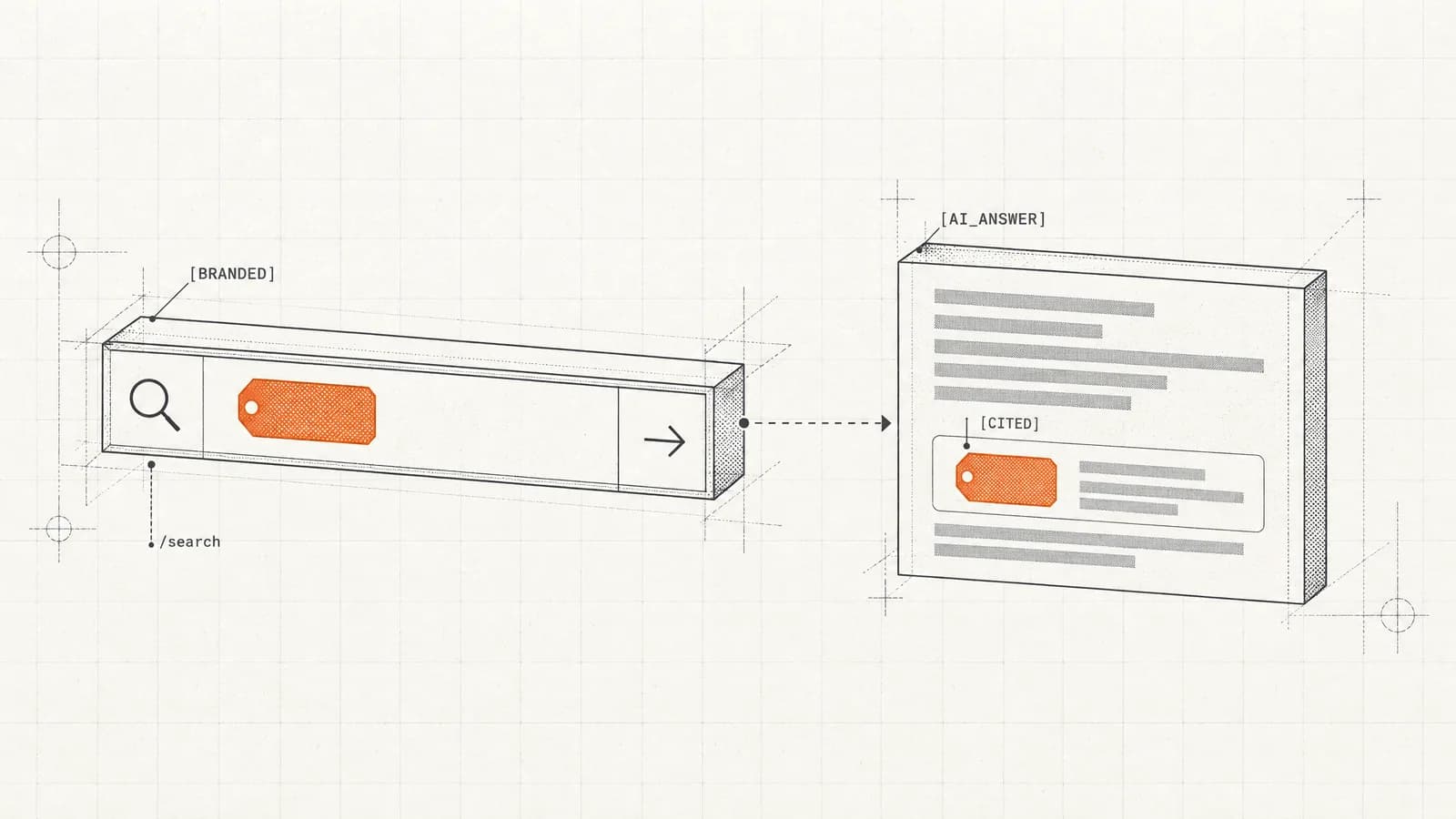
Branded prompts are already 92-97% solved on every AI engine. Discovery prompts collapse to 11-18%. Here's how to close the gap that decides who AI names.
Use AI to turn a public URL or pasted page text into editable, evidence-backed JSON-LD, or choose one of 12 maintained schema types and build it yourself. SEOmator flags unsupported fields before you copy. Across 100,000+ sites audited in 2026, 64.8% failed the Structured Data category. Review every value and validate without signing up.
 Reviewed by Isabella Edwards, Technical SEO Content Manager
The AI never writes the final code. It can classify a page and map bounded facts to supported fields, but each accepted value must point back to visible text, metadata, or existing markup. A versioned compiler then builds the JSON-LD, and a separate validator reports syntax, completeness, policy, and Google-feature notices.
Use AI with a public URL or pasted visible copy to get a recommended profile, or choose one of 12 maintained profiles and follow its formula without AI. Existing markup is checked before URL suggestions are proposed.
Each filled field carries its source excerpt. Prices, ratings, availability, addresses, dates, salaries, and other risky claims remain blocked until you confirm that they are genuine, current, and visible.
The browser creates stable identifiers, absolute URLs, nested entities, and supported enumerations. Fix blocking issues, then copy raw JSON-LD, copy a safe script element, or download the file.
The full one-page workflow works without an account. AI assistance is rate-limited; manual generation and validation are always available.
Fetches one public page safely, detects the primary entity and existing markup, and shows the exact excerpt behind each proposed value.
Workers AI classifies and maps extracted facts only. Values that cannot be matched back to bounded evidence are discarded instead of being made to look certain.
Organization, LocalBusiness, WebSite, Article, Product, Software, Event, JobPosting, Video, Breadcrumbs, FAQ, and HowTo.
Paste a current block to find syntax errors, duplicate identifiers, risky ratings, and types whose old Google search treatment has changed.
Your current fields stay in browser session storage, so an accidental refresh does not erase the work. Page text is not sent to analytics.
The Worker starts with raw HTML and labels a Browser Rendering fallback when a JavaScript-heavy page does not expose enough visible content.
 Reviewed byIsabella Edwards · Technical SEO Content Manager
This is the schema generator I would use before an editorial handoff because the model is not trusted to write the code or invent the missing bits. The evidence line beside every field makes review practical, and forcing confirmation on ratings, prices, dates, and addresses catches the claims most likely to become misleading. Its limitation is important: it can prove that JSON parses and compare the draft with the page it inspected, but it cannot certify that Google will award or keep a rich result. Run the external tests after the markup is on the rendered page.
 Isabella Edwards · Technical SEO Content Manager
If the page never states an author, price, date, or address, leave the property out. An incomplete truthful graph is safer than a complete fictional one.
In SEOmator's January–July 2026 audit panel, 47.9% of audited sites had no structured data on eligible pages. Add markup only after the page itself states the facts you want it to carry.
Use a canonical URL plus a predictable fragment, then reference that @id from related nodes. Do not publish a fresh disconnected Organization on every page.
An error blocks a usable draft. A warning flags completeness or policy risk. A notice may simply tell you that valid Schema.org has no current general Google rich-result surface.
Product and Offer errors were the weakest structured-data category among e-commerce sites in SEOmator's 2026 panel. Price, currency, stock state, and canonical product identity drift fastest.
A copied snippet is not the deployment. Open the live URL in Google's Rich Results Test and the Schema.org validator after your CMS or framework has rendered it.
Schema markup is a machine-readable statement about what a page already contains. If the page is an article, the markup can identify its headline, author, publication date, images, and publisher. If it is a product page, the graph can identify the product, brand, offer, currency, availability, and genuine aggregate rating. The important phrase is already contains.
JSON-LD does not turn thin content into a strong page. It does not create an author who is missing from the byline, make an old price current, or convert a collection page into one specific product. A search engine is meant to compare the structured statement with the visible page. When the two disagree, the code is not a helpful clarification; it is a misleading claim.
That is why this generator starts with two clear paths and ends with code. Choose AI assistance when you want the tool to recommend a profile: a public URL supplies visible text, metadata, canonical links, and existing structured data, while pasted page copy becomes the evidence set before publication. Choose a schema type when you already know the intended entity and want to follow its guided formula without AI. The path changes how facts enter the draft, but a deterministic compiler always owns the final structure.
This distinction matters at scale. Across the websites in SEOmator's January–July 2026 audit panel, 64.8% had at least one critical failure in the Structured Data category, while 47.9% had no structured data on eligible pages. Missing markup is common, but adding more code is not the only answer. The code must be accurate, maintained, and tied to the page users can see.
Three questions are often collapsed into one green check:
A block can pass the first two checks and have no general Google rich-result treatment. Organization and WebSite markup can still help describe and connect entities, but that is not the same product as a Product rich result. HowTo remains valid Schema.org even though it is not a current general rich-result surface. FAQPage is valid vocabulary, but Google limits its visible treatment to a narrow class of authoritative health and government sites.
The reverse also matters. Passing Google's test creates eligibility, not an entitlement. Search systems decide whether to show a feature for each query and page. Page quality, policy compliance, visible-content parity, and the rest of the search result all still matter.
The generator therefore reports errors, warnings, and notices separately. An error blocks a safe production copy. A warning points at missing recommended fields or a policy-sensitive pattern. A notice may simply explain that a valid type does not map to a current general feature.
Schema is clearest when the primary node answers the same question as the page.
An article page should normally lead with Article, BlogPosting, or NewsArticle. A single product detail page can lead with Product and nest or connect its Offer. A specific event needs Event. A job detail page needs JobPosting. A company contact or about page may need Organization or LocalBusiness. BreadcrumbList describes the visible navigation path, but it is usually supporting markup rather than the page's main entity.
More types are not automatically better. Adding Organization to every URL can create dozens of disconnected copies of the same company. Adding Product to a category page can imply that the whole collection is one purchasable item. Adding FAQPage because two headings happen to end with question marks does not make the page an FAQ.
The v1 catalog deliberately supports twelve maintained profiles rather than the whole Schema.org vocabulary. Each profile records required and recommended properties, known value shapes, Google feature status, high-risk fields, and the date the guidance was reviewed. That narrower surface is easier to test and much harder to let go stale.
When a page genuinely contains several entities, connect them. An Article can refer to an author and publisher. A Product can contain an Offer. A WebSite can identify its publisher. Stable identifiers let those references point to one entity rather than repeating loose copies.
@id is not a database identifier assigned by Schema.org. It is a URL-shaped name you control. A predictable pattern makes the entity reusable across pages and releases:
{
  "@context": "https://schema.org",
  "@graph": [
    {
      "@type": "Organization",
      "@id": "https://example.com/about#organization",
      "name": "Example Company",
      "url": "https://example.com/"
    }
  ]
}
The fragment after # does not need to resolve to a separate document. Its job is to distinguish the organization from the page URL while keeping the identifier anchored to a canonical domain. A related node can then use { "@id": "https://example.com/about#organization" } rather than copying the organization's name, logo, URL, and profiles again.
Consistency is more useful than cleverness. Choose #organization, #person, #product, #software, #video, or another stable fragment and reuse it. Avoid timestamps, random IDs, staging domains, and URLs that redirect differently by locale or device.
The generator requires a canonical URL before it allows production copy because stable identifiers and relative URLs need a base. You can still prepare a text-mode draft before publication, but supplying the intended canonical URL is the point where the graph becomes deployable.
Some structured properties can mislead users or trigger policy problems even when their syntax is perfect. They receive a stricter treatment in this tool:
AI suggestions cannot confirm these values for you. A model can notice a visible price and cite its excerpt, but only the publisher knows whether that price is current, whether tax is included, and whether the offer applies to the canonical product. The checkbox is deliberately friction: it creates a moment to compare the field with the live business fact.
Unknown is a valid state. The compiler omits empty optional properties instead of writing null, an empty string, today's date, or a placeholder such as YOUR_LOGO_URL. This keeps the draft smaller and makes missing editorial work visible.
Many pages already contain markup from a theme, SEO plugin, commerce platform, tag manager, or previous developer. A new generator should not pretend the page is empty.
The URL flow inventories JSON-LD, Microdata, and RDFa before suggesting a primary profile. It summarizes existing types and identifiers so you can see whether Product, Organization, BreadcrumbList, or another node is already present. The manual validator accepts an existing JSON-LD block and checks parsing, missing context or type, duplicate identifiers, review and rating risk, and stale assumptions about FAQPage or HowTo.
The right fix is often to edit the source that already owns the entity. If a commerce platform renders the Product and Offer, adding a second hand-written Product block can produce conflicting prices or identifiers on the next release. If a site-wide plugin owns Organization, link the page entity to its stable @id instead of repeating it.
Check the rendered HTML, not only the source file you edited. Client-side plugins can add or replace JSON-LD after page load, and tag managers can create duplicates that do not exist in a template repository. Google's test and a browser's DOM view are useful here because they inspect what the page actually delivers.
Copying the snippet is the start of implementation, not its final check.
Place the JSON-LD script in the page head or body where your framework or CMS renders it reliably. Escape script-closing content when user-authored text can enter the JSON. Keep the output on the canonical page that visibly supports it. Then open the deployed URL in the Schema.org Validator and Google's Rich Results Test.
Revalidate when the page changes. Commerce markup drifts when price and stock systems change. Article dates drift when a template starts using a build timestamp as dateModified. JobPosting becomes misleading when an expired role remains live. Event status and attendance mode change when a venue or schedule changes. Organization data drifts during rebrands and migrations.
Build ownership into the release process: decide whether a CMS plugin, framework component, product feed, or server template is authoritative for each entity. One owner per node prevents two systems from racing to publish different facts.
Finally, monitor what search engines see, but do not measure schema success only by whether a decorated result appears. The first success condition is accurate machine-readable content that stays aligned with the page. Eligibility is a useful outcome. A visible rich result is a search engine's decision, not a promise any generator can make.
Start from a published article, product, event, or local-business page and review a cited field list without first translating Schema.org vocabulary into a spreadsheet.
Create clean JSON-LD with deterministic identifiers, inspect an existing block, and hand off raw JSON or a script element without accepting model-authored code.
Paste draft page copy, set the future canonical URL, and prepare markup before the page is public—while keeping unknown values blank until editorial confirms them.
AI proposes mappings. A deterministic compiler owns the JSON-LD structure, URL normalization, enumerations, and omission of empty values.
Source excerpts sit beside suggested fields. Unsupported model output is discarded, so a confident sentence cannot quietly become a page fact.
The URL flow inventories JSON-LD, Microdata, and RDFa before suggesting a profile, reducing the chance that you paste a second Product, Organization, or BreadcrumbList.
The interface distinguishes current feature profiles, conditional eligibility, and Schema.org-only types instead of calling all valid markup a rich-result type.
Profile selection, field editing, compilation, and validation run in the browser. An AI allowance or model outage does not take the core tool down.
Unknown values are omitted. The output never inserts today's date, a guessed logo, a sample rating, or strings such as YOUR_PRICE that look like work still to clean up.
Schema markup is machine-readable vocabulary that describes the entities and relationships on a page. On the web it is commonly published as JSON-LD using Schema.org terms such as Article, Product, Organization, Event, and BreadcrumbList. It helps a search engine interpret the page; it does not replace the visible content.
A JSON-LD generator turns guided facts into a structured JSON object for a web page. SEOmator offers two starting paths: let AI analyze a URL or pasted page text and recommend a profile, or choose one of 12 maintained schema types yourself. Both paths use deterministic code—not an AI model—to build the final snippet.
Yes, but the safe part for AI is classification and field mapping, not unsupervised code generation. SEOmator extracts bounded facts from the URL, asks AI which supported profile and evidence items fit, discards values that cannot be tied back to evidence, and compiles the output separately.
No. Valid JSON, valid Schema.org vocabulary, and Google feature eligibility are three different checks. Even an eligible page is not guaranteed a rich result. Google also evaluates visible-content parity, page quality, feature-specific requirements, and structured-data policies.
Place the script element in the page's head or body where your CMS or framework reliably renders it into the final HTML. Keep one authoritative block per entity, reuse stable @id values, and test the rendered URL after deployment rather than only testing the snippet in isolation.
Only when the page visibly contains the same questions, answers, or steps. FAQPage and HowTo remain valid Schema.org types, but neither should be presented as a broadly available Google rich-result shortcut. The generator labels their current status and warns when high-risk paired content needs confirmation.
Yes. Open the Issues tab, paste the existing JSON-LD, and run the browser-side check. It reports JSON syntax, missing context or type, duplicate @id values, rating and review risks, and outdated assumptions about FAQ or HowTo search treatment.
It is sent to the generation endpoint only when you choose the text-based AI flow and is not placed in analytics or persistent server storage. Your editable draft is retained in session storage in your own browser so a refresh does not erase it. Manual validation stays entirely in the browser.
Deeper reading from the SEOmator blog on what this tool measures.
· 25 min read
Branded prompts are already 92-97% solved on every AI engine. Discovery prompts collapse to 11-18%. Here's how to close the gap that decides who AI names.

· 22 min read
We tested 151 B2B SaaS pricing pages from Google's page 1. Rendering and canonicals are mostly fine; only 32.5% mark up prices. The 8-step audit.

· 17 min read
The median e-commerce site we audit scores 68 (D+); 52% carry Product schema errors. Run this 10-step audit to find your leaks and fix them in order.
The generator handles one page. SEOmator's free site audit checks structured data alongside crawlability, indexation, content, links, and performance.


