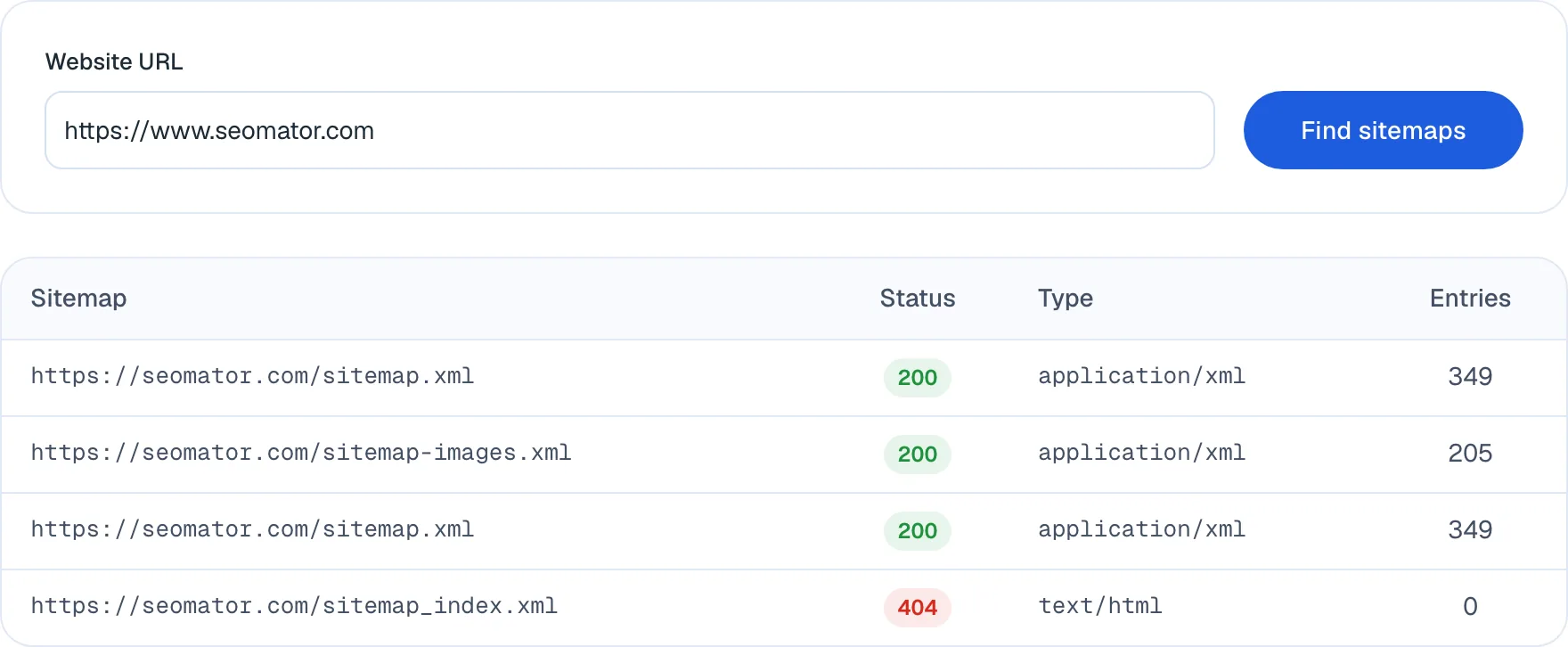
A sitemap report is four facts per file, and each one fails in its own characteristic way.
The final URL is where the request actually landed, not what you asked for. If you requested /sitemap.xml and the report shows /sitemap_index.xml, the site is redirecting — usually harmlessly. If it shows the homepage, the sitemap does not exist and the server is papering over the 404 with a redirect, which is considerably worse than a clean 404 because nothing in the status code says anything is wrong.
The status is the response code after those redirects resolve. A 200 means the file came back. A 404 on a sitemap that robots.txt declares is the most common single finding in sitemap checks, and it is a self-inflicted one: the line outlived the file. A status of 0 means the fetch failed entirely — DNS, TLS, or a timeout — which points at infrastructure rather than at the sitemap.
The content type is what the server said it was sending. XML sitemaps should arrive as application/xml or text/xml. Seeing text/html on a URL ending in .xml almost always means you are looking at an error page dressed as a success, and the entry count in that row will be meaningless. Gzipped sitemaps arrive as application/x-gzip and are entirely valid — search engines have accepted them for years. One honest limit of this checker: it does not yet decompress raw gzipped files, so a .xml.gz sitemap currently shows 0 entries even when it is full. Open it in a browser or decompress it locally to count it.
The entry count is how many URLs the file declares. This is the number worth checking hardest, because it is the one that silently drifts. A sitemap is not required to be complete, and nothing warns you when it stops being so.