· 21 min read
Website Migration Checklist for SEO: 24 Steps (2026)
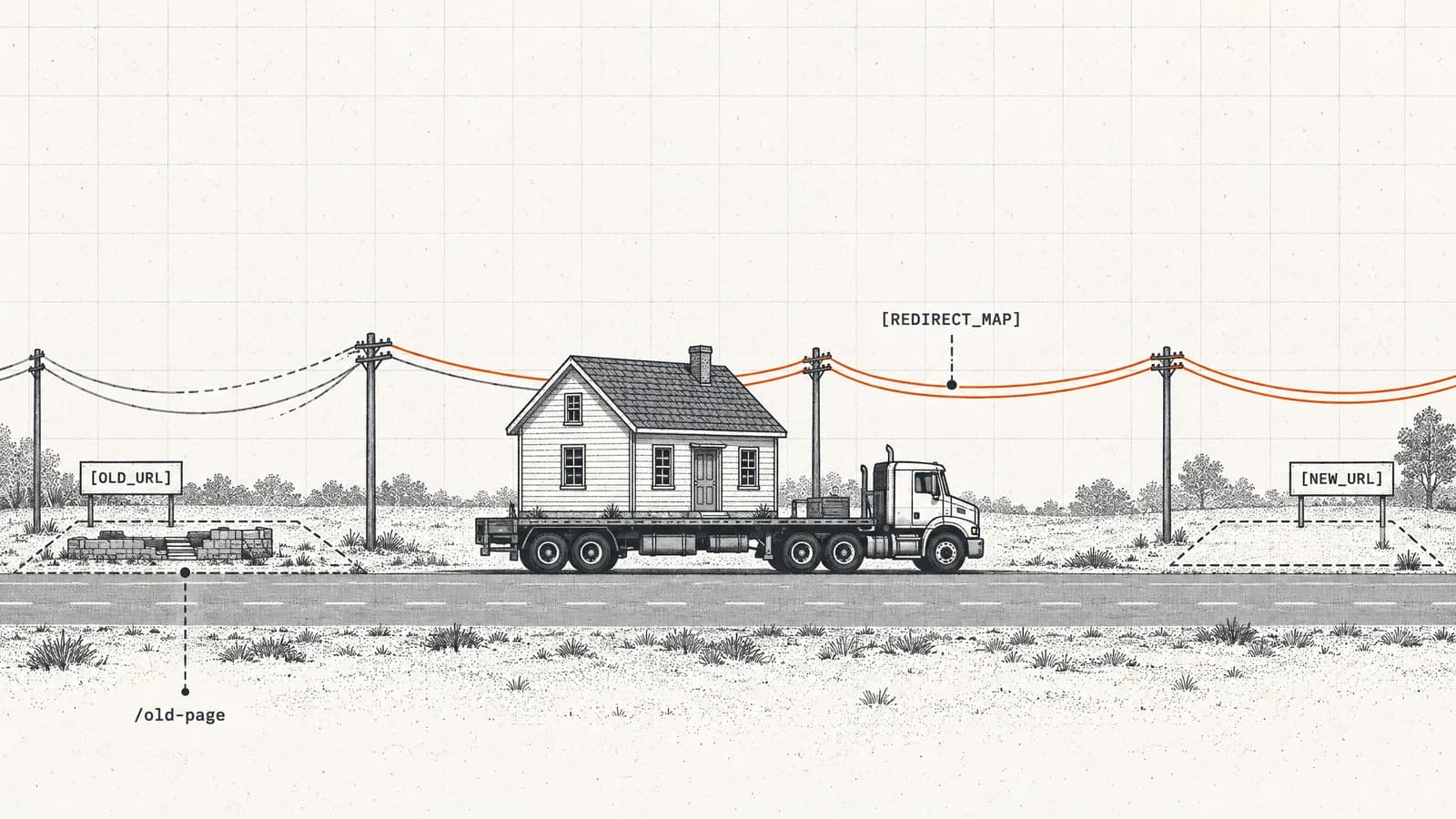
Redirect chains fail on 24.3% of the sites we audit. A 24-point website migration checklist for SEO covering pre-launch, launch day, and the 90 days after.
SEOmator's free URL redirect checker traces one URL through every redirect it takes — up to 10 hops — and shows the status code at each step: 301, 302, 303, 307 or 308. You see the whole chain, not just where you land, which is where chains, loops and stray 302s actually hide. Free, no signup.
 Reviewed by Charles Duncan, Co-founder & CTO
The URL is fetched from our servers with automatic redirect following switched off, so the first response comes back exactly as the server sent it — status line and Location header intact. We then follow that Location by hand, request it the same way, and repeat, recording each hop as it happens, up to 10 redirects deep. Every Location is re-checked before we fetch it, so a chain that turns toward a private or internal address stops there rather than being followed. Requests go out as desktop Chrome with a 15-second ceiling per hop.
Any public http:// or https:// address — yours or somebody else's. There is no account, no tag to install and no domain to verify. Leave the scheme off and we assume https.
301, 302, 303, 307 and 308 are each followed deliberately, never by the HTTP client. Up to 10 redirects, so a loop shows itself as the same URLs repeating rather than as a browser error page.
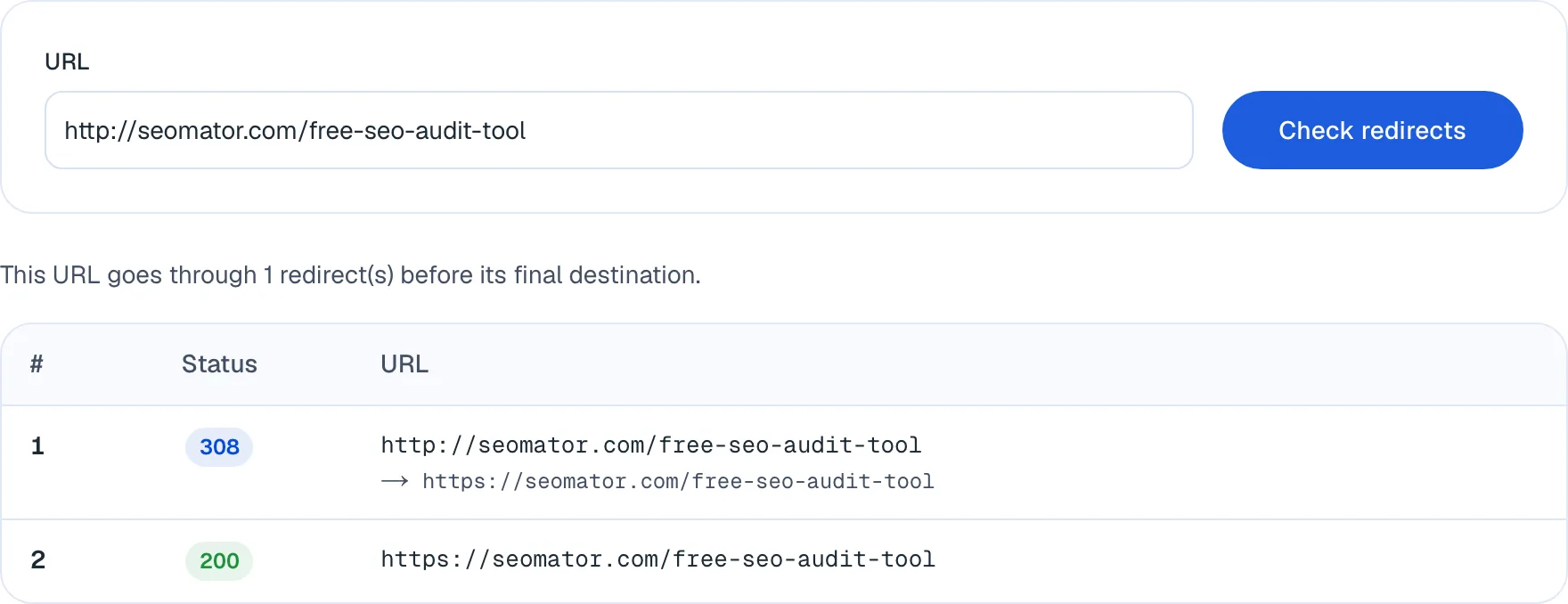
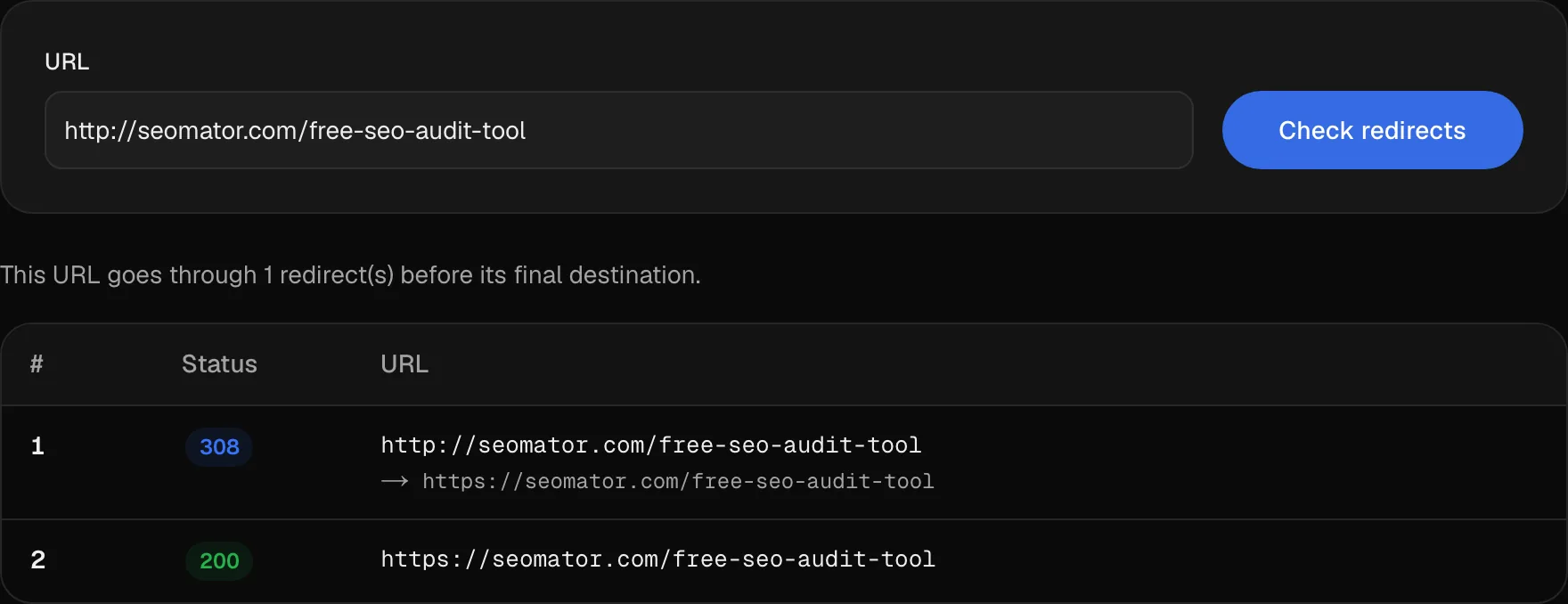
One numbered row per hop: the raw status code, the URL that returned it, and the Location it handed off to underneath. The line above the table counts the redirects it took to get to the end.
Everything in this grid works right now, no sign-up. The marked features unlock when you create a free SEOmator account.
A 301 → 302 → 200 chain comes back as three rows in the order they happened. Anything that follows redirects for you shows the 200 at the end and destroys the evidence in the middle.
301, 302, 303, 307 and 308 are reported as sent, not normalised into one word. The difference between a 301 and a 308 is whether the request method survives, and it matters on form endpoints.
Shown under the URL that returned it, exactly as the server wrote it. A relative Location, or one that drops the path and points at the homepage, is visible here and nowhere else.
Deep enough for any chain worth keeping and for a loop to identify itself — you see the same two URLs alternating instead of the browser's generic "too many redirects" page.
Nothing is served from a stored index or a cached crawl. You see what the server answers right now, including a redirect rule you deployed a minute ago.
There is no ownership check, so you can trace a rival's migration the same way you trace your own. Private, loopback and internal addresses are refused by design.
A full crawl checks all 251 audit rules site-wide, so chains are found on pages you would never have thought to paste in one at a time.
See whether a chain appeared with last month's migration or has been quietly costing you crawl budget since 2023.
A 301 that starts landing on a 404 surfaces in your dashboard, instead of waiting for someone to notice the traffic gone.
One URL is a spot check. Create a free SEOmator account to find redirect chains across every page, track them between crawls, and get alerted when one breaks.
Sign up free Reviewed byCharles Duncan · Co-founder & CTO
The design decision worth explaining is that this tool never lets the HTTP client follow a redirect for it. Each hop is requested on purpose and written down before we move on, because the moment something resolves a chain quietly you are left with the 200 at the end and no sight of the 302 that should never have been in the middle. Across the sites we audited in the first half of 2026, chains of two or more hops turned up on 24.3% of them — none of which announce themselves in a browser. Now the limits, because they are real. This reads the HTTP status line, so a <meta http-equiv="refresh"> or a JavaScript location.replace() is invisible to it: the page will come back 200 and the tool will honestly tell you there is no redirect, while a reader still ends up somewhere else. If a URL behaves like it redirects but traces clean, that is your answer, and the crawl test is where you confirm it. Second, we ask as desktop Chrome from our own infrastructure, so a server that redirects by geography, cookie or user-agent will answer us differently than it answers your visitor. And it takes one URL — for a migration sheet, use the bulk checker, which traces 25 at a time.
 Charles Duncan · Co-founder & CTO
Across the sites we monitor, 15.0% of all crawler requests were answered with a 3xx in July 2026 (1–21 July) — one request in seven spent arriving somewhere else. Chains of two or more hops show up on 24.3% of the sites we audit (H1 2026). Every extra hop is a fetch that could have been a page.
Run http://, https://, the www form and the non-www form of the same address. You want exactly one hop from each into the canonical version. Two hops — http to https, then non-www to www — is the single most common chain there is, and it is one server rule away from being fixed.
A 301 is only correct if it lands on the equivalent page. A rule that redirects every retired URL to the homepage returns a perfectly healthy-looking 301 → 200 chain while telling search engines the old page's topic no longer exists anywhere. The Location value is where you catch that.
301 and 302 have historically been rewritten to GET by clients; 307 and 308 are the versions that guarantee the method survives. On a form endpoint or an API path, that difference is the whole bug — and it is the one status detail almost every redirect checker throws away.
Redirect rules are the layer a new CDN, reverse proxy or hosting migration quietly rewrites. Check one URL per template the day the change ships, while you still remember what you touched. Waiting for the traffic report means finding out four weeks late.
A chain matters most when your own pages point into it. Pull a page's outbound links with the internal link checker, then trace the ones that look old — broken internal links are already the most common Links failure we find, at a median of 14 per site.
Across the sites we monitor, 15.0% of all crawler requests were answered with a 3xx in July 2026 (1–21 July) — roughly one request in seven spent arriving somewhere else instead of reading a page. Chains of two or more hops turn up on 24.3% of the sites we audit (H1 2026), which makes them the tenth most common failure our audit engine finds.
That is the real cost, and it is not the extra 200 milliseconds a visitor waits. Every hop is a request a crawler makes and does not get a page for. On a large site with a stale redirect map, a meaningful share of the crawl allowance is spent re-learning routes that were settled years ago.
The second cost is diagnostic. A browser resolves a chain silently: you type an old URL, you land on a new page, and everything looks correct. The 302 in the middle that should have been a 301 is invisible unless something refuses to follow the chain for you.
There are five status codes a server uses to redirect, and this tool reports whichever one it actually received rather than flattening them into the word "redirect".
| Code | Means | Method preserved |
|---|---|---|
| 301 | Moved permanently | Not guaranteed |
| 302 | Found, temporary | Not guaranteed |
| 303 | See other | No, forced to GET |
| 307 | Temporary redirect | Yes |
| 308 | Permanent redirect | Yes |
For a page that has moved for good, use a 301 — or a 308, which search engines also treat as permanent. For a page you genuinely intend to bring back, use a 302. If you want the difference in one sentence: 301 and canonicalization is about telling search engines which URL is the real one, and 302 explicitly says "don't".
The method column is the part almost every redirect checker throws away. Clients have historically rewritten a POST into a GET when following a 301 or 302; 307 and 308 forbid that. On a marketing page nobody notices. On a form endpoint or an API path, it is the whole bug.
This checker reads the HTTP status line, which means there is a category of redirect it will honestly report as "no redirect". A <meta http-equiv="refresh"> tag and a JavaScript location.replace() both run after the response has arrived: the server returns 200, the body is delivered, and only then does the browser move on.
So if a URL clearly sends people somewhere else but traces clean here, you have already found your answer — the redirect is in the page, not in the protocol. That matters because search engines treat the two very differently. An HTTP 301 is an instruction; a meta refresh is a hint that a crawler may or may not honour, and a JavaScript redirect only exists for a crawler that renders the page.
The fix is almost always the same: move it to the server. If you need to confirm what is happening first, the website crawl test runs a real headless render and shows the difference between the raw HTML and the rendered DOM.
The output is one numbered row per hop. Each row carries the raw status code, the URL that returned it, and — underneath — the Location header that URL handed off to, written exactly as the server wrote it. The line above the table counts the redirects it took to reach the end.
Read it in this order. First, the last row. It should be a 200. A chain ending in 404 or 410 is a redirect pointing at nothing, and it is worse than no redirect at all, because it consumes the equity of the old URL and delivers it nowhere.
Then the hop count. One redirect is correct. Two is tolerable and extremely common. Three or more means separate rules are stacking on top of one another and should be collapsed into a single hop from the original URL to the final destination.
Then the Location values. This is where the subtle failure lives, and the next section is about it.
Chains. Rule A sends /old to /new, and a later rule sends /new to /newer. Nobody wrote a chain; two people wrote one redirect each, months apart. Fix it by repointing the first rule at the final destination, not by deleting the second.
Loops. Two rules point at each other, usually a trailing-slash rule fighting a canonical-host rule. Your browser gives up with a generic "too many redirects" page; here you see the same two URLs alternating, which tells you exactly which pair to look at.
Broken redirects. A 301 landing on a 404. Common after a second migration, when the destination of an old redirect gets retired without anyone checking what still pointed at it.
Redirect-to-homepage. Every retired URL sent to /. The chain looks perfect — 301 then 200 — and it is the most damaging of the four, because it tells search engines the old page's topic no longer exists anywhere on the site. Only the Location value reveals it.
A migration is the one time redirects are written in bulk, which is why it is the one time they go wrong in bulk. Work from the list, not from memory: export your top entry pages, then trace them.
Check the four root variants first — http://, https://, the www and the non-www form. You want exactly one hop from each into the canonical address. Two hops here is the chain we see most often, and because every visitor and every crawler passes through it, fixing it is the single highest-leverage change on this list.
Then work down the list by traffic. For a whole column at once, the bulk HTTP status checker traces up to 25 URLs in one pass and shows every hop of each chain; come back here when one row needs looking at properly. The rest of the sequence — timing, sitemaps, when to retire the old URLs — is in our website migration checklist.
Chains rarely appear on their own. They appear when a new rule lands on top of an old one, and the place they do the most damage is inside your own internal links, because those are the links you control and the ones crawlers follow most often.
A link written three years ago to /old-product still works — it redirects — so nothing looks broken and nobody fixes it. But every crawl of that page spends a request on the hop, and broken internal links are already the most common Links failure in our audits, at a median of 14 per site (H1 2026).
Pull a page's outbound links with the internal link checker, then trace the ones that look old. Updating the link itself is strictly better than relying on the redirect: it removes the hop permanently instead of paying for it on every request.
Tracing one URL answers one question well. Three things extend it, in order of effort:
All three are free, and all of them sit alongside the rest of SEOmator's free SEO tools.
A URL from the old site dropped out of search. Trace it and you will see whether it 301s to the right page, 302s when it should have been permanent, or chains through two intermediate rules nobody documented. Widen it with the migration checklist.
You added a rewrite rule or moved a path. Trace the old URL before and after the deploy and compare the hop count — a rule that appears to work in a browser can be adding a second hop the browser silently absorbs.
Shortened and tracking links hide their destination behind several hops. Paste one here and read where it actually ends up, without loading it in your own browser first.
Automatic redirect following is switched off and each hop is requested deliberately, so every intermediate status stays on screen instead of collapsing into whatever you finally landed on.
301, 302, 303, 307 and 308 are five different instructions, not one. We show which one the server actually returned, because the method-preservation difference between them is a real bug on real endpoints.
Under every hop, exactly as the server wrote it. Relative Locations and redirect-everything-to-the-homepage rules are only visible when you can read the value rather than the outcome.
The full chain renders on the page. No credit card, no email gate, no trial that stops after three traces.
This reads HTTP status codes. Meta-refresh and JavaScript redirects are not HTTP redirects and are stated here as a limit rather than left for you to discover.
One of SEOmator's free SEO tools, alongside the bulk status checker for 25 URLs at once, the internal link checker and a complete site audit.
A URL redirect is a way webmasters can send both users and search engines from one URL to another. It is often used to direct traffic from old web pages to new ones, maintain SEO value after a website restructuring, or simply guide visitors to the correct part of a site.
Paste the URL into the field above and run the check. We request it from our servers with automatic redirect following switched off, so you get the raw status code the server returned — a 301, 302, 303, 307 or 308 means it redirects, a 200 means it does not. Each hop is then followed by hand and listed as its own numbered row, so a URL that redirects twice comes back as two redirect rows and a final 200.
Paste it here instead of opening it. The request is made from our infrastructure rather than your browser, the chain is followed hop by hop, and the last row is the address it actually ends at. This is the safest way to read a shortened or tracking link, which typically hides its destination behind two or three redirects.
Different types of redirects (301, 302, 303, 307, 308) indicate the nature of the redirection — permanent or temporary — and whether the original request method is preserved. Each has specific use cases and implications for SEO and user experience.
A 307 is a temporary redirect and a 308 is a permanent one, so they map onto 302 and 301 respectively. The difference is method preservation: clients have historically rewritten a POST to a GET when following a 301 or 302, and 307 and 308 explicitly forbid that. For a page move the practical SEO effect of 308 and 301 is the same — search engines treat both as permanent. On a form endpoint or an API path the difference is the entire bug, which is why this tool reports the code the server actually sent instead of normalising it.
The URL is fetched from our servers with automatic redirect following disabled, so the first response arrives with its status line and Location header intact. We then request that Location the same way and repeat, up to 10 redirects deep, recording each hop as it happens. Every Location is re-validated before it is fetched, so a chain that turns toward a private or internal address stops rather than being followed.
Not this one — it traces a single URL in full detail. For a list, use SEOmator's [bulk HTTP status checker](/https-header-checker), which takes up to 25 URLs at once and shows every hop of each chain along with the response headers and timing at each step. Paste a column out of a migration sheet there, then come back here when one row needs looking at properly.
No, and that is worth knowing before you trust a clean result. A meta refresh and a JavaScript `location.replace()` both happen after the response arrives, so the server returns a 200 and there is genuinely no HTTP redirect for us to report. If a URL behaves like it redirects but traces clean here, one of those is almost certainly why — the [crawl test](/website-crawl-test) runs a real headless render and will show you the difference.
One is correct. Two is tolerable and extremely common — http to https, then a canonicalisation. Three or more means separate rules are stacking on top of each other and should be collapsed into a single hop from the original URL to the final destination. Chains of two or more hops appear on 24.3% of the sites we audit (H1 2026), and every extra hop costs a crawl request and a slice of page-load time on every visit.
Properly implemented redirects (especially 301 redirects) can preserve or pass along ranking power and SEO value from the original URL to the new URL. Incorrect implementation (using the wrong type of redirect, setting up redirect chains, etc.) can dilute SEO value and negatively affect a site's visibility in search engine results.
Redirect chains, where one redirect leads to another and the hop count climbs. Redirect loops, where two URLs point at each other — visible here as the same addresses repeating rather than as a browser error. Broken redirects, where a 301 lands on a 404. And the wrong redirect type, most often a 302 left in place for a move that turned out to be permanent.
Yes, our tool is completely free to use. We believe in providing valuable resources to the SEO community to help improve website performance and SEO strategies.
Trace the affected URLs the day you ship anything that touches routing — a migration, a CDN or reverse-proxy change, a CMS upgrade, a slug rename. Beyond that, a periodic pass over your highest-traffic entry points is enough, because a chain rarely appears on its own; it appears when a new rule lands on top of an old one.
If our tool identifies a redirect issue, you should assess whether the identified redirect is implemented correctly per your intentions. For any incorrect or unintended redirects, adjust them to the right type (301 or 302) as necessary, remove unwanted redirect chains, and fix any broken redirects.
Deeper reading from the SEOmator blog on what this tool measures.
· 21 min read
Redirect chains fail on 24.3% of the sites we audit. A 24-point website migration checklist for SEO covering pre-launch, launch day, and the 90 days after.
· 14 min read
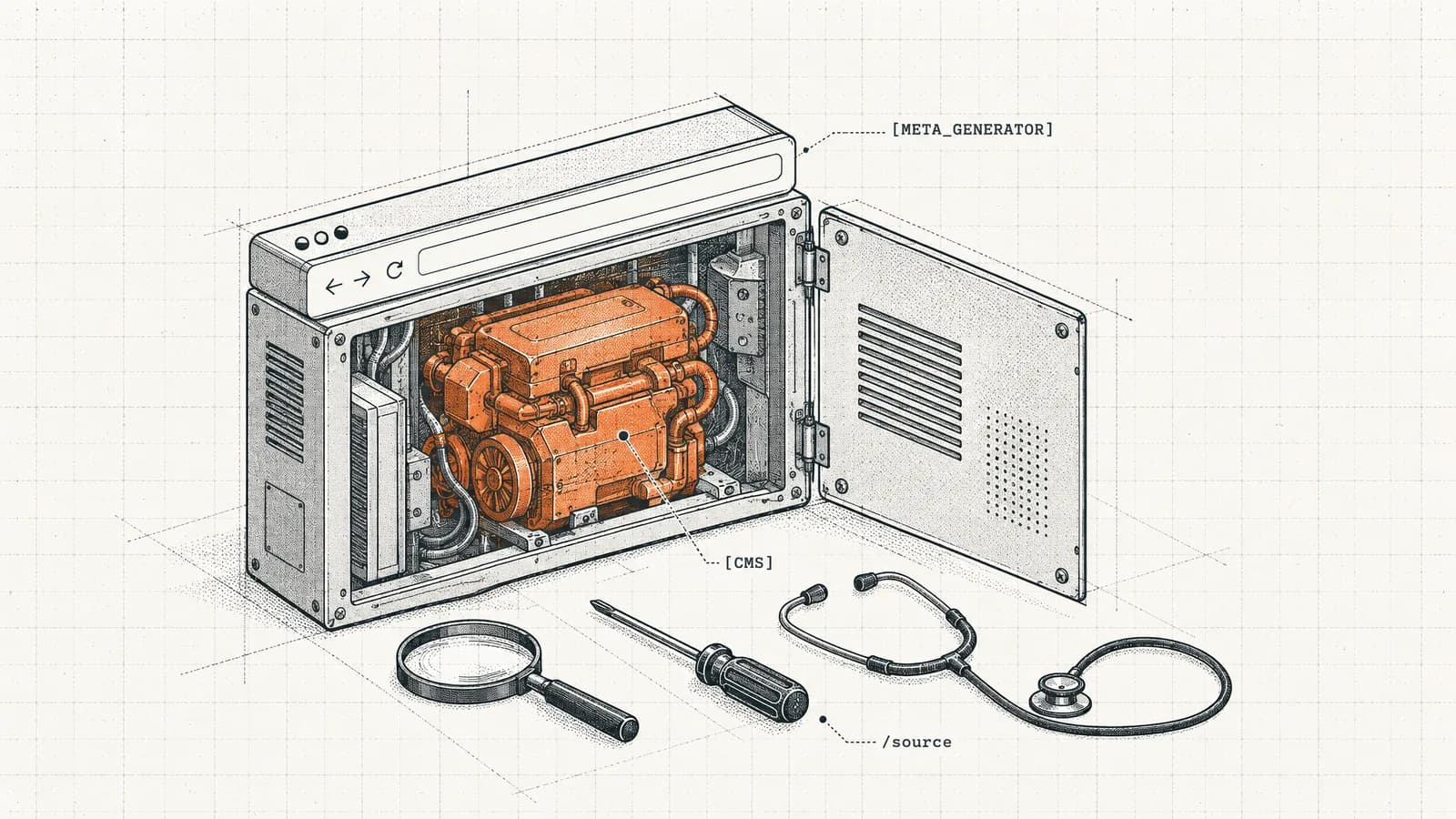
Use a CMS checker or 9 manual checks to see what CMS a site runs. In our October 2026 test of 1,127 homepages, the generator tag named just 1 in 3.
Elevate your online presence with our tool: Get found, Get ahead