


· 11 min read
7 Best SEO Tools for Small Businesses (Free & Paid, 2026)
Seven SEO tools for small businesses, prices checked at each vendor on 1 October 2026: four free Google tools, Ubersuggest from $16/mo, Yoast $118.80/yr.
Connect Google Search Console to Claude or Codex in two minutes with SEOmator's free GSC MCP: one command, a browser sign-in, no Google Cloud project.

Emre Elbeyoglu · Founder & CEO, SEOmator
16+ years in B2B SaaS SEO and growth
How we know this
Full method ↓ Written up by Emre Elbeyoglu
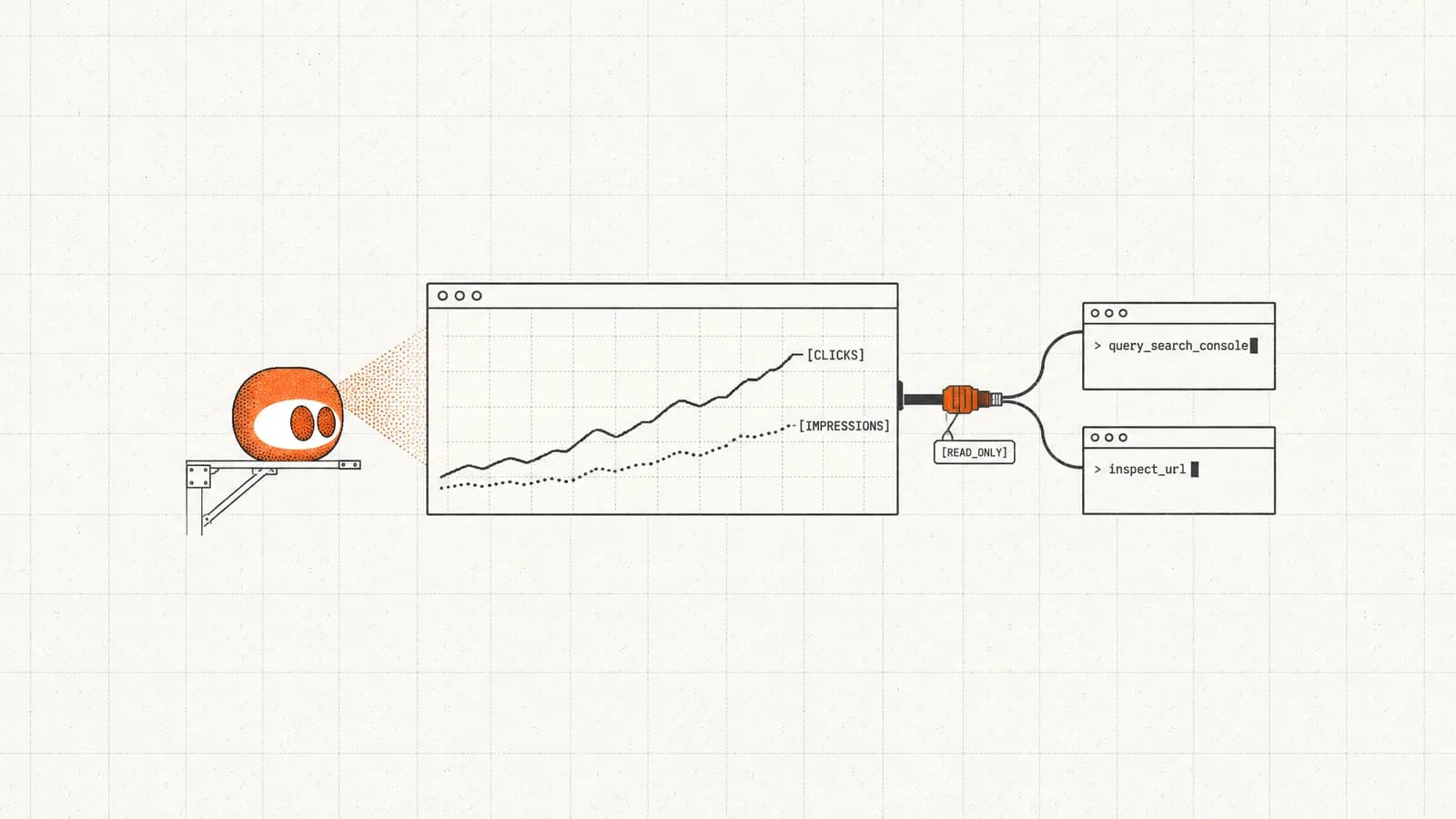
Google doesn't publish an official Google Search Console MCP server. The fastest free route is SEOmator's hosted GSC MCP: one command, a browser sign-in, read-only Search Console access and no Google Cloud project. On 4 November 2026 we connected it to Claude Code and Codex and read 28 days of seomator.com's data: 32,563 clicks from 5.31 million impressions.
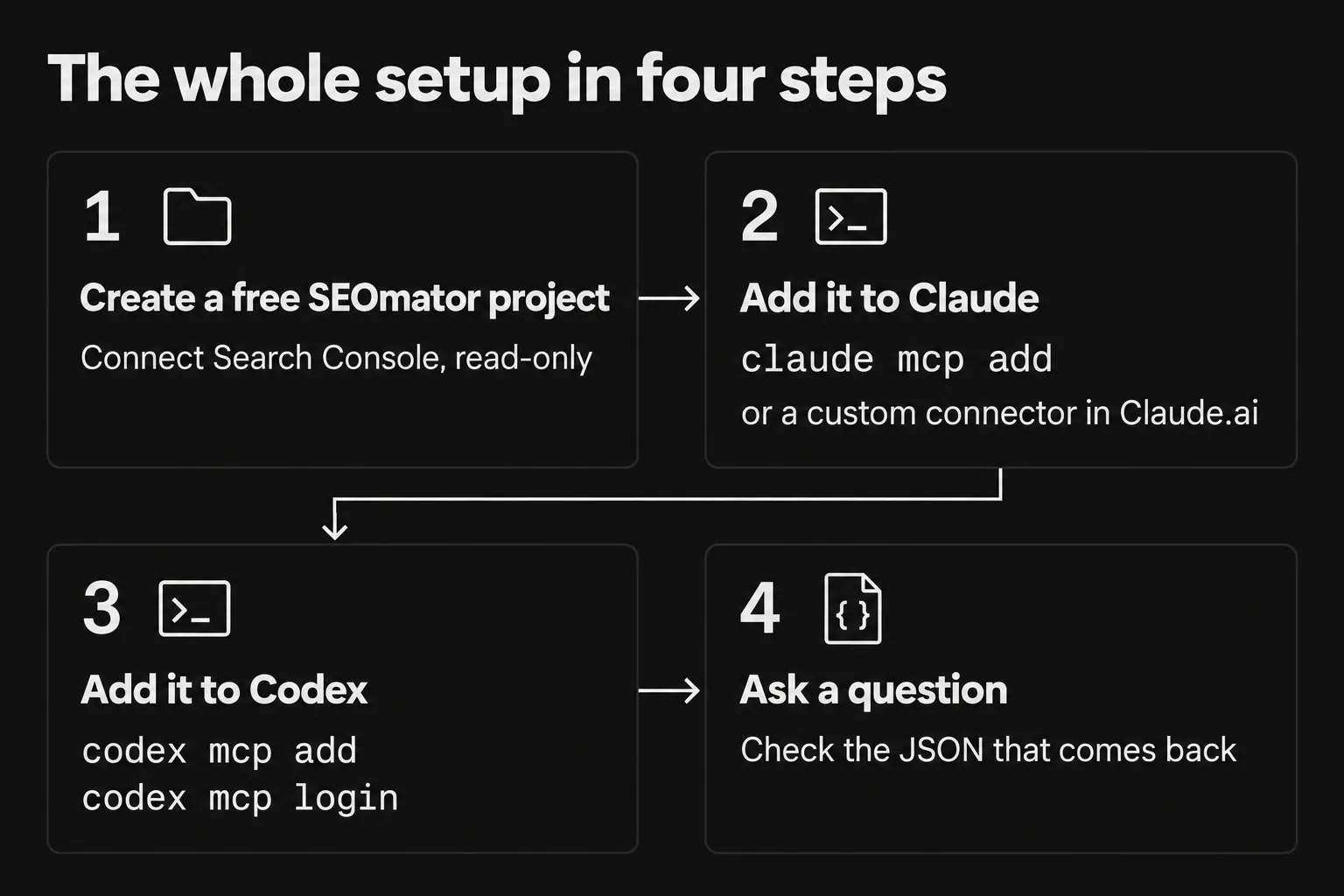
Here's the whole setup in four steps:
claude mcp add command, or as a custom connector in Claude.ai.codex mcp add, then codex mcp login.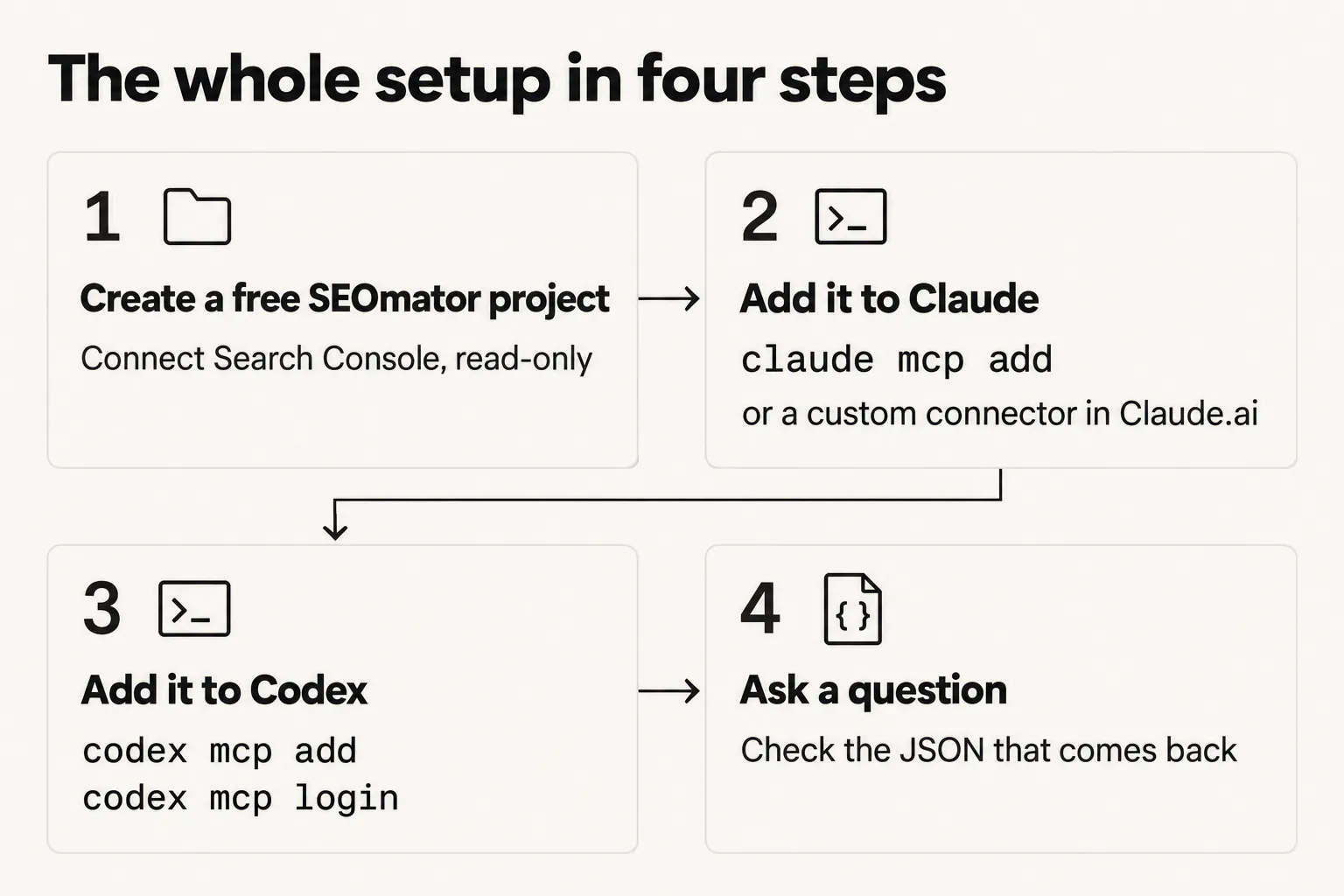
No. Google hasn't released a Search Console MCP server, though it does publish one for Google Analytics: the official Google Analytics MCP server had 3,631 GitHub stars on 4 November 2026. Every Search Console MCP you'll find is built by someone else on the same public API.
An MCP server is the adapter that lets an AI agent call an outside service as a set of tools, and the Model Context Protocol defines how the two sides talk. Plenty of people want one for Search Console. According to Improvado's 2026 ranking of marketing MCP servers, Search Console is third of the 15 it ranks by trailing 28-day search demand, behind Grafana and Lemlist. Improvado lists 187 MCP integrations in its own catalog (July 2026).
So you have three routes:
| Route | What you set up | Best for |
|---|---|---|
| Hosted GSC MCP (SEOmator) | One command or connector URL, then a browser sign-in | Search Console in Claude or Codex today |
| Open-source GSC MCP server | A Google Cloud project, API credentials and a local server | Running everything on your own machine |
| Search Console API directly | Your own scripts | Bulk exports and scheduled pipelines |
The steps below set up the hosted route; the other two get their own sections after that.
This step gives the MCP something to read. SEOmator's Search Console tools work per project, so you connect Google once, on the project, and every agent you add later reads through that one link.
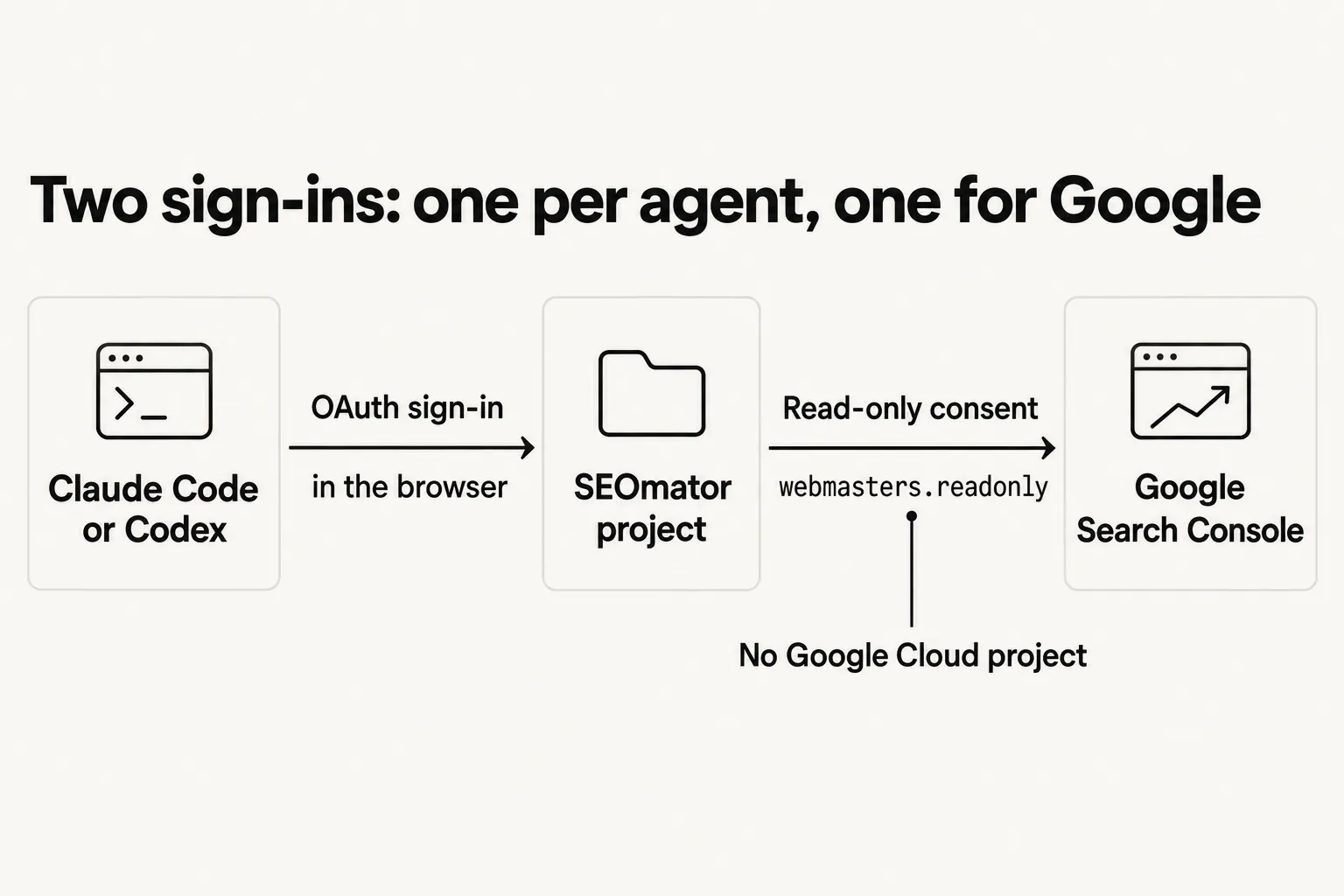
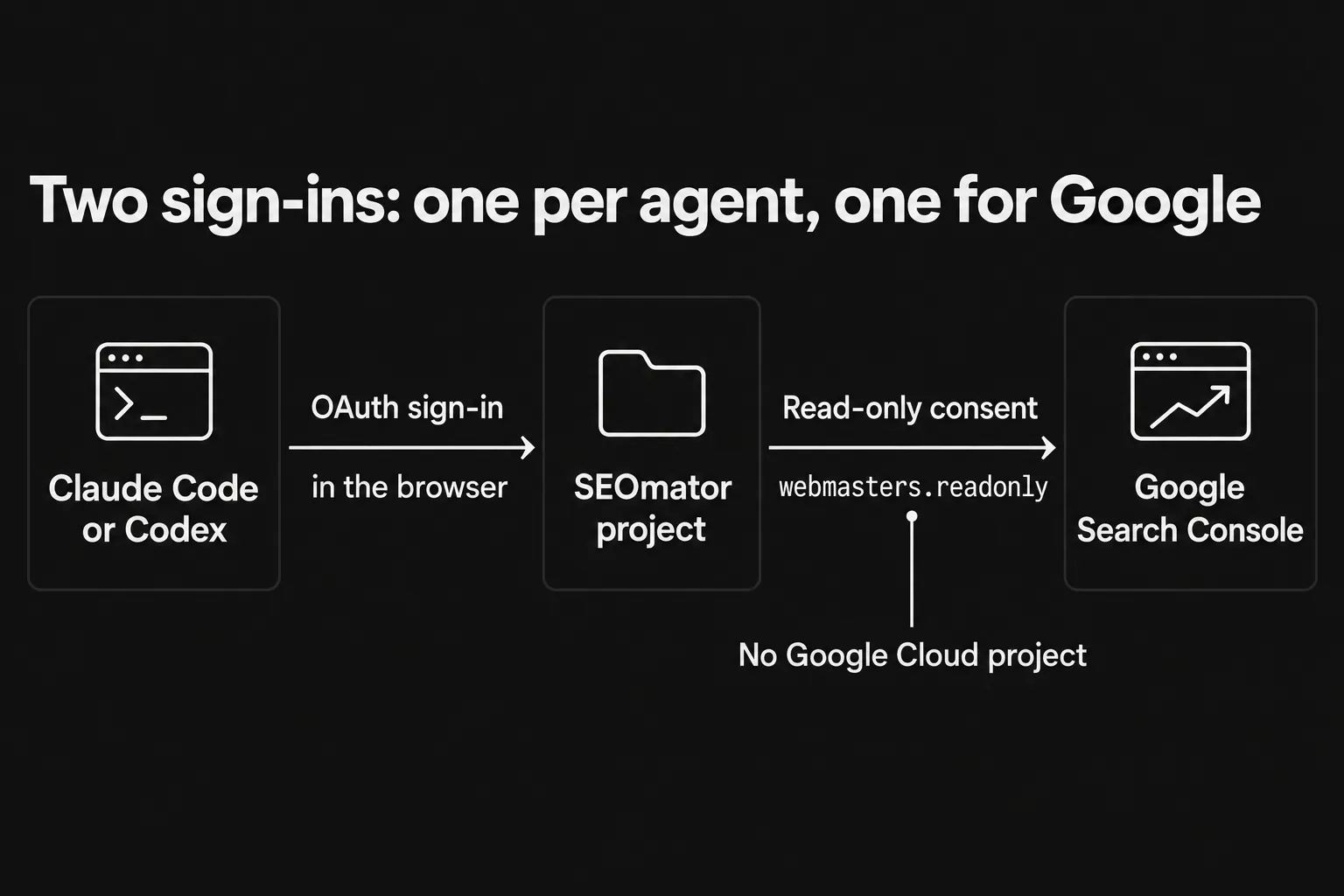
Two sign-ins: one per agent, one for Google.
webmasters.readonly, and nothing that can write.You'll know it's working when the first list_sitemaps call in Step 4 returns your sitemap.
query_search_console, inspect_url and list_sitemaps only have data to read once that connection exists.The other thing that trips people up is the Google account. Search Console only shares the properties an account can see, so approve the consent screen with an account that's listed as an owner or user on the property you care about.
I connect Search Console before I touch any client. If the first question then fails, I know the problem is the client's sign-in rather than Google.
One command adds SEOmator to Claude Code, and Claude.ai or Claude Desktop take the same URL as a custom connector. Either way the server address is https://api.seomator.com/mcp and you sign in through your browser, so there's no API key to paste anywhere.
Run this in your terminal:
claude mcp add --transport http --scope user seomator https://api.seomator.com/mcp
Then start Claude Code and open the MCP menu:
/mcp
Authentication successful. Connected to seomator.
--scope user in the command. It registers SEOmator for every folder you open in Claude Code, not only the current one, so Search Console is there in whichever repo you're working.Add a custom connector with the URL https://api.seomator.com/mcp, then sign in when Claude prompts you. On Pro and Max the path is Customize > Connectors, then + Add and Add custom connector; Anthropic's custom connector guide covers the other plan types. The sign-in is the same SEOmator consent page: pick the organization, approve, and the tools appear in the chat.
You'll know it's working when you ask Claude to list your Search Console sitemaps and it calls list_sitemaps instead of answering from memory.
If the tools answer with the wrong site's data, you probably picked the wrong organization on the consent page. Revoke the connection under Settings → Integrations → Connected apps in SEOmator and authenticate again. And if Claude asks you to sign in after a quiet month, that's expected: a connection ends after 30 days without use.
Codex needs two commands: one registers the server, one signs you in. Codex isn't on SEOmator's Integrations page yet, so this is the setup we ran ourselves on 4 November 2026 with codex-cli 0.160.1.
codex mcp add seomator --url https://api.seomator.com/mcp
codex mcp login seomator
The login command opens the same consent page in your browser. Once we approved it, Codex printed:
Successfully logged in to MCP server 'seomator'.
From there, an interactive Codex session or a one-off codex exec run can call the tools. A one-off run looks like this:
codex exec "Using the seomator MCP, list my Search Console sitemaps and show clicks by page for the last 28 days, all countries"
list_sitemaps and query_search_console and returned numbers identical to Claude Code's. Codex registered itself with its own client metadata document, so there was no client to pre-register on SEOmator's side.You'll know it's working when codex mcp list shows seomator and the first tool call returns your property's data.
Working over SSH or in a container with no browser? OpenAI's Codex MCP docs cover that case: run codex mcp login seomator --no-browser, open the printed URL on another machine, and paste the full redirect URL back into the terminal. The same docs say the Codex CLI, the IDE extension and the ChatGPT desktop app share one ~/.codex/config.toml. We only tested the CLI.
The first time, I name the server in the prompt ("using the seomator MCP…"). Codex doesn't need it, but it removes any doubt about which server produced the answer.
Ask in plain language and the agent picks the tool. Start with something you can check against the Search Console dashboard, so you trust the numbers before you build anything on them. Here's what each tool covers:
| Tool | What it answers | Limits worth knowing |
|---|---|---|
query_search_console | Clicks, impressions, CTR and average position by query, page, country, device, search appearance or date | Up to 4 dimensions and 10 filters (regex included), 1–1,000 rows a page with a cursor, 16 months back |
inspect_url | Indexed or not and why, last crawl, Google's canonical vs yours, rich results | URLs on the project's domain only; Google allows 2,000 inspections a day per site |
list_sitemaps | Submitted sitemaps, when Google last read them, URL counts, warnings and errors | Reads what's already submitted |
The query tool has two defaults that change answers. It reads the last 28 final days, ending 3 days ago in Pacific time, and it filters to the project's country unless you ask for all countries. Ask for fresh data and it sets fresh=true, which adds the days Google is still counting. It also covers any of the six search types Google's API exposes, such as web, image, video or news.
The first thing I ask a new connection is to list sitemaps. It's one cheap call, and a good answer proves the client sign-in, the organization choice and the Search Console link all work. After that, prompts like these:
Here's what query_search_console returned on seomator.com on 4 November 2026 for dimensions: ["query"] with a limit of 10. We trimmed it to the first three rows and rounded the decimals; everything else is as the tool sent it:
{
  "property": "sc-domain:seomator.com",
  "country": "us",
  "type": "web",
  "period": { "start": "2026-10-05", "end": "2026-11-01" },
  "totals": { "clicks": 2396, "impressions": 2345707, "ctr": 0.001, "position": 20.16 },
  "rows": [
    { "query": "sitemap finder", "clicks": 115, "impressions": 269, "ctr": 0.4275, "position": 7.42 },
    { "query": "seo tools", "clicks": 107, "impressions": 133473, "ctr": 0.0008, "position": 5.75 },
    { "query": "seo audit", "clicks": 71, "impressions": 8039, "ctr": 0.0088, "position": 15.73 }
  ],
  "nextCursor": "MTA"
}
The nextCursor value is how the agent asks for the next page of rows.
You'll know it's working when the totals land close to the Performance report for the same dates, country and search type. Small gaps are normal; the FAQ covers why.
Two more things look like bugs and aren't. Numbers that seem three days stale are the final-data window, not a broken sync. And re-inspecting a URL you just fixed can return the old verdict, because inspections are cached for an hour (other answers for a day) so the agent doesn't hit Google twice for the same question.
Every call returned real data from seomator.com's property, sc-domain:seomator.com, on 4 November 2026, and the one figure we could check independently matched. These are one site's numbers for one 28-day window (5 October to 1 November 2026), not an industry benchmark.
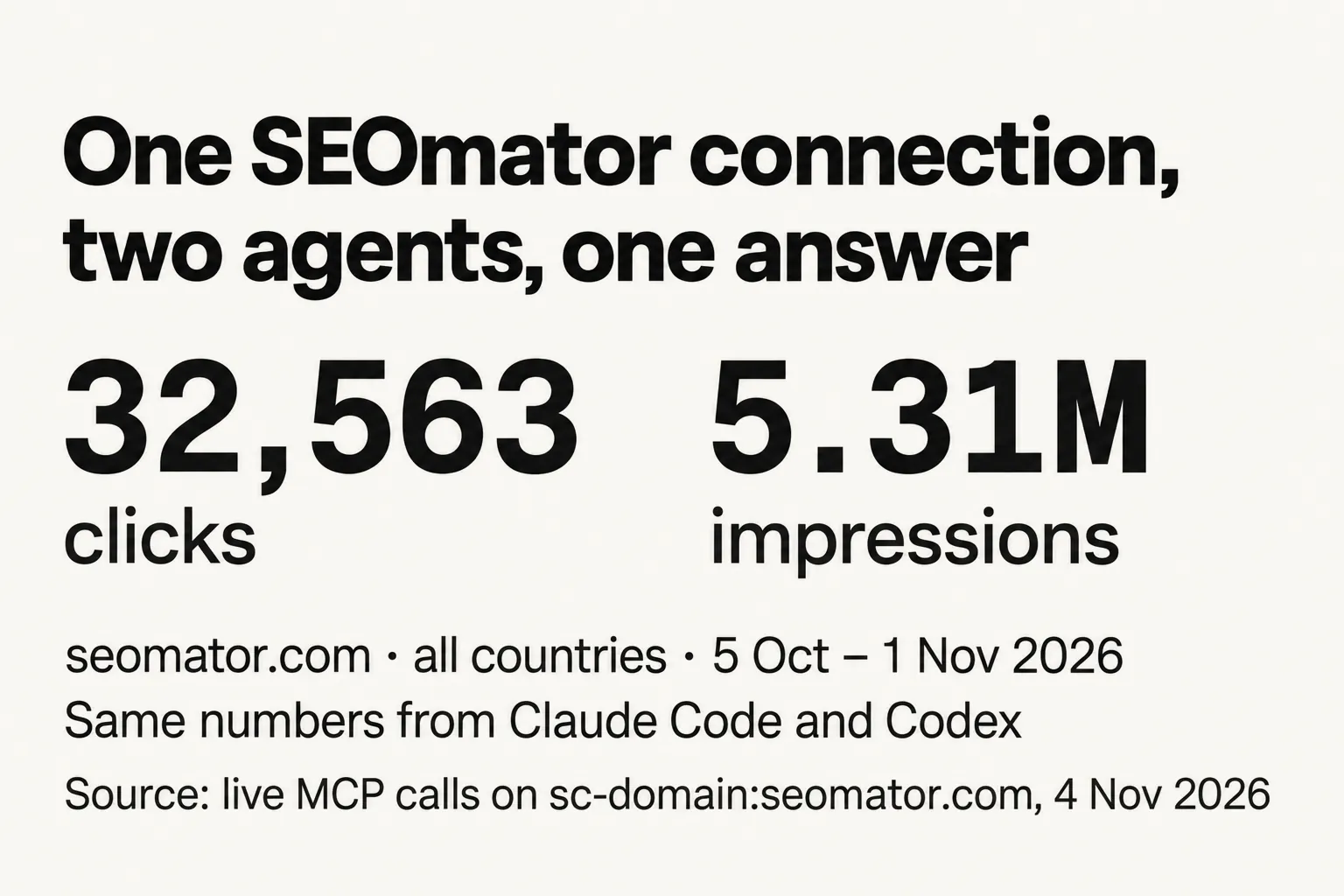
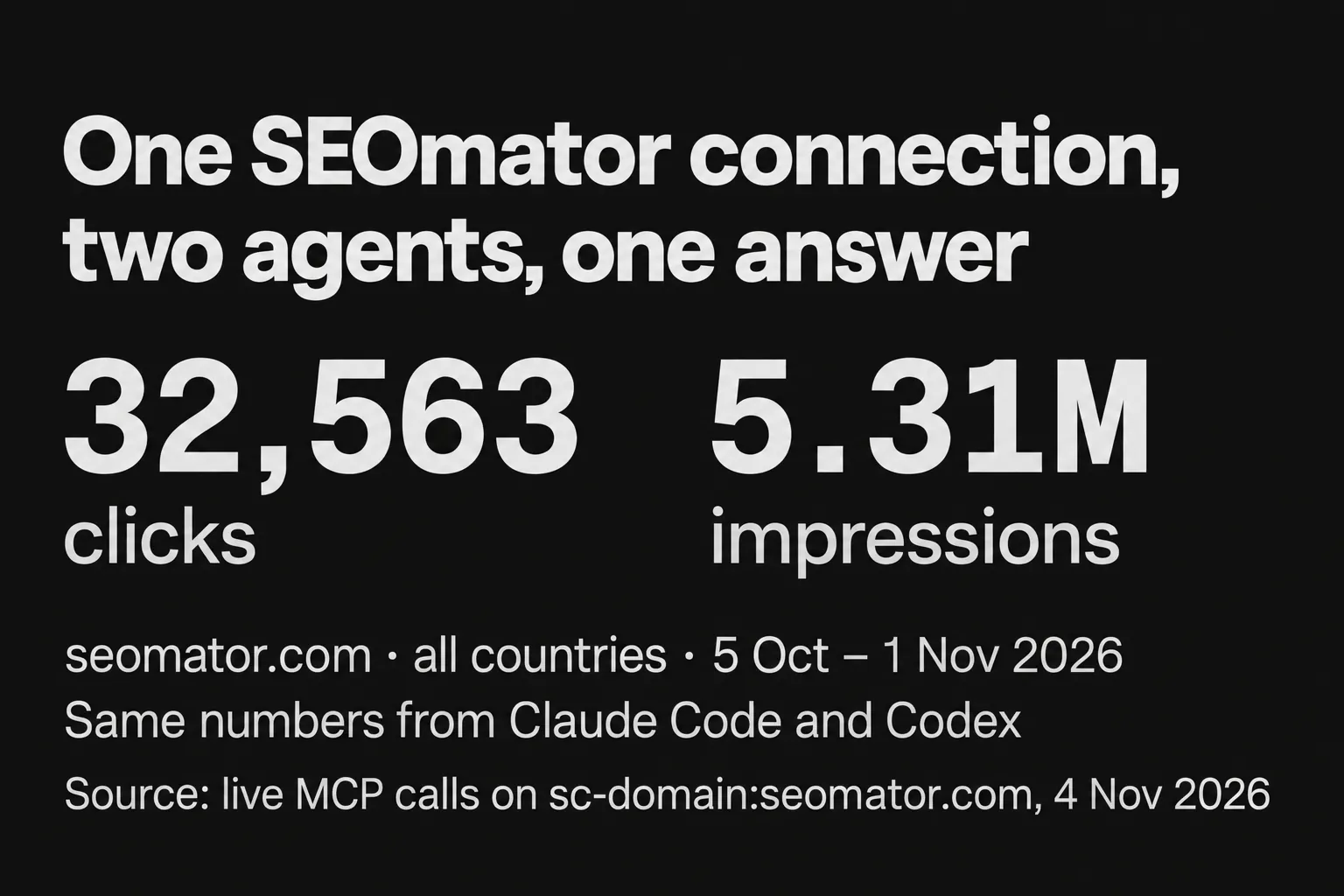
Source: live MCP calls on sc-domain:seomator.com, 4 November 2026.
| Call | What we asked | What came back |
|---|---|---|
query_search_console | Top queries, 28 days, US (default) | 2,396 clicks, 2,345,707 impressions, 0.10% CTR, average position 20.16 |
query_search_console | Top pages, 28 days, all countries | 32,563 clicks, 5,314,758 impressions, 0.61% CTR, average position 21.02 |
list_sitemaps | Submitted sitemaps | 313 URLs, 0 warnings, 0 errors, last read 3 November 2026 |
inspect_url | /blog/what-is-claudebot | Submitted and indexed, crawled as mobile on 1 November 2026, Google's canonical matches ours |
The page query with the country set to all ("country": null in the reply), trimmed to three of its five rows, decimals rounded:
{
  "property": "sc-domain:seomator.com",
  "country": null,
  "type": "web",
  "period": { "start": "2026-10-05", "end": "2026-11-01" },
  "totals": { "clicks": 32563, "impressions": 5314758, "ctr": 0.0061, "position": 21.02 },
  "rows": [
    { "page": "https://seomator.com/free-domain-authority-checker", "clicks": 11142, "impressions": 396117, "ctr": 0.0281, "position": 8.52 },
    { "page": "https://seomator.com/free-seo-audit-tool", "clicks": 8720, "impressions": 1331428, "ctr": 0.0065, "position": 18.31 },
    { "page": "https://seomator.com/sitemap-finder", "clicks": 3816, "impressions": 105954, "ctr": 0.036, "position": 7.95 }
  ],
  "nextCursor": "NQ"
}
Two free tools carried 19,862 of those 32,563 clicks: the domain authority checker and our free SEO audit tool. The audit tool also drew 1.33 million impressions, a quarter of the site's total, at an average position of 18.31. That gap is the kind of thing I'd ask the agent to break down by query next.
The URL Inspection call is the one you'd otherwise click through by hand. Our post on what ClaudeBot is went live on 1 November 2026. Google crawled it as a smartphone at 06:41 UTC that day, lists it as Submitted and indexed, chose the canonical we declared, and found the German version linking to it:
{
  "url": "https://seomator.com/blog/what-is-claudebot",
  "property": "sc-domain:seomator.com",
  "index": {
    "verdict": "PASS",
    "coverageState": "Submitted and indexed",
    "robotsTxtState": "ALLOWED",
    "indexingState": "INDEXING_ALLOWED",
    "lastCrawlTime": "2026-11-01T06:41:38Z",
    "pageFetchState": "SUCCESSFUL",
    "googleCanonical": "https://seomator.com/blog/what-is-claudebot",
    "userCanonical": "https://seomator.com/blog/what-is-claudebot",
    "referringUrls": ["https://seomator.com/de/blog/was-ist-claudebot"],
    "crawledAs": "MOBILE"
  },
  "richResults": { "verdict": "PASS", "detectedItems": [{ "richResultType": "Breadcrumbs" }] }
}
Every client on SEOmator's Integrations page, plus Codex, which we tested ourselves. They all use the same URL and the same browser sign-in, so one Search Console connection serves every agent you add.
| Client | How to add it | Tested by us on 4 Nov 2026 |
|---|---|---|
| Claude Code | One claude mcp add command, then /mcp → Authenticate (Step 2) | Yes (2.1.318) |
| Codex CLI | codex mcp add, then codex mcp login (Step 3) | Yes (0.160.1) |
| Claude.ai and Claude Desktop | Custom connector with the MCP URL, then sign in | No, listed on the Integrations page |
| ChatGPT | Connector with the same URL | No, listed on the Integrations page |
| Cursor | One-click install link on the Integrations page | No, listed on the Integrations page |
| VS Code | One-click install link on the Integrations page | No, listed on the Integrations page |
The same connection carries SEOmator's AI-visibility tools too (list_projects, get_visibility_report, get_cited_sources, list_answers and get_answer). One agent can read your Google clicks and your AI visibility tracker results in the same conversation. That's how I'd check whether a drop in Google clicks lines up with a change in how often AI answers name you.
You build the Google side yourself: a Google Cloud project with the Search Console API turned on, credentials, and a local server pointed at them. It takes longer than a hosted sign-in, but the server runs on your machine and talks straight to Google. Here's the sequence both popular servers share:
Create a project in the Google Cloud console and enable the Search Console API on it.
Either an OAuth client ID of type Desktop app, with the consent screen configured and client_secrets.json downloaded, or a service account whose JSON key you download and whose email you add to the Search Console property.
mcp-gsc runs with uvx (Python); mcp-server-gsc runs with npx on Node.js 18 or later.
Both READMEs show a Claude Desktop config entry. mcp-gsc reads GSC_OAUTH_CLIENT_SECRETS_FILE or GSC_CREDENTIALS_PATH; mcp-server-gsc reads GOOGLE_APPLICATION_CREDENTIALS.
The most-starred Google Search Console MCP server we checked is mcp-gsc by Amin Foroutan, with 2,101 stars as of 4 November 2026. It's MIT-licensed Python and has 21 tools, seven times our three Search Console tools. It asks for Google's full webmasters scope, which can write as well as read, but its add-site, delete-site and delete-sitemap tools stay off unless you set GSC_ALLOW_DESTRUCTIVE=true.
The TypeScript option is mcp-server-gsc by ahonn, with 282 stars on the same date. It authenticates with a service-account JSON key, and its README tells you to add that service account to the property as an administrator. Its search analytics tool can request up to 25,000 rows in one call and flag "quick wins", which suits bigger pulls than our 1,000-row pages.
GSC_ALLOW_DESTRUCTIVE unset. Reading performance data never needs the add and delete tools, and an agent can't call a tool that's switched off.Pick SEOmator if you want Search Console in Claude or Codex today, read-only, with no Google Cloud project. Pick an open-source server if you want more tools or the whole thing on your own machine. Here's how they compare as of 4 November 2026:
| SEOmator GSC MCP | mcp-gsc | mcp-server-gsc | |
|---|---|---|---|
| Setup | One command or connector URL, then a browser sign-in | Cloud project, API, OAuth client and consent screen (or a service account), client config | Cloud project, API, service-account key, client config |
| Google Cloud project | Not needed | Required | Required |
| Search Console access | Read-only (webmasters.readonly) | Full webmasters scope; destructive tools off by default | Service account added to the property (README: as an administrator) |
| Tools | 3 Search Console tools, plus AI-visibility tools | 21 | Search analytics, up to 25,000 rows a call |
| Clients | Claude, ChatGPT, Claude Code, Cursor, VS Code; Codex tested by us | Any client that runs local servers; README shows Claude Desktop | Any client that runs local servers; README shows Claude Desktop |
| Runs on | SEOmator's servers | Your machine (Python) | Your machine (Node.js) |
| Cost | Free plan, $0, one project; Search Console calls spend no credits | Free, MIT | Free, open source |
When you need every row, on a schedule, with nobody chatting. A script against the Google Search Console API handles bulk exports unattended; a GSC MCP is shaped for questions.
Google's Search Analytics query method returns up to 25,000 rows per request (1,000 by default) and pages past that with startRow. Google also notes the API returns top rows rather than guaranteeing every row. Under its usage limits, Search Analytics allows 1,200 queries a minute per site and per user, and URL inspection allows 2,000 a day and 600 a minute per site. SEOmator's tool returns up to 1,000 rows a page with a cursor, which is plenty for a conversation and the wrong shape for a warehouse load.
| Job | Better fit | Why |
|---|---|---|
| "Which pages lost clicks this month, and on which queries?" | GSC MCP | A few calls, then the agent reads the rows for you |
| Nightly export of every query row to a warehouse | Search Console API | 25,000 rows per request, runs unattended |
| Checking index status after a release | GSC MCP (inspect_url) | One call per URL, inside Google's 2,000-a-day allowance |
| A dashboard that refreshes every morning | Search Console API | Scheduled, no agent in the loop |
A Search Console "CLI" is the script idea packaged for a terminal: it calls the API and hands you raw rows. The MCP hands the same API to an agent that can read those rows and reason over them. And remember that Search Console's position is an average across every impression; for set keywords checked on a schedule, that's a job for a rank tracker.
A GSC MCP tells you what Google already reports; it doesn't tell you what to fix. Our two open-source, MIT-licensed audit skills cover that half, and they run in the same Claude Code session as the MCP.
seo-audit-skill is an SEO audit CLI, a desktop app and a Claude Code skill, with 373 rules across 20 categories in version 7.0.0 of the npm package. Our walkthrough of the open-source audit CLI and skill covers its output in detail. Install the skill:
npx skills add seo-skills/seo-audit-skill
Or run the CLI anywhere you have Node:
npm install -g @seomator/seo-audit
seomator audit https://example.com
In Claude Code, "Audit https://mysite.com and tell me what to fix first" is enough to start it.
geo-audit-skill is a deterministic GEO audit: a Python CLI plus Claude Code skills that score how well AI engines can read, quote and cite a site, including whether AI crawlers such as ClaudeBot, Claude-SearchBot and Claude-User can get in.
uv tool install seomator-geo-audit
geo score https://example.com
Inside Claude Code, add it as a plugin (or use npx skills add seo-skills/geo-audit-skill):
/plugin marketplace add seo-skills/geo-audit-skill
/plugin install geo@seomator
The loop I'd run in one session: ask the MCP for pages with impressions but almost no clicks, or URLs inspect_url reports as not indexed, then point the audit skill at exactly those URLs. If the verdict is "Crawled - currently not indexed", our guide on how to fix "Crawled - currently not indexed" picks up where the agent stops. Prefer a browser? Try our GEO audit tool.
A GSC MCP is as safe as the scope behind it. SEOmator reads Search Console with Google's read-only scope, so an agent can query and inspect but can't add, delete or change anything in Search Console.
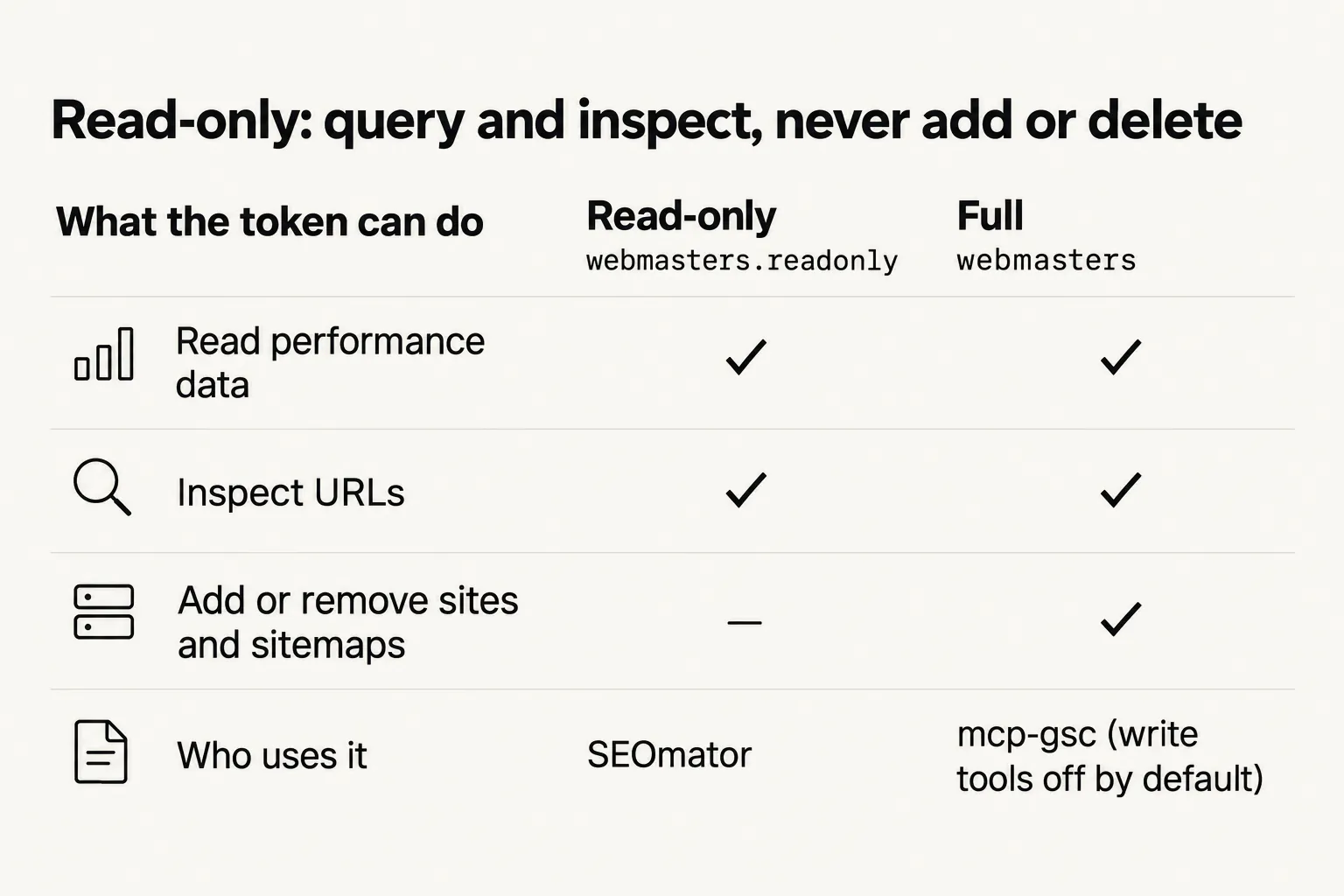
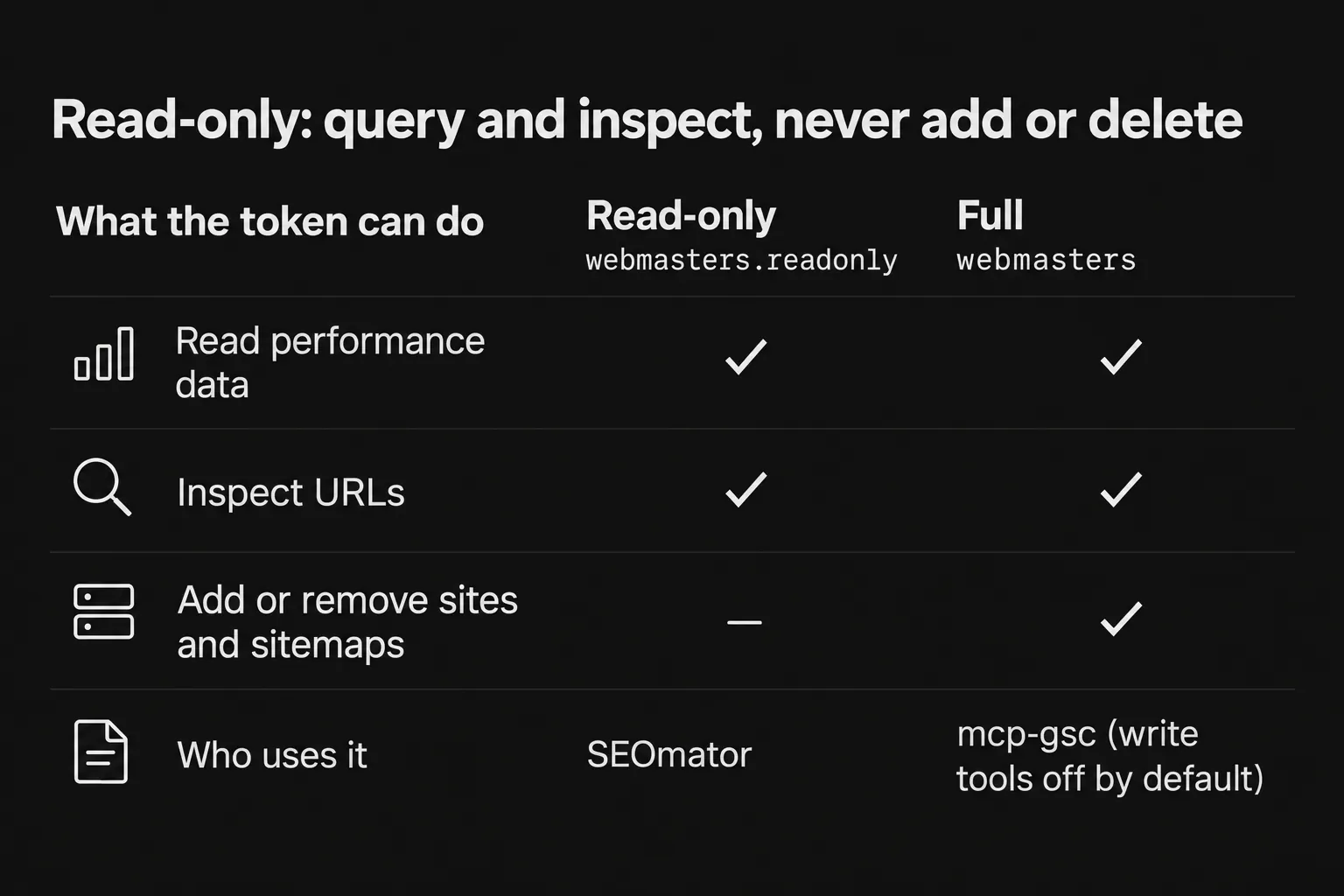
| What the token can do | Read-only (webmasters.readonly) | Full (webmasters) |
|---|---|---|
| Read performance data | Yes | Yes |
| Inspect URLs | Yes | Yes |
| Add or remove sites and sitemaps | No | Yes |
| Who uses it | SEOmator | mcp-gsc (write tools off by default) |
The rest of the controls sit with you:
SEOmator's is. The Free plan costs $0, includes one project, and the three Search Console tools spend no credits. The open-source servers are free too, though you pay in setup time: a Google Cloud project, credentials and a local install before the first question.
Not with SEOmator. You approve Google once on your SEOmator project and sign in to SEOmator once per client, both in the browser. The open-source servers do need one: you enable the Search Console API, create an OAuth client or a service account, and point the server at the credentials file.
Yes. We tested it on 4 November 2026 with codex-cli 0.160.1, using the two commands in Step 3. Codex called list_sitemaps and query_search_console and returned the same numbers Claude Code did. Codex isn't on SEOmator's Integrations page yet, but those two commands are the whole setup.
ChatGPT is listed on SEOmator's Integrations page: you add a connector with the URL https://api.seomator.com/mcp and sign in. We didn't test ChatGPT in this run, so we can't vouch for it the way we can for Claude Code and Codex.
Up to 16 months. By default the query tool reads the last 28 final days, ending 3 days before today in Pacific time. Ask for a longer range and it widens the window; ask for fresh data and it adds the days Google is still counting.
Usually a default. The tool reads final data ending 3 days ago unless you ask for fresh data, and it filters to your project's country unless you ask for all countries. Google's API also returns top rows rather than every row, so adding up rows can fall short of the totals. If you're wondering whether the dashboard itself is right, read is Google Search Console accurate.
Not through SEOmator. The connection holds Google's read-only scope, and the three Search Console tools only read queries, URL inspections and sitemaps. Open-source servers differ: mcp-gsc requests the full scope, though its add and delete tools stay off unless you set GSC_ALLOW_DESTRUCTIVE=true.
As of 4 November 2026, the two most-starred community servers are AminForou/mcp-gsc (2,101 stars) and ahonn/mcp-server-gsc (282). Google's own googleanalytics/google-analytics-mcp covers Google Analytics, not Search Console.
That's the whole job: create a free SEOmator account, connect Search Console to your project, add the MCP to Claude or Codex, and ask which of your pages lost clicks this month.
Who wrote it, what changed and how to tell us about a mistake.

Emre Elbeyoglu
Founder & CEO, SEOmator
16+ years in B2B SaaS SEO and growth
Emre Elbeyoglu is founder and CEO of SEOmator. Alongside running the company, Emre is its Head of Growth and leads all of SEOmator's growth work. Emre is also the founder and director of Next Marketing Technology Ltd, the London company that has owned and operated SEOmator since 2023. Emre has worked in B2B SaaS SEO and growth marketing for more than 16 years and builds every acquisition channel on search: that approach has generated $10M+ in total revenue from organic search across Emre's products, driven 300K+ monthly organic visitors and earned 10K+ referring backlinks.
In 2013 Emre co-founded Flatart, a digital marketing agency that ran SEO and growth programs for brands including Investing.com, Rakuten and EuroDNS. That consulting work turned into products: Popupsmart, an AI-powered conversion rate optimization platform used by 600+ clients, and LiveChatAI, an AI customer support tool covered by WIRED. Emre also publishes growth marketing experiments at GrowthMarketing.ai.
Published
Spot a mistake or a number that has gone stale? Tell us. We correct it and log the change in the History above. Report an error →
Compare SEOmator plans
You are already comparing tools. Here is ours, priced in public, next to what each plan actually includes.
Compare SEOmator plans· 11 min read
Seven SEO tools for small businesses, prices checked at each vendor on 1 October 2026: four free Google tools, Ubersuggest from $16/mo, Yoast $118.80/yr.

· 17 min read
Our free, MIT-licensed SEO audit CLI checks a site against 365 rules in 20 categories. Its Claude Code skill lets an AI agent run the audit and fix it.

· 10 min read
Yes, Google Search Console is directionally accurate — but a 50-week impression bug and the num=100 removal reshaped 2025–2026 data. 4 GSC myths, debunked.


