


· 15 min read
SEO Myths Debunked: What the Data Really Shows
SEO isn't dead — it's evolving. We debunk the biggest SEO myths with 2026 data on AI Overviews, backlinks, keywords, and what actually moves rankings now.
Yes, Google Search Console is directionally accurate — but a 50-week impression bug and the num=100 removal reshaped 2025–2026 data. 4 GSC myths, debunked.

Isabella Edwards · Technical SEO Content Manager, SEOmator
Leads technical SEO content at SEOmator: audits, Core Web Vitals and on-page fixes

Is Google Search Console accurate? Yes — it reports first-party data straight from Google's own servers and is directionally accurate for the decisions SEOs make daily. But it is not a perfect ledger: it delays reporting by two to three days, anonymizes rare queries, and its impressions were distorted by a 50-week logging bug (May 2025 to April 2026) that Google chose not to backfill.
Why does that "direct line" matter? Because the data comes from the house of Google itself. Nothing else tells you exactly how Google's search engine renders, crawls, and ranks your pages. That alone makes GSC an essential tool in every SEO's kit — as long as you know what it does and doesn't measure.
I audit sites for a living, and Search Console is the first report I open — so when a team brings me a "GSC is broken" complaint, I've usually seen the cause before. Nine times out of ten I trace it to one of the four myths below, or to one of the two data changes Google shipped in 2025. So let's unmask the answer to the question "Is Google Search Console Accurate?".
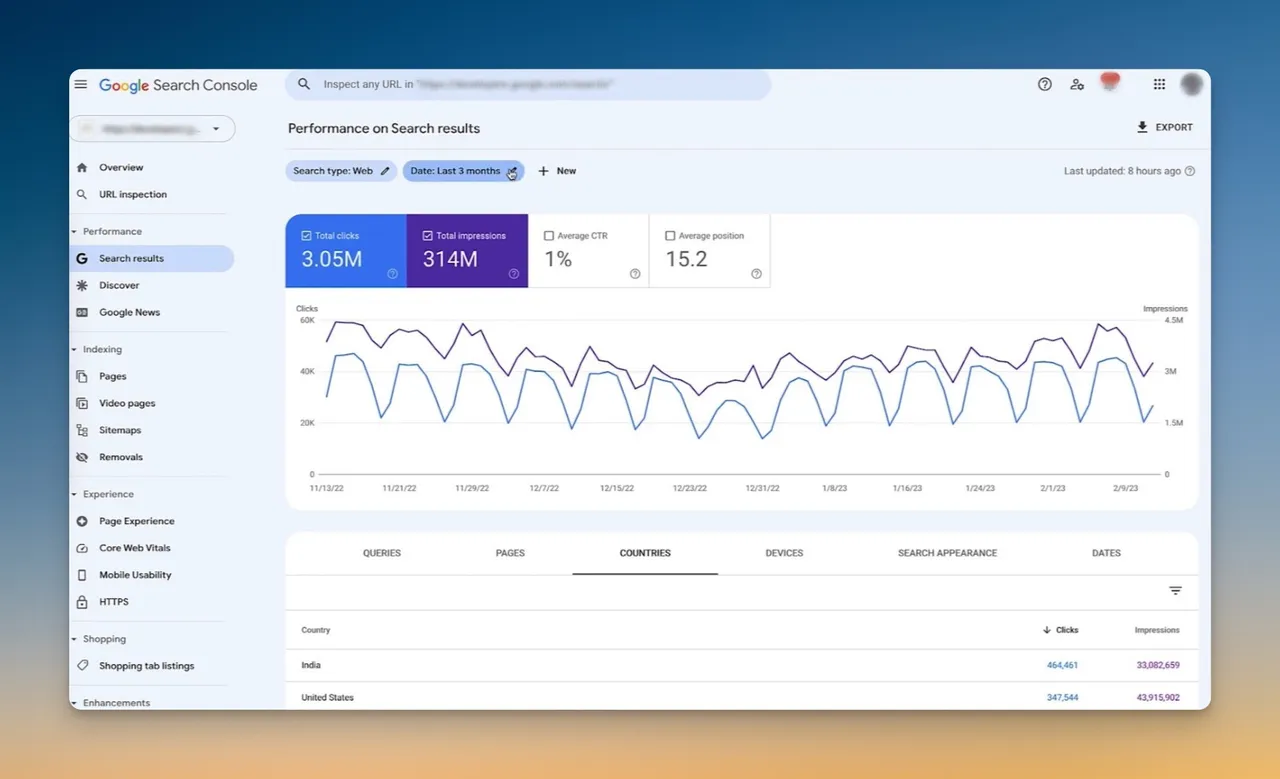
Google Search Console is a chest of data-related riches, brimming with insights on your website's performance.
The information is presented in user-friendly, easily digested formats that make it simple for you to act on.
Here's a look at the key data that GSC provides:
🔎 Performance Reports: From the number of clicks and impressions to CTR (click-through-rate) and average position data, the performance report has it all. You can filter this data by query, page, country, and device to understand how your site performs in different scenarios.
🔎 Keyword Data: The Performance report gives you a rundown on the keywords leading users to your website, alongside important details such as ranking, impressions, CTR, and position. GSC even shows you data for long-tail keywords, a realm often overlooked in keyword research.
🔎 Link Building Statistics: The 'Links' section of GSC provides useful data on internal links and external links to your site, the most linked content, and the top referring domains. Learning about the profile of websites linking back to you can help improve your SEO efforts.
🔎 Technical SEO Insights: Its crawling and indexing reports can aid you in understanding how Googlebot is interacting with your site. From issues related to Core Web Vitals, Security, and HTTPS to Page Indexing errors and enhancements, GSC will flag it all.

Whenever Google rolls out an algorithm update, it sends something like a seismic wave through the SEO world. Depending on the nature of the update, you may see significant shifts in various metrics.
Changes in ranking positions, fluctuations in organic clicks, impressions, or CTRs — these can all be consequences of an algorithm update. Since 2024, AI Overviews and AI Mode have added a fresh source of swings: when an AI Overview answers the query above the blue links, you can hold position #1 and still watch your click-through rate fall.
The numbers back that up. A 2025 study of 200,000+ keywords by GrowthSRC found position #1 organic CTR fell from 28% to 19% year over year — a 32% decline — as AI Overviews spread across the SERPs.
The first thing I check when a site's rankings slip after an update is whether the traffic actually moved or the SERP just changed shape around it. I read these shifts without panic — here's the sequence I run through in GSC:
📌 Monitor Performance Reports: Performance reports are your first line of defense. These reports show what has changed and where, letting you identify whether an algorithm update is affecting your site.
📌 Analyze Keyword Rankings: Following an algorithm update, your site's ranking may shuffle around. If certain keywords perform worse or better than before, adjust your SEO strategy accordingly.
📌 Investigate Page Indexing Issues: The 'Page Indexing' report (formerly Index Coverage) can give valuable insight if Google has trouble crawling or indexing your site. Algorithm updates can sometimes affect these reports, so keep a close eye on them after an update.
📌 Review Core Web Vitals & Page Experience: After performance-related updates, check the Core Web Vitals report — Google replaced First Input Delay with Interaction to Next Paint (INP) in March 2024, so a passing site from 2023 may now be failing. Here's how to fix a failed Core Web Vitals assessment. (Note: Google retired the standalone AMP and Mobile Usability reports from GSC at the end of 2023.)
Algorithm updates are a normal part of SEO life. They aren't anomalies — they're a signal to adapt and optimize.
🌟 See also: How to Fix 'Crawled-Currently Not Indexed' Issue in GSC
If your Search Console reports suddenly looked off in the last year, you weren't imagining it. Two Google changes reshaped the numbers — and neither one meant your rankings actually dropped. When a team shows me a frightening impressions chart from this window, the first thing I do is switch the view to clicks; that's the metric both changes left alone.
1. The num=100 removal (September 2025). For years, rank-tracking tools loaded 100 results per page using the &num=100 URL parameter, which quietly inflated impressions with bot and third-party activity. Google disabled it around September 12, 2025. According to Search Engine Land's analysis of 319 properties, 87.7% of sites lost impressions and 77.6% lost unique ranking terms afterward — while clicks stayed flat and average position actually improved. The takeaway: impressions before that date were padded with noise. Your real audience never changed.
2. The 50-week impression logging bug (May 2025 – April 2026). Google confirmed a logging error that prevented Search Console from accurately reporting impressions — and the related CTR and average-position metrics — from May 13, 2025 until it was fixed on April 27, 2026. As Search Engine Land reported, clicks were not affected, and Google is not backfilling corrected history. The distortion is baked into your account permanently.
3. AI Overviews and AI Mode now roll into your data. Per Google's own documentation, sites appearing in AI features (AI Overviews and AI Mode) are reported inside the overall "Web" search type — you cannot filter them out separately. And when a single URL appears in both an AI Overview and the blue links for the same query, GSC counts it as one impression, not two.
Now that we have unlocked the treasure chest that is GSC and peered inside, we can see the tools we find therein are quite powerful.
But how accurate are they? After all, powerful tools mean nothing if they can't be trusted.
Clearing away the common misconceptions about GSC gives you a clearer understanding of its accuracy and reliability, and helps you maximize your SEO effectiveness with the correct knowledge.
Let's challenge the GSC myths head-on and get our facts straight:
This is perhaps the most common, and the most damaging, misconception. Many believe that the data provided by GSC is "often wrong" because it differs from other analytics tools. When someone tells me GSC is wrong, my first question is always the same: wrong compared to what? Usually they're holding it against GA4, and the two were never counting the same thing.
Here's the fact that busts the myth: GSC is not 'wrong'; it's just 'different'.
GSC and other analytics platforms measure different things using different parameters. Google Search Console counts clicks to your site from Google Search; Google Analytics 4 (GA4) counts sessions and users on your site across every channel, after cookie consent and bot filtering. The definitions, the collection methods, and the privacy settings all differ — so the numbers will never match to the decimal.
So it's not a matter of being 'right' or 'wrong'. It's about understanding the unique data each tool offers and using them collectively to move your SEO performance needle. The documented bugs above (num=100, the logging error) are about logging, not fabrication — the underlying click data stays intact.
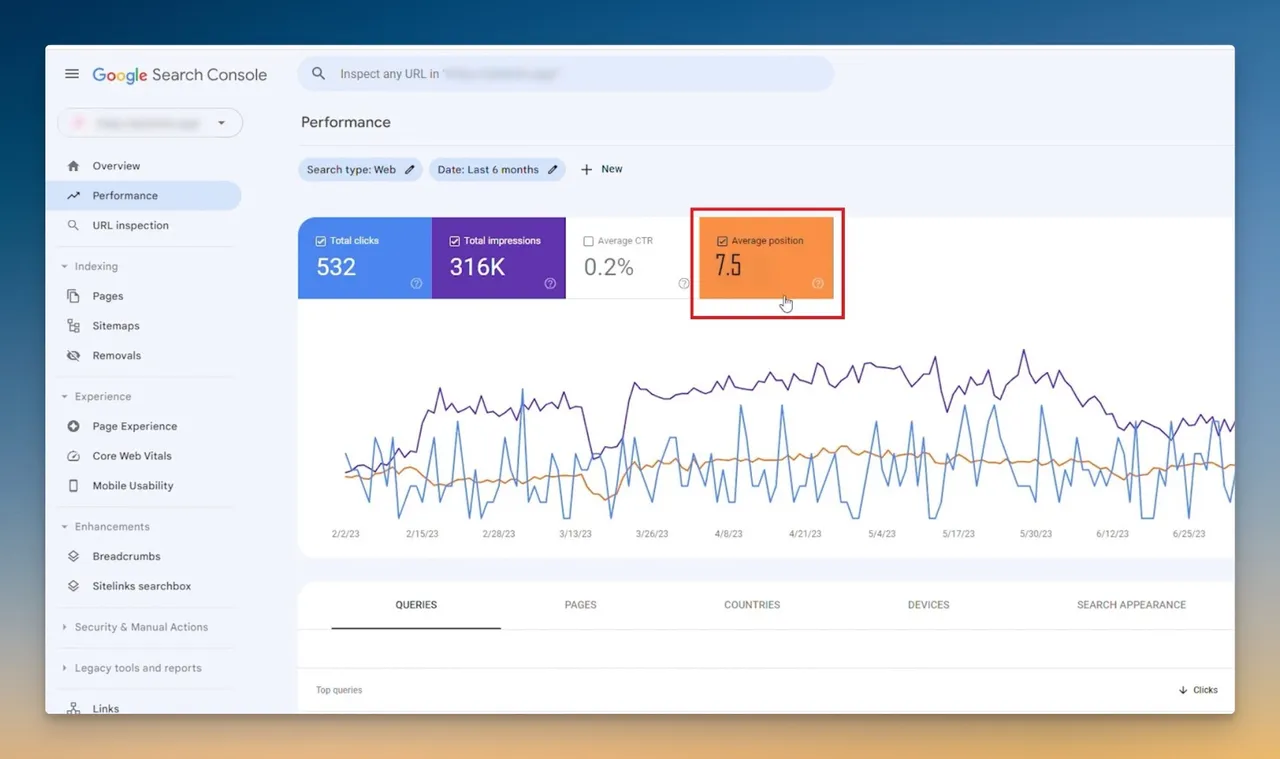
Another common myth is about the 'Average Position' metric in GSC. Critics claim it to be a misleading figure that paints an unrealistically optimistic portrait of a site's performance.
But here's the real deal: the 'Average Position' number is precisely that — 'an average'. It's not your ranking for a single keyword; it's your site's overall position across all the queries it appeared for.
Therefore, the average can skew for a myriad of reasons like geographical variation, device type, and personalized search settings. There's a newer wrinkle too: when your page is cited inside an AI Overview, GSC assigns every citation the position of the AI Overview block itself — so multiple sites can share "position 1," something impossible in the classic ten blue links.
So how do I handle it? I never read average position on its own. In the audits I run I pair it with 'Clicks', 'Impressions', and 'CTR' for a realistic view — one number in isolation has fooled more people than it's helped.
This myth grows out of the fact that some GSC reports, such as the Performance report, show a delay of a few days. While it might feel like you're always running behind, it's not a fundamental flaw.
The slight delay is because GSC updates once a day and runs about two to three days behind, giving Google time to process and validate the data before it reaches you, as Google's data-anomalies documentation explains. And let's not forget the parts of GSC — the URL Inspection tool and the Page Indexing report — that give you near real-time answers on individual URLs.
So before you write off GSC for the seemingly late data, look at the big picture and the value it brings.
Many hold the mistaken belief that the ranking they see in their personal search result is the same as the one in GSC. This is a mythical maze many get entangled in.
Because of factors like personalization, location, device, and now the presence or absence of an AI Overview, the ranking you see in your own SERP can vary widely from the average position GSC reports. Your logged-in, localized result is a sample of one; GSC aggregates every impression across every user.
Don't fall prey to this myth. GSC provides aggregate data on your ranking, keeping Google's broad perspective in mind — and that's exactly what makes it valuable.
And there we have it — four prevalent myths about Google Search Console, debunked. There's one more lesson here: a tool is only as good as the user.
GSC is hardly the only corner of SEO where folklore outlives the evidence. We give the most persistent SEO myths — that SEO is dead, that keywords are all that matter, that more backlinks always win — the same data-first treatment.
In capable hands, GSC is an incredible goldmine of insight, capable of propelling your SEO efforts to new heights.
The more you understand Google Search Console — its metrics, its strengths, and its limitations — the better equipped you become to harness its power.
The data within Google Search Console is first-party data, coming directly from Google's servers. That makes GSC a powerhouse of insight.
However, GSC has its limits. Certain areas are out of its purview — competitor analysis, share-of-voice in AI answers, or true real-time rank tracking. GSC's data can also feel overwhelming, too raw, or too technical for some users.
That's where third-party tools come in. They augment GSC's data, present it in more accessible formats, and fill the gaps GSC leaves — together decoding the cryptic story of your site's performance.
For the gaps GSC leaves open, I pair it with dedicated tools built for the job. Our free Google SERP Rank Checker shows live positions for the keywords you care about — the on-demand rank GSC's aggregate average can't give you.
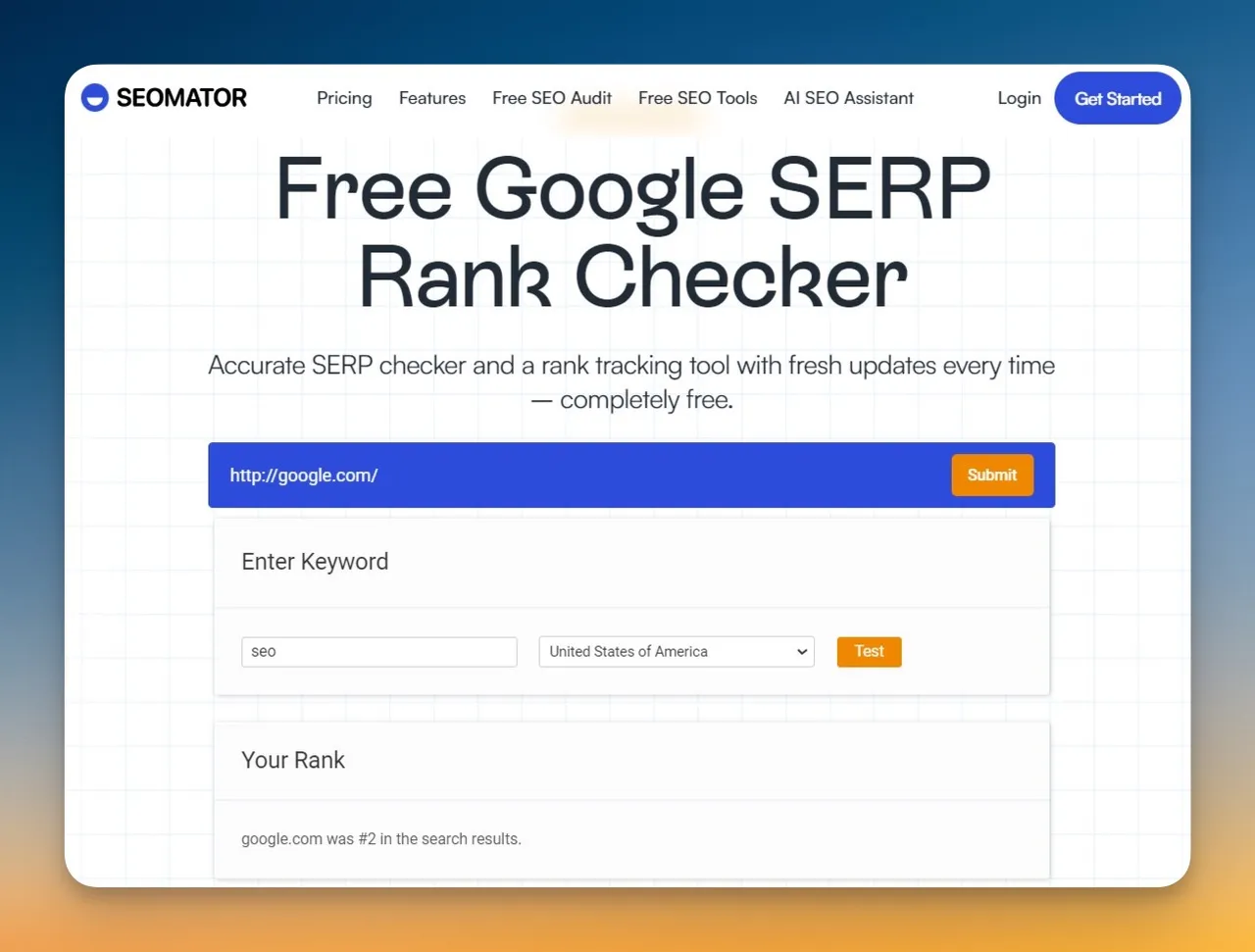
When I want the technical picture GSC only hints at, I run our 251-point SEO audit to surface the crawl, rendering, and indexing issues, then check which queries return an AI Overview so I know where organic clicks are leaking to Google's answer box. Together with GSC's first-party data, that's the stack I trust to tell me not just what changed but why.
Is Google Search Console 100% accurate? No tool is 100% accurate, but GSC is directionally accurate and trustworthy for strategy. It reports data straight from Google, though it delays reporting by two to three days, anonymizes low-volume queries, and — as of 2025–2026 — carries the effects of the num=100 removal and a 50-week impression logging bug.
Why did my GSC impressions drop in late 2025?
Most likely the num=100 change. When Google disabled the &num=100 parameter in September 2025, it stripped out impressions generated by rank-tracking bots and third-party crawlers. Search Engine Land found 87.7% of sites lost impressions while clicks stayed flat — meaning the earlier numbers were inflated, not that your audience shrank.
Does Google Search Console show AI Overview data? Partially. Clicks and impressions from AI Overviews and AI Mode are folded into the "Web" search type and can't be filtered out on their own. A single URL that appears in both an AI Overview and the blue links counts as one impression, not two.
Is Google Search Console or Google Analytics more accurate? Neither is "more accurate" — they measure different things. GSC measures search clicks and impressions from Google; GA4 measures on-site sessions and users across all channels after consent and bot filtering. Use GSC for search discovery and trends, and GA4 for on-site behavior.
Google Search Console is a free tool from Google that offers a wealth of information to improve your website's presence in search.
It shows how well your site performs for specific keywords and helps you spot the technical issues affecting your crawling and indexing — among many other benefits.
Some question its accuracy, and 2025's num=100 change plus the year-long logging bug gave them fresh ammunition. But as we've seen, "different" and "delayed" are not the same as "wrong." Read GSC for what it is — a directionally accurate, first-party view from Google — and it becomes a trusted ally.
Armed with the knowledge to decipher its reports (and to ignore the myths), you can sail smoothly through the challenging waters of SEO.
🌟 Related Articles:
Who wrote it, what changed and how to tell us about a mistake.

Isabella Edwards
Technical SEO Content Manager, SEOmator
Leads technical SEO content at SEOmator: audits, Core Web Vitals and on-page fixes
Isabella Edwards leads technical SEO content at SEOmator, turning crawl data, Core Web Vitals, and on-page signals into guidance teams can actually act on. She focuses on the practical side of search — auditing sites, fixing what holds rankings back, and explaining the reasoning behind each recommendation so non-specialists can follow along.
Published · Updated
Spot a mistake or a number that has gone stale? Tell us. We correct it and log the change in the History above. Report an error →
SEOmator plans and pricing
Most of this cluster ends in the same question: what does the tooling cost? Here is every plan, side by side.
SEOmator plans and pricing· 15 min read
SEO isn't dead — it's evolving. We debunk the biggest SEO myths with 2026 data on AI Overviews, backlinks, keywords, and what actually moves rankings now.


· 11 min read
Learn 9 proven methods to detect what CMS any website uses in 2026. Compare top tools like SEOmator, TechnologyChecker.io, Wappalyzer & BuiltWith with accuracy data and sales intelligence features.


