Patrick Stox, a renowned expert in the SEO community, has consistently been at the forefront of analyzing large-scale SEO data. His expertise, coupled with a deep understanding of the evolving landscape of search engine optimization, positions him as a trusted voice for actionable insights.
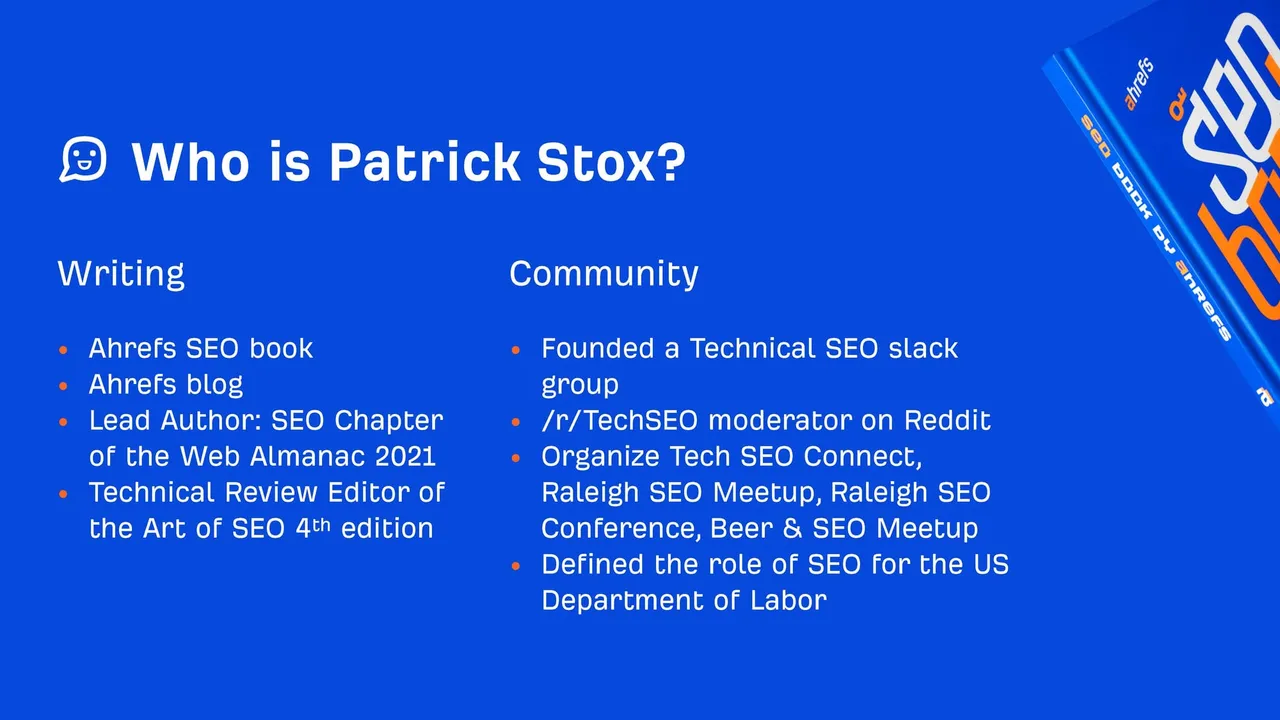
In his recent study, Patrick analyzed over 1 million websites to identify recurring technical SEO issues that commonly hinder website performance. This large-scale analysis sheds light on systematic problems faced by businesses across industries and provides a clear roadmap to improve search visibility, user experience, and overall digital performance.
Purpose of This Blog:
The purpose of this blog is to summarize Patrick’s findings, focusing on the most frequent SEO problems and their practical solutions. By addressing these issues, businesses can ensure better rankings, optimized user journeys, and increased ROI from their online presence.
Most Common Technical SEO Issues
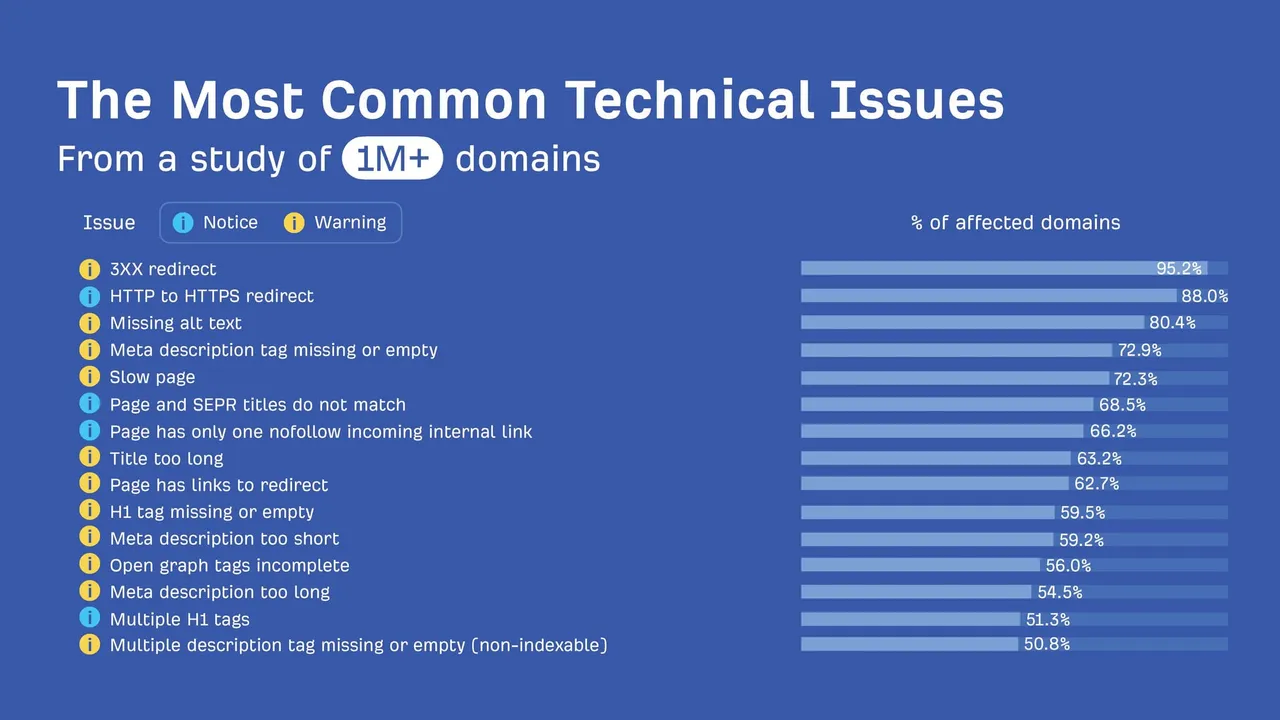
When auditing over a million websites, Patrick Stox identified several technical SEO issues that frequently hindered their ability to rank effectively in search engines and deliver an optimal user experience. These issues, while often overlooked, form the foundation of an SEO-friendly website. Addressing them not only improves your site’s technical health but also ensures better visibility, usability, and compliance.
List of Most Frequent Issues
3XX Redirects
Redirects are a necessary part of maintaining a website, especially during migrations, content restructuring, or when managing legacy links. However, excessive or poorly configured redirect chains can lead to significant problems for both users and search engines.
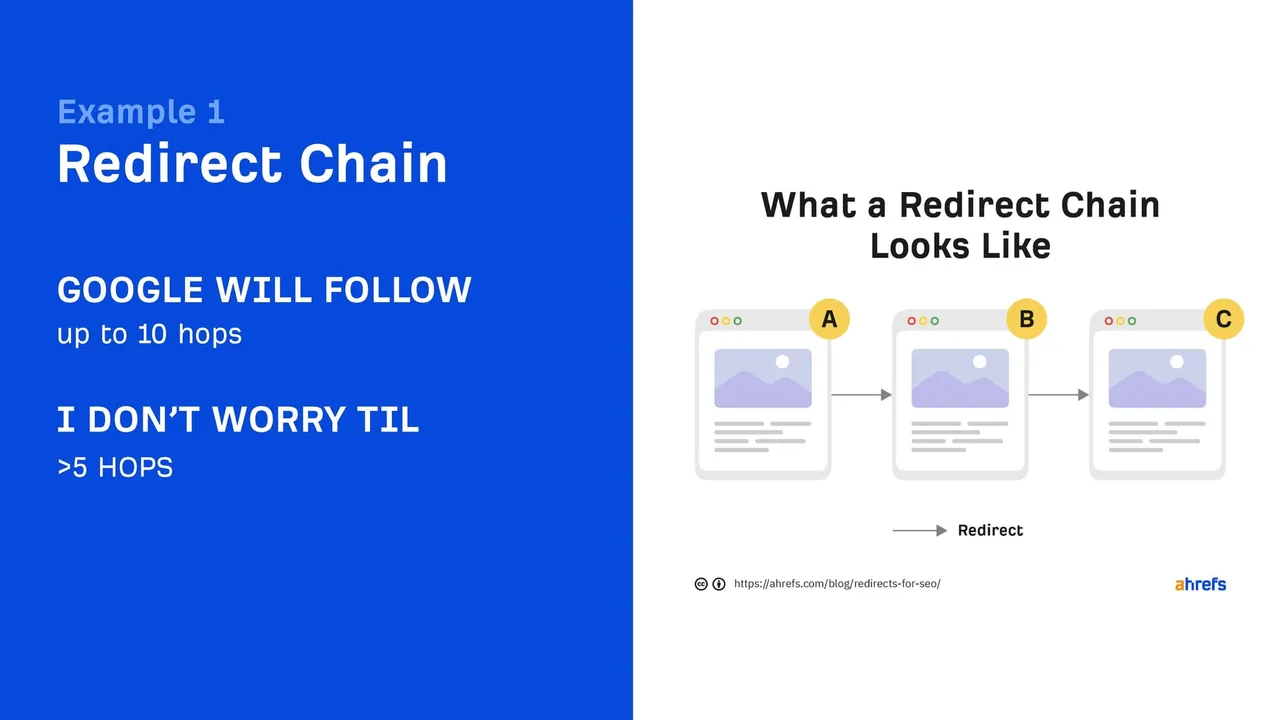
Common problems: Redirect chains (multiple redirects linking sequentially) and redirect loops (redirects that circle back to the original URL). These issues waste crawl budget, increase page load times, and can cause indexing problems.
Why it matters: Search engines allocate a limited crawl budget to your site. Wasting it on inefficient redirects means other critical pages may not be crawled. Users, meanwhile, may face slow loading times or fail to reach their intended destination.
Solution: Regularly audit your redirects using tools like Screaming Frog or Ahrefs Site Audit. Consolidate multiple redirects into a single step, and ensure no redirect points back to itself.
HTTP to HTTPS Redirect Issues
HTTPS is a basic requirement for secure websites today, and Google even considers it a ranking factor. However, improperly configured HTTP to HTTPS redirects can cause significant issues:
Common problems: Mixed content errors (e.g., loading some elements over HTTP), broken redirects, or failing to redirect HTTP traffic at all.
Why it matters: Security warnings deter users and hurt your site’s credibility. Mixed content also disrupts the user experience and can reduce rankings.
Solution: Use site-wide HTTPS and redirect all HTTP traffic to HTTPS. Test for mixed content using online tools and update URLs in your CMS or database to ensure consistency.
Missing or Improper Alt Text
Alt text is crucial for making your images accessible to users with visual impairments and helping search engines understand the content of those images.
Common problems: Missing alt attributes, vague descriptions (e.g., "image1.jpg"), and keyword stuffing in alt tags.
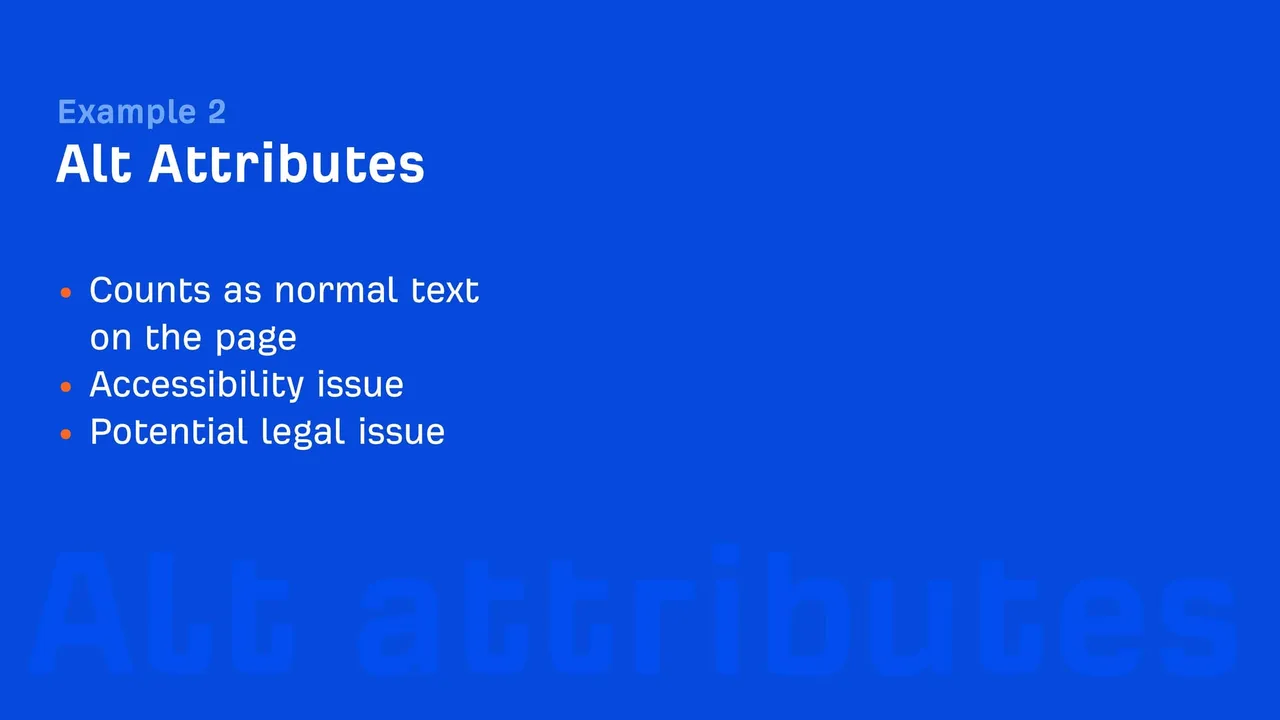
Why it matters: Without alt text, your images may not appear in Google Image Search, and your site may fail accessibility standards. This can lead to missed traffic opportunities and compliance issues.
Solution: Write clear, concise alt text for every image that describes the image’s purpose in context. Avoid generic phrases and focus on natural descriptions that enhance understanding.
Meta Description and Title Tag Problems
Meta descriptions and title tags are key elements of on-page SEO that influence click-through rates and user engagement. However, they are often neglected.
Common problems: Missing meta descriptions, duplicate tags across multiple pages, and poorly written titles that exceed character limits or fail to convey value.
Why it matters: Poorly optimized meta tags result in lower CTRs, reducing organic traffic even if rankings are high. Duplicate tags confuse search engines about which page to prioritize.
Solution: Use tools like Google Search Console or SEMrush to identify and fix missing or duplicate meta tags. Write concise, compelling titles and meta descriptions that include primary keywords naturally.
Slow Page Load Times
Page speed is not just a ranking factor but also a critical user experience metric. Every additional second of load time increases the likelihood of a user abandoning your site.
Common problems: Unoptimized images, excessive JavaScript, render-blocking CSS, and server response delays.
Why it matters: Slow pages frustrate users, increasing bounce rates and lowering conversions. Search engines penalize slow-loading sites in rankings.
Solution: Optimize images using formats like WebP, minify JavaScript and CSS, enable browser caching, and consider a Content Delivery Network (CDN) to reduce server load.
H1 Tag and Open Graph Tag Inconsistencies
Proper use of H1 tags helps structure content and makes it easier for search engines and users to understand the hierarchy of information. Open Graph tags, meanwhile, improve the way pages appear on social media.
Common problems: Multiple H1 tags on a single page, missing H1s, or inconsistent Open Graph metadata.
Why it matters: Poorly structured headings confuse both users and search engines, while missing Open Graph tags can reduce the effectiveness of social sharing.
Solution: Ensure every page has a single H1 that accurately describes the page content. Implement Open Graph tags to control how your pages are displayed on social platforms like Facebook and Twitter.
Impact of Common Issues
Each of these technical SEO issues has far-reaching implications:
- Search Engine Rankings: Redirect problems and slow loading times lead to inefficient crawling and indexing.
- User Experience: Frustrating navigation, delays, and poorly displayed content drive users away, leading to lower engagement and higher bounce rates.
- Content Discoverability: Missing or incorrect meta tags, alt text, and Open Graph tags reduce visibility in search and social platforms.
- Compliance: Alt text and accessibility issues could lead to legal consequences while alienating a significant portion of your audience.
Deep Dive into Hreflang Issues
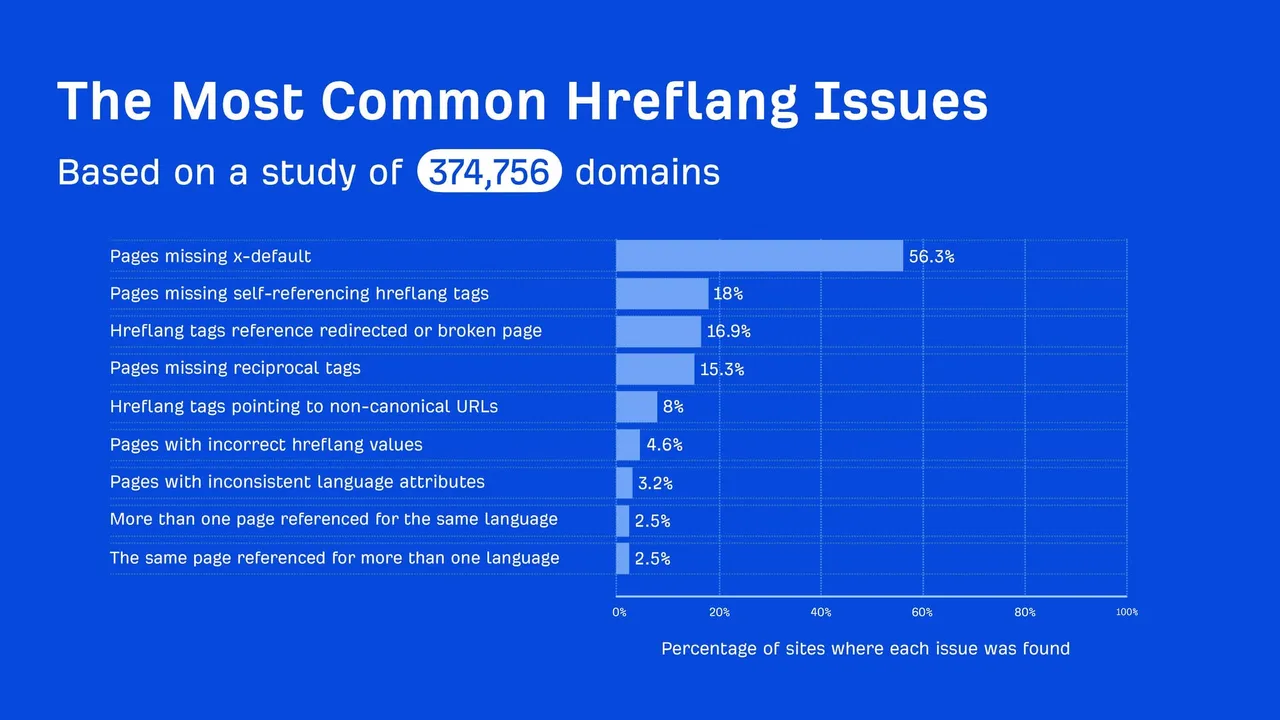
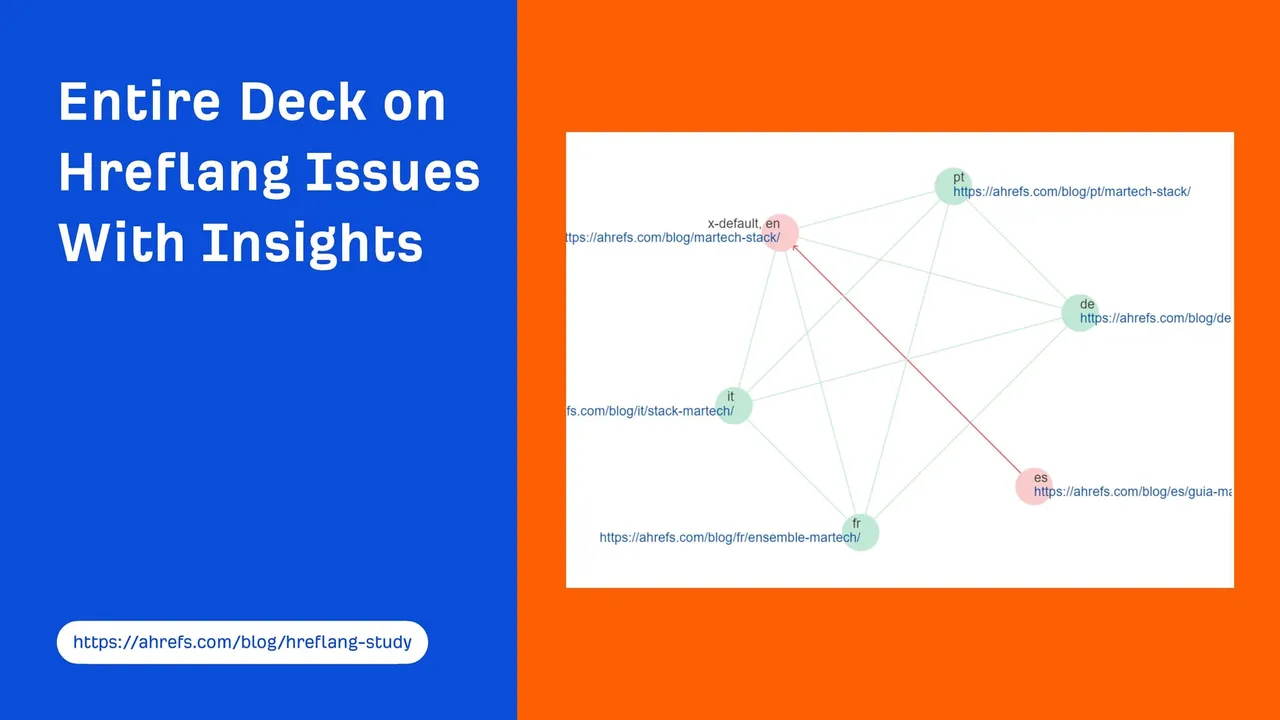
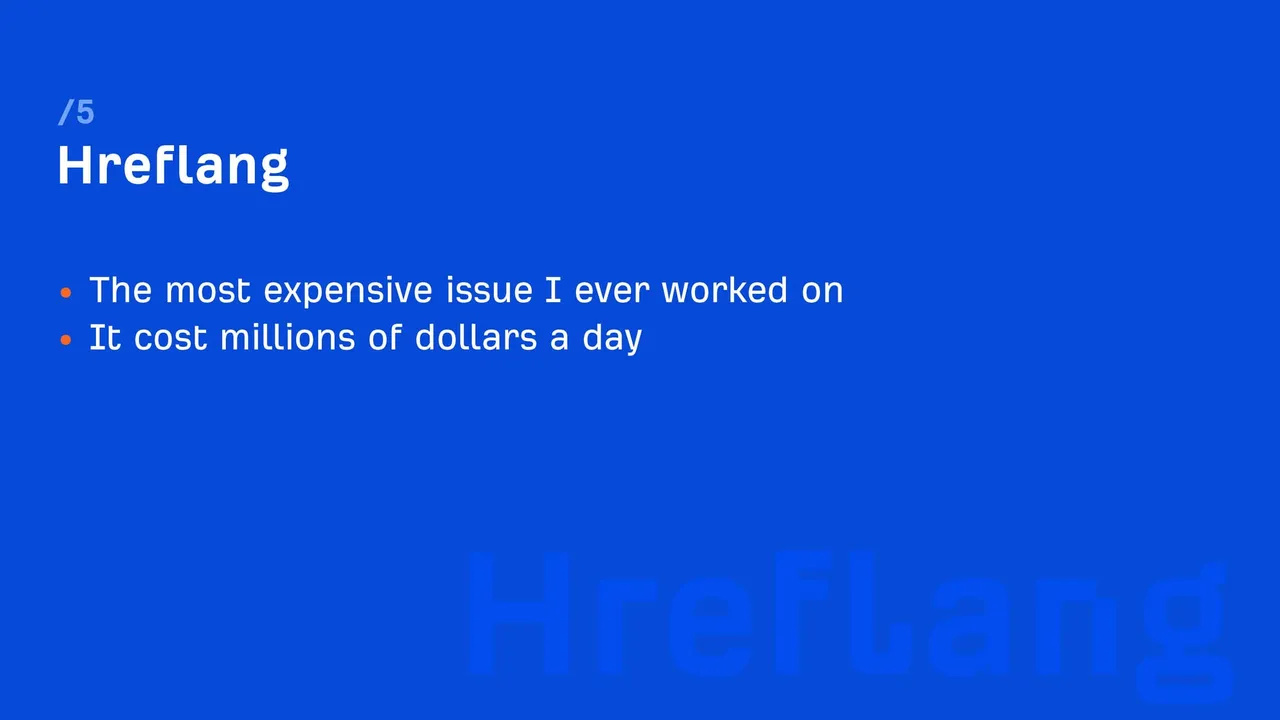
For websites targeting multiple languages or regions, hreflang tags are essential to help search engines understand which version of a page to serve to users in different geographic areas or language settings. However, Patrick Stox's analysis revealed that 67% of the audited websites had hreflang issues, making it one of the most widespread technical SEO challenges for global websites.
Overview of Hreflang Issues
Hreflang tags, when implemented correctly, act as a signal to search engines, specifying the language and regional version of a webpage. This ensures users are directed to the most appropriate version of a site based on their preferences. However, improper implementation can lead to serious indexing issues, such as search engines serving the wrong content to users, diluting traffic, and harming user experience.
Key challenges revealed in the study:
- Many domains either had no hreflang implementation or had incorrect configurations.
- A significant number of sites pointed hreflang tags to broken pages or redirects.
- Non-canonical URLs were frequently referenced, leading to confusion for search engines.
Most Common Hreflang Problems
Missing x-default and Self-Referencing Tags
-
- Problem: Without an x-default tag, search engines may struggle to determine the default version of a site when no language or region preference is detected. Similarly, missing self-referencing hreflang tags create inconsistencies in URL mapping.
- Impact: Search engines may serve unintended versions of the page to users, leading to a poor user experience and traffic drops.
- Solution: Always include self-referencing hreflang tags for every page and add an x-default tag to handle cases where no specific match exists.
Hreflang Tags Pointing to Redirects or Broken Pages
-
- Problem: Many hreflang attributes link to URLs that are either redirected or return a 404 error.
- Impact: Redirects waste crawl budget, while broken links signal poor site quality to search engines. Users may land on irrelevant or non-existent pages.
- Solution: Regularly audit hreflang attributes using tools like Screaming Frog or Ahrefs to ensure all links are live and point to valid pages.
Issues with Non-Canonical URLs
-
- Problem: Referencing non-canonical URLs in hreflang tags creates confusion for search engines as they prioritize canonical pages for indexing.
- Impact: Traffic is diluted across multiple versions of a page, reducing rankings and user clarity.
- Solution: Ensure hreflang tags always point to the canonical version of the page, as defined by the rel=canonical tag.
Solutions and Best Practices
Proper implementation of hreflang tags is critical for global SEO success. Follow these best practices to avoid common pitfalls:
Always Use Self-Referencing Tags
Each page should include a hreflang tag pointing to itself. For instance, the hreflang for the English version of a page targeting the U.S. should look like this:
Include an x-default Tag
The x-default tag serves as a fallback for cases where the user's language or region cannot be determined.
Example:
<link rel="alternate" hreflang="x-default" href="https://example.com/global-page" />
Audit Hreflang Tags Regularly
Use tools like Screaming Frog or Google Search Console's International Targeting Report to:
-
- Verify that all hreflang attributes point to live pages.
- Check for inconsistencies between hreflang tags and canonical tags.
- Ensure proper handling of redirected URLs.
Map Hreflang Tags to Canonical URLs
Consistency is key. Ensure hreflang tags point to the canonical version of a URL, as defined by the rel=canonical attribute. This prevents indexing of duplicate pages and ensures traffic is consolidated.
The Importance of Fixing Hreflang Issues
When implemented correctly, hreflang tags allow your website to:
- Target international audiences effectively, improving user satisfaction.
- Consolidate rankings for the appropriate version of a page.
- Reduce bounce rates by ensuring users land on the right version of the site.
Ignoring hreflang issues leads to:
- Lower rankings due to duplicate content signals.
- Poor user experience as users are served incorrect versions of a page.
- Missed opportunities to attract and retain a global audience.
Prioritizing SEO Fixes: The Impact/Effort Matrix
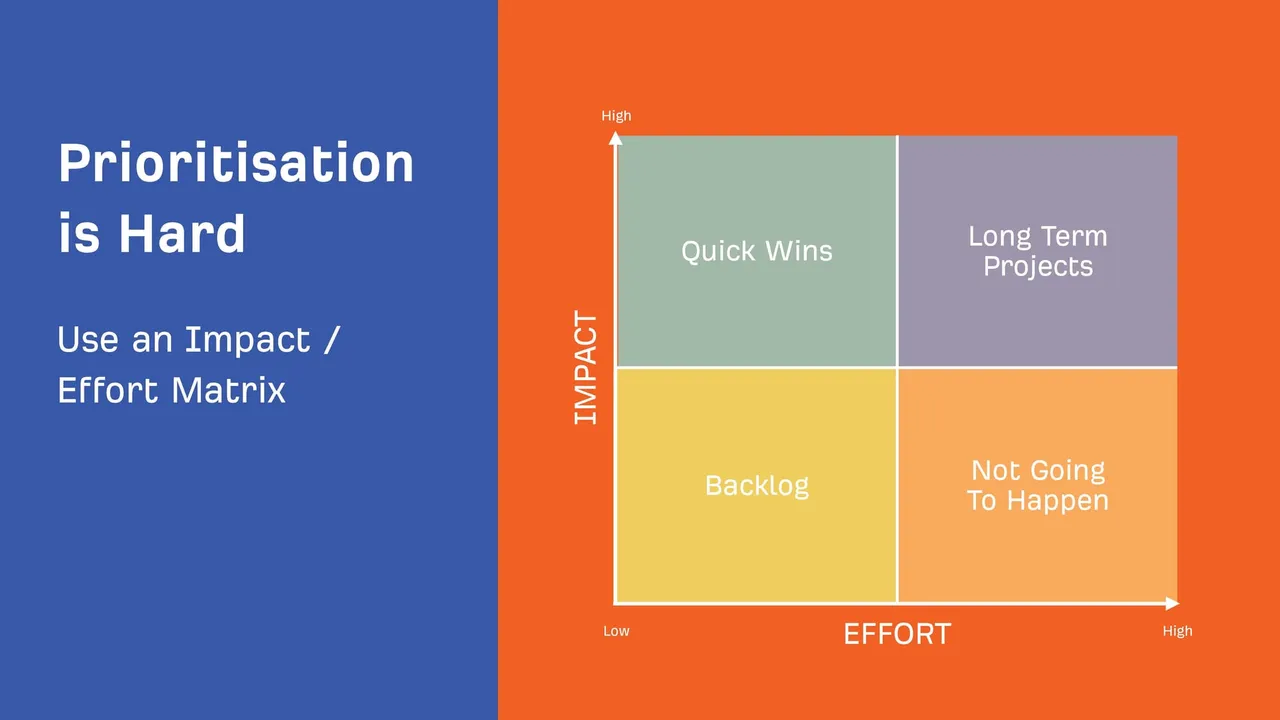
When managing SEO for any website, it’s crucial to prioritize tasks based on their potential ROI and the resources required to implement them. The Impact/Effort Matrix is a powerful tool for making these decisions. It allows SEO professionals to classify tasks into categories based on how much effort they require and the impact they’re likely to have on performance.
Patrick Stox highlights how this framework can help SEO teams allocate resources effectively, ensuring maximum value is derived from their efforts.
Understanding the Impact/Effort Matrix
The matrix divides tasks into four quadrants:
- Quick Wins (High Impact, Low Effort)
- Long-Term Projects (High Impact, High Effort)
- Tasks for the Backlog (Low Impact, High Effort)
- Tasks to Ignore (Low Impact, Low Effort)
Each quadrant represents a strategy for prioritization:
- Quick Wins: Focus here first for fast and meaningful improvements.
- Long-Term Projects: Allocate resources strategically, as these tasks require significant time but yield substantial results.
- Backlog Tasks: Save these for when higher-priority issues are resolved.
- Tasks to Ignore: Avoid these tasks unless circumstances change, as they provide little return.
Examples of SEO Tasks by Category
- Quick Wins (High Impact, Low Effort):
-
- Fixing Broken Links: Repairing or redirecting 404 errors is simple but can significantly improve user experience and rankings.
- Optimizing Meta Descriptions: Writing clear and engaging meta descriptions boosts CTR without requiring extensive changes.
- Compressing Large Images: Reducing image sizes improves page speed, enhancing both SEO and user satisfaction.
Long-Term Projects (High Impact, High Effort):
-
- Sitewide HTTPS Implementation: Converting a site from HTTP to HTTPS improves security and SEO but requires comprehensive updates across URLs, links, and resources.
- Content Strategy Development: Conducting keyword research and creating high-quality, evergreen content takes time but delivers sustained traffic growth.
- Technical Overhauls: Improving site architecture or eliminating redirect chains involves considerable effort but resolves critical issues affecting crawlability.
Tasks for the Backlog (Low Impact, High Effort):
Reorganizing Low-Traffic Pages: While consolidating or optimizing these pages might help, the potential gain is minimal compared to the effort required.
Excessive Micro-Optimization: Trying to squeeze minor ranking improvements from already well-optimized pages often doesn’t justify the investment of time and resources.
Tasks to Ignore (Low Impact, Low Effort):
Adjusting Redirect Chains Beyond Google’s Threshold: Patrick notes that Google can handle up to 10 hops in a redirect chain, so reducing it further may not provide significant value.
Fixing Double Slashes in URLs: Double slashes are ignored by search engines and users alike, making them a non-priority issue.
Practical Application of the Impact/Effort Matrix
Using the Impact/Effort Matrix helps you focus on tasks that maximize ROI. Here’s how you can apply it effectively:
- Audit Your Site Regularly: Use tools like Screaming Frog, Ahrefs, or SEMrush to generate a list of SEO tasks.
- Categorize Each Task: Assess the potential impact of resolving the issue and estimate the effort required.
- Prioritize Tasks: Begin with Quick Wins, allocate resources for Long-Term Projects, and defer Backlog Tasks.
- Monitor Results: Track progress using metrics like organic traffic, keyword rankings, and Core Web Vitals. Adjust priorities as needed based on outcomes.
Why This Approach Works
The matrix prevents wasted effort on tasks with minimal returns, ensuring your team focuses on areas that deliver measurable results. By adopting this structured approach, businesses can:
- Improve resource efficiency.
- Enhance site performance in a strategic, ROI-driven manner.
- Address critical issues first, ensuring a solid foundation for future growth.
Important but Often Overlooked SEO Issues
While many SEO professionals focus on high-priority technical issues and content optimizations, some important elements often fall by the wayside. These overlooked issues can silently undermine a website’s performance, creating barriers for search engines and users alike. Patrick Stox's findings highlight three commonly ignored yet critical areas: broken pages, duplicate content, and orphan pages.
Broken Pages
Broken pages (404 errors) are among the most detrimental SEO issues for user experience and search engine crawling. These occur when a page is deleted or its URL is changed without proper redirection.
Why Broken Pages Are a Problem:
- User Experience: Users landing on broken pages are likely to leave the site, increasing bounce rates and reducing conversions.
- Crawl Budget Waste: Search engine bots waste resources trying to index non-existent pages, reducing the efficiency of crawling other important areas.
- Link Equity Loss: If backlinks or internal links point to a broken page, valuable link equity is lost.
How to Address Broken Pages:
- Use tools like Google Search Console, Screaming Frog, or Ahrefs to identify all 404 errors.
- Set up 301 redirects to guide users and search engines to relevant live pages.
- Monitor incoming links to broken pages and ensure they’re redirected or updated.
Example in Practice:
Imagine an e-commerce site removes a discontinued product page. Instead of leaving it as a 404 error, redirect it to the product category page or a related product to retain link equity and guide users effectively.

Duplicate Content & Canonicalization
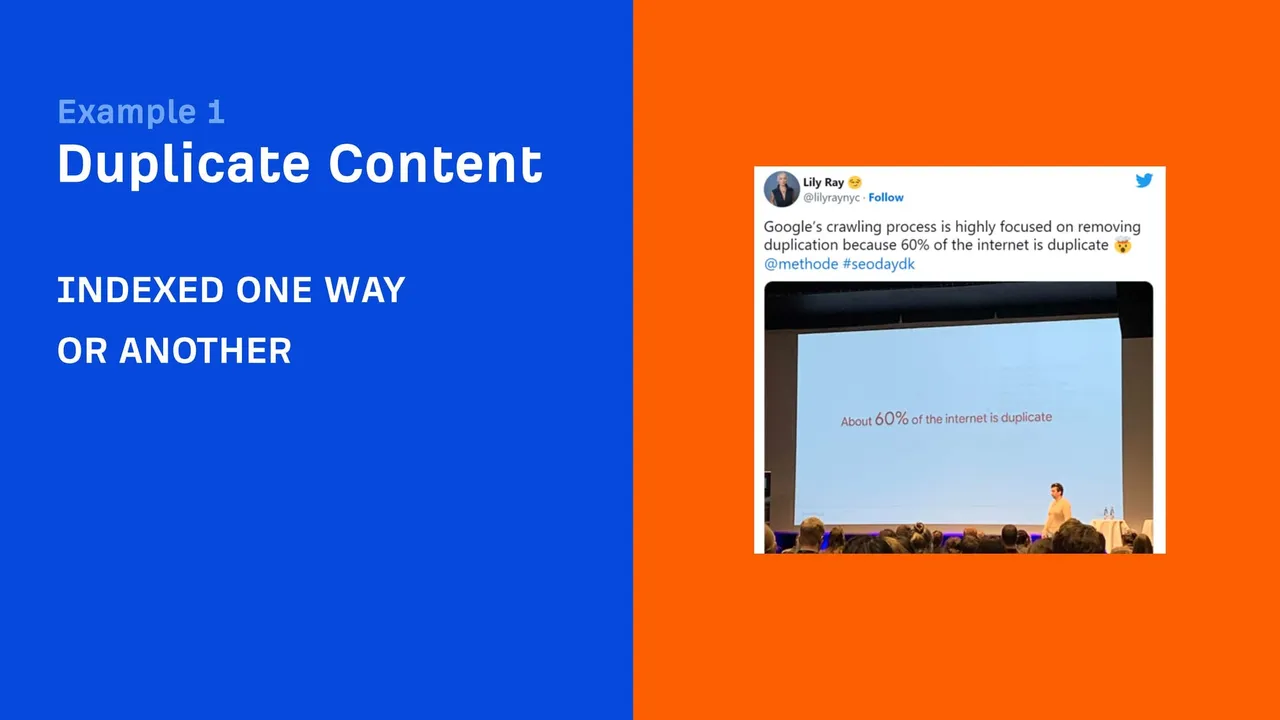
Duplicate content refers to instances where identical or very similar content exists across multiple URLs. While Google claims it handles duplicate content well, it can still cause indexing inefficiencies and dilute rankings.
Why Duplicate Content Is a Problem:
- Split Rankings: When duplicate content is detected, search engines must decide which version to rank, splitting ranking potential across duplicates.
- Crawl Waste: Search engines waste resources crawling and indexing duplicate pages rather than unique, valuable content.
- Confusion: Users may land on suboptimal versions of a page, affecting their experience.
How Canonical Tags Help:
The rel=canonical tag tells search engines which version of a page is the "official" one. This consolidates link equity and prevents ranking dilution.
Example canonical tag implementation:
<link rel="canonical" href="https://example.com/preferred-page" />
Practical Tips:
- Use canonical tags to point duplicates to a single preferred version.
- Consolidate near-duplicate content by combining pages or redirecting less valuable versions.
- Regularly audit your site for duplicate content using tools like Copyscape or SEMrush.
Orphan Pages
Orphan pages are those that exist on a website but have no internal links pointing to them. As a result, they’re effectively invisible to both users and search engines.
Why Orphan Pages Are a Problem:
- Crawlability: Search engines rely on links to discover and crawl content. Without links, orphan pages are often missed.
- User Experience: Important content hidden from navigation reduces user engagement and value.
- Link Equity: Orphan pages don’t receive link equity from the rest of the site, limiting their ranking potential.
How to Address Orphan Pages:
- Identify orphan pages using tools like Screaming Frog or Google Analytics. Look for pages with no incoming links.
- Create internal links to orphan pages from relevant content or add them to your site’s main navigation.
- Incorporate these pages into your content strategy by linking them in blog posts, category pages, or sitemaps.
Example in Practice:
An orphan blog post that provides valuable information about a product can be linked to from the product’s landing page. This not only helps with rankings but also enhances user journeys.

Key Takeaways
Addressing these often-overlooked issues strengthens your site’s foundation, improves discoverability, and enhances user experience. By fixing broken pages, managing duplicate content with canonicalization, and linking to orphan pages, you can ensure your website operates efficiently and ranks more effectively in search results.
Actionable Steps to Address Overlooked Issues:
- Monitor regularly: Use SEO tools to identify and track these issues over time.
- Redirect strategically: Ensure no link equity is lost from broken pages.
- Structure internal linking: Establish a cohesive network of links to ensure all content is accessible and valuable.
- Leverage canonical tags: Prevent confusion caused by duplicate content by clearly signaling the preferred version to search engines.
Common SEO Misconceptions
Despite the wealth of knowledge available about search engine optimization, some common misconceptions still persist. These myths can lead to misplaced priorities, wasted resources, and missed opportunities. Patrick Stox sheds light on two prevalent misconceptions—redirect chains and double slashes, and the balance required for mobile-friendliness and Core Web Vitals—offering clarity on how to approach these issues.
Redirect Chains and Double Slashes
Redirect chains and double slashes in URLs often appear as issues during technical SEO audits, but not all require immediate attention.
Misconception 1: Redirect Chains Must Always Be Eliminated
Redirect chains occur when a URL redirects to another URL, which then redirects to yet another. While multiple hops in a redirect chain can slow page speed and waste crawl budget, Google has confirmed that it can handle up to 10 hops in a chain.
Why This Isn’t Always a High-Priority Issue:
- Search Engines Adapt: Googlebot is equipped to handle long redirect chains without significant impact on rankings, provided the chain doesn’t exceed its limit.
- Limited Impact on Crawl Budget: Unless redirect chains are excessive or lead to a loop, they rarely interfere with crawling efficiency.
When to Address Redirect Chains:
- If the chain has more than 3–4 hops, optimize it to reduce latency for users.
- Always resolve redirect loops as they prevent both users and search engines from reaching the intended destination.
- Flatten chains during major site migrations to improve efficiency.
Misconception 2: Double Slashes in URLs Cause Problems
Some audits flag URLs with double slashes (//) as problematic, but search engines like Google completely ignore them. Double slashes typically occur due to CMS or server configurations and do not affect rankings or crawling.
Why You Can Ignore Double Slashes:
Best Practice:
Fix double slashes only if they cause user confusion or visual inconsistencies in the URL structure. Otherwise, allocate resources to more impactful tasks.
Mobile Friendliness & Core Web Vitals
Mobile Friendliness
As the web becomes increasingly mobile-driven, ensuring a site is optimized for mobile devices is not optional—it’s essential. Google’s mobile-first indexing prioritizes the mobile version of a site when determining rankings, making this an ongoing SEO priority.
Common Misconceptions About Mobile Optimization:
- "Responsive Design Is Enough": While responsive design is crucial, it’s only the starting point. Sites must also optimize page speed, simplify navigation, and test usability on various devices.
- "Mobile-Friendly Sites Don’t Need Desktop Optimization": Both versions must provide an optimal experience, as desktop users still account for a significant portion of web traffic in certain industries.
Best Practices for Mobile Optimization:
- Use Google’s Mobile-Friendly Test tool to identify issues.
- Focus on simplifying site design and reducing clutter for smaller screens.
- Ensure touch targets (buttons, links) are appropriately sized for mobile use.
Core Web Vitals
Core Web Vitals (CWV)—a set of performance metrics introduced by Google—measure a website’s user experience across three key areas:
- Largest Contentful Paint (LCP): Measures loading performance.
- First Input Delay (FID): Assesses interactivity.
- Cumulative Layout Shift (CLS): Evaluates visual stability.
Why Core Web Vitals Are Critical:
Google uses CWV as part of its ranking algorithm, emphasizing the importance of speed, responsiveness, and usability.
Misconceptions About Core Web Vitals:
- "Fixing Core Web Vitals Guarantees Better Rankings": While optimizing CWV is important, it’s just one of many ranking factors. Sites with superior content may still outperform competitors with better CWV.
- "Small Gains in CWV Will Lead to Big Wins": Incremental improvements in CWV are beneficial but won’t necessarily lead to a noticeable ranking boost unless the site also has strong content and backlinks.
Best Practices for Core Web Vitals:
- Improve LCP: Optimize images, use efficient hosting, and preload key resources.
- Reduce CLS: Specify image dimensions and avoid injecting ads or content that disrupt layout stability.
- Minimize FID: Limit third-party scripts and use efficient coding practices.

Balancing Efforts for Mobile and CWV Optimization
While mobile-friendliness and CWV are essential, they should be prioritized based on their potential impact on your audience:
- Focus on mobile-first design if your analytics show high mobile traffic.
- Tackle CWV issues incrementally to avoid overwhelming development resources while keeping user experience at the forefront.
Key Takeaways
- Redirect chains and double slashes: Address only when they significantly impact user experience or crawlability.
- Mobile optimization: Treat it as an ongoing necessity rather than a one-time project.
- Core Web Vitals: Optimize for speed, responsiveness, and stability while maintaining a balanced approach with other SEO priorities.
Leveraging Automation in SEO
As websites grow in size and complexity, manual SEO fixes become increasingly time-consuming and resource-intensive. Automation offers a scalable way to address common technical SEO challenges, improve efficiency, and maintain consistent performance. Patrick Stox highlights three key areas where automation can significantly enhance SEO workflows: redirect automation, content security policies, and automating alt attributes and redirect chain management.
Redirect Automation
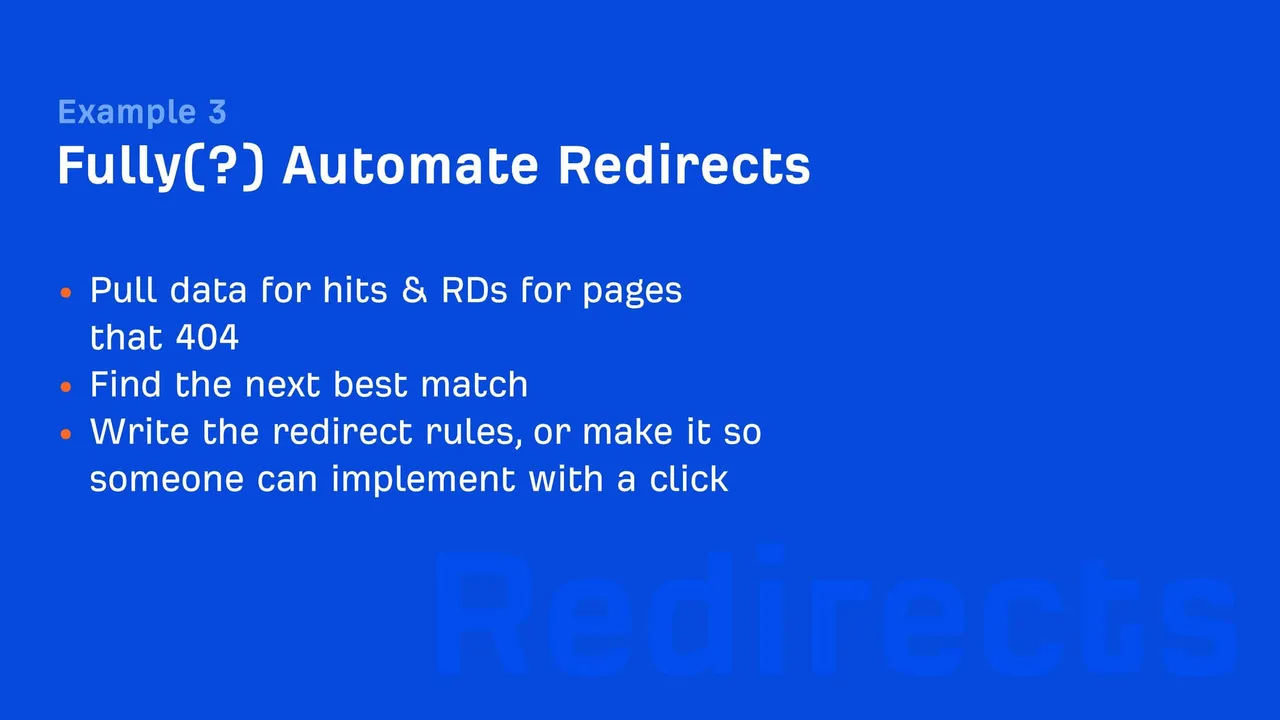
Broken pages (404 errors) are a common issue that require immediate attention to maintain a seamless user experience and retain link equity. Automating the process of identifying and resolving 404 errors saves time and ensures critical pages remain accessible.
How Redirect Automation Works:
- Monitor Page Hits: Use analytics tools or server logs to track traffic to 404 pages. Pages receiving significant hits should be prioritized for redirection.
- Evaluate Link Profiles: Analyze the backlinks pointing to 404 pages to determine their importance. High-value links should be redirected to relevant, live pages.
- Automate with Tools: Platforms like Screaming Frog, Ahrefs, or even custom scripts can identify and suggest redirect solutions based on patterns.
Best Practices for Redirect Automation:
- Redirect to the most contextually relevant page instead of generic destinations like the homepage.
- Avoid creating unnecessary redirect chains during automation. Ensure direct mappings whenever possible.
- Regularly audit redirects to prevent loops and outdated paths.
Example in Practice:
For an e-commerce site, automating redirects from discontinued product pages to their parent category pages ensures users and search engines find relevant content.
Content Security Policies (CSPs) for Mixed Content Issues
Mixed content occurs when HTTPS pages load resources (images, scripts, or styles) over HTTP, triggering browser warnings and reducing user trust. Fixing mixed content across a large website manually can be daunting, but automation via CSPs offers an efficient solution.
What Are Content Security Policies (CSPs)?
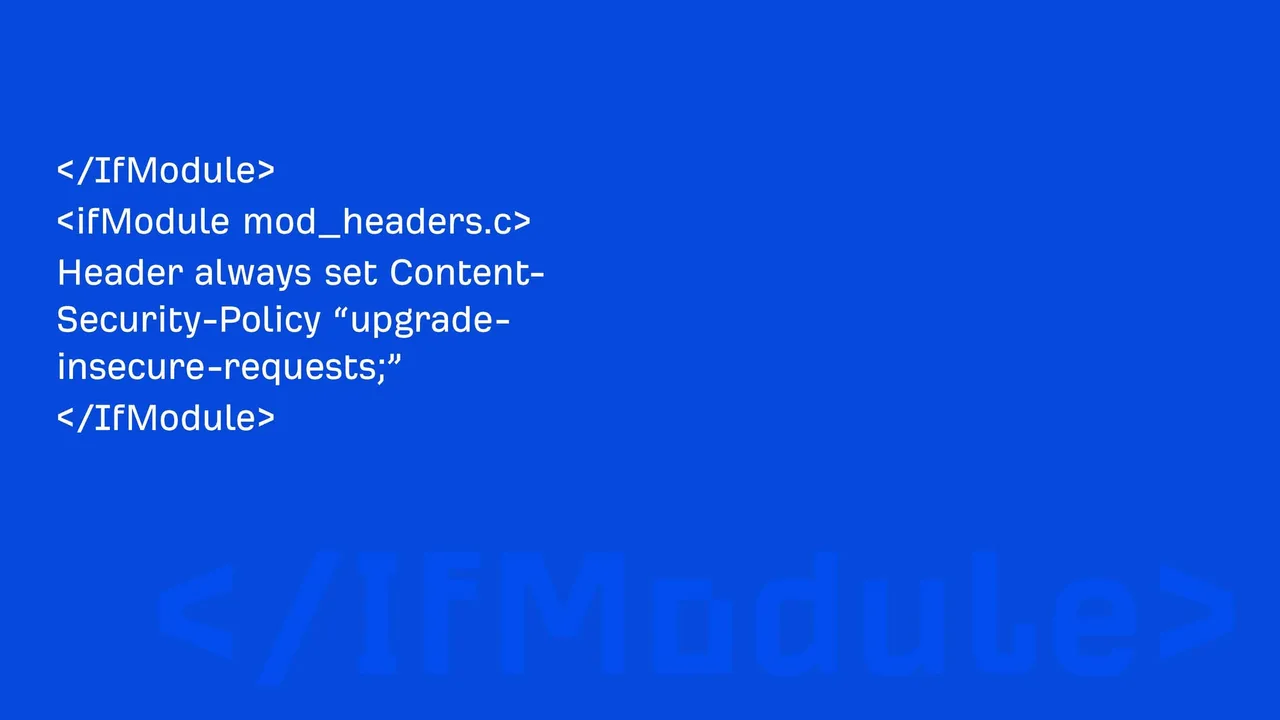
CSPs are browser-enforced rules that control how resources are loaded on a page. The upgrade-insecure-requests directive automatically converts insecure HTTP requests to HTTPS.
How to Implement CSPs:
- Enable CSPs on Your Server: Add the upgrade-insecure-requests header to your site’s configuration. Example header:
upgrade-insecure-requests
- Monitor Implementation: Use browser developer tools or online scanners to ensure all mixed content is upgraded successfully.
- Automate Monitoring: Deploy automated tools like Content-Security-Policy Report-Only mode to identify remaining insecure resources.
Benefits of CSP Automation:
- Resolves mixed content warnings instantly without manual updates to individual URLs.
- Enhances site security by ensuring all resources are served over HTTPS.
Example in Practice:
A blog site with thousands of embedded images and videos can use CSPs to ensure all media is served securely without manually updating each URL.
Alt Attribute Automation and Redirect Chains Flattening
Alt Attribute Automation
Writing descriptive alt attributes for images is crucial for accessibility and image SEO but becomes tedious at scale. Automation can simplify the process:
AI-Powered Tools: Platforms like Microsoft Azure Computer Vision or Google Vision AI can analyze images and suggest descriptive alt text automatically.
Keyword Context: Automate alt text generation by incorporating keywords relevant to the page content, avoiding keyword stuffing.
Batch Updates: Use scripts or CMS plugins to add alt attributes to large batches of images with missing descriptions.
Best Practices for Automating Alt Attributes:
- Review and refine AI-generated alt text for accuracy and relevance.
- Focus on accessibility by ensuring descriptions are clear and provide context for visually impaired users.
Example in Practice:
A news website with thousands of archived images uses automation to add meaningful alt text to improve accessibility and boost image search rankings.

Redirect Chains Flattening
Even with automation, redirect chains can form over time due to site migrations or incremental changes. Tools can identify and flatten these chains by consolidating multiple hops into a single step.
Steps to Automate Redirect Chain Flattening:
- Scan Redirects: Use tools like Screaming Frog or site audit platforms to detect chains.
- Generate Flattened Mappings: Automate the generation of direct redirects from the original URL to the final destination.
- Deploy Updates in Bulk: Implement changes via your server or CMS to update redirect rules across the site.
Benefits of Flattening Redirects Automatically:
- Improves page speed by eliminating unnecessary hops.
- Conserves crawl budget for search engines.
Example in Practice:
A retail site undergoing multiple migrations over several years automates redirect chain consolidation to maintain fast-loading pages and SEO performance.

Key Takeaways
- Redirect Automation: Use analytics and link profile data to redirect broken pages intelligently.
- CSPs for Mixed Content: Automate secure resource requests with the upgrade-insecure-requests directive.
- Alt Text and Redirect Chains: AI tools and automated mapping scripts reduce manual effort and improve efficiency.
Automation in SEO doesn’t replace human oversight but augments efficiency, allowing professionals to focus on high-value strategic tasks.
The Future of SEO: Edge Computing and AI
The world of SEO is rapidly evolving, and technological advancements like edge computing and artificial intelligence (AI) are paving the way for more efficient, scalable, and dynamic optimization strategies. Patrick Stox emphasizes how these innovations can automate complex SEO tasks, enhance user experiences, and prepare websites for the demands of the future.
Edge Computing and AI Integration
What Is Edge Computing?
Edge computing refers to the practice of processing data closer to its source—such as at the edge of a network—rather than relying on centralized servers. By performing tasks locally, edge computing minimizes latency, speeds up page loading, and enables real-time optimizations.
AI in SEO
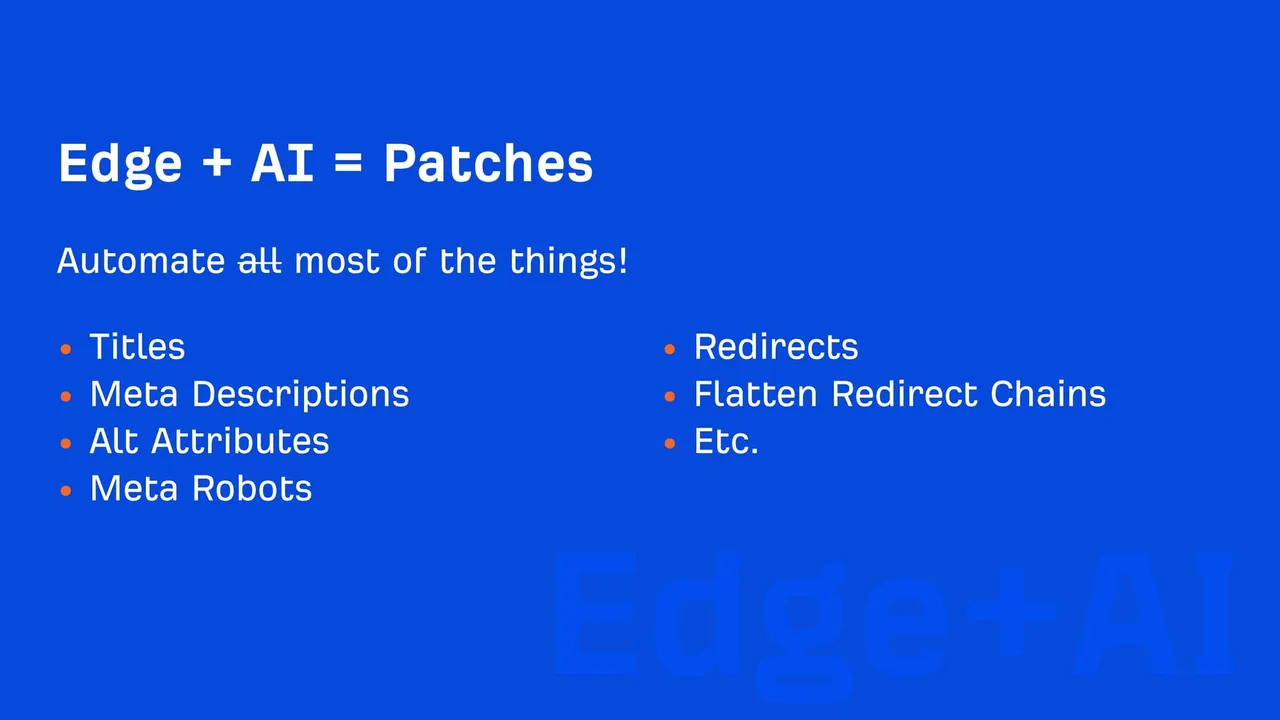
Artificial intelligence can now automate tasks traditionally requiring manual effort, such as generating meta descriptions, titles, and alt attributes. Combining edge computing with AI allows these optimizations to happen dynamically, improving efficiency and performance.
Examples of Edge Computing and AI in SEO:
Dynamic Meta Description Generation: AI tools can analyze page content and automatically generate meta descriptions optimized for keywords and user intent. These descriptions can then be served instantly via edge networks.
Example: A blog post without a meta description could dynamically generate one based on the page content, ensuring it’s optimized for search engines.
Alt Attribute Creation: AI algorithms like Google Vision or Microsoft Azure can process image content and suggest accurate alt text.
Example: E-commerce platforms with large image catalogs can automate alt text creation for accessibility and image SEO.
Real-Time Personalization: Edge computing can deliver personalized content based on user location or device.
Example: A retail site can dynamically update product recommendations based on a user’s region or browsing history.
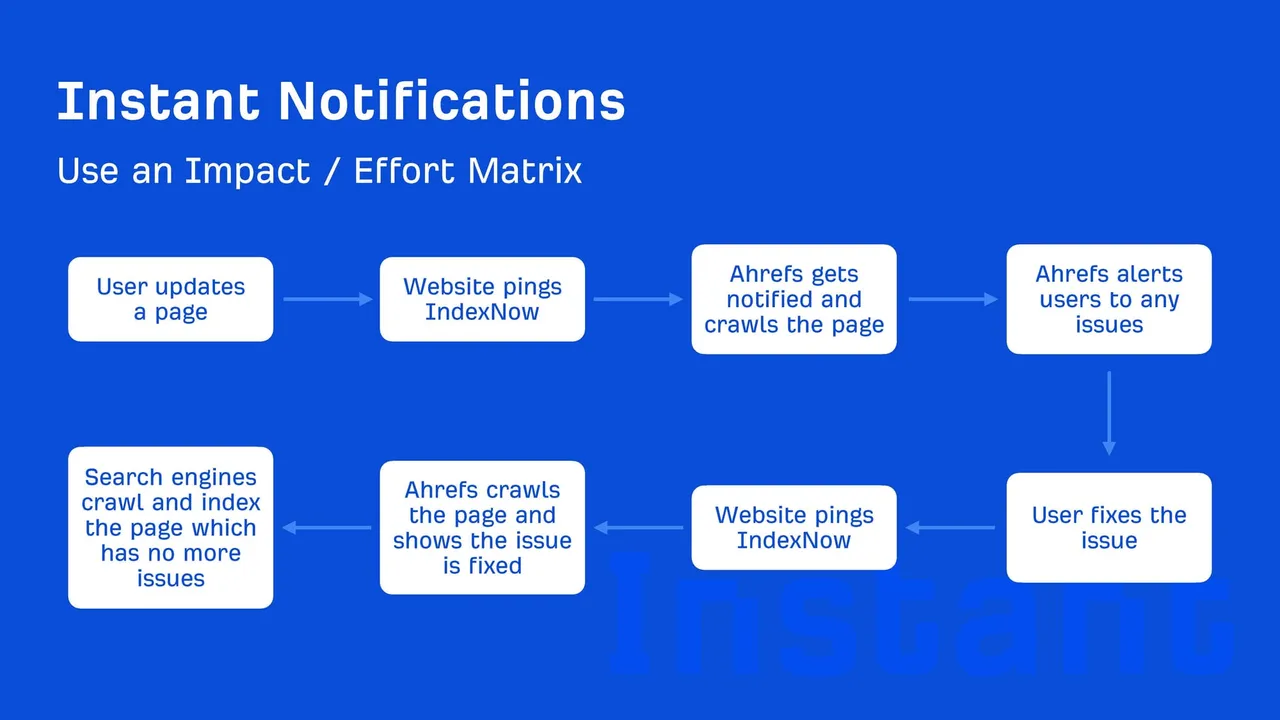
JavaScript and Cloudflare Workers for SEO
The Role of JavaScript in Modern SEO
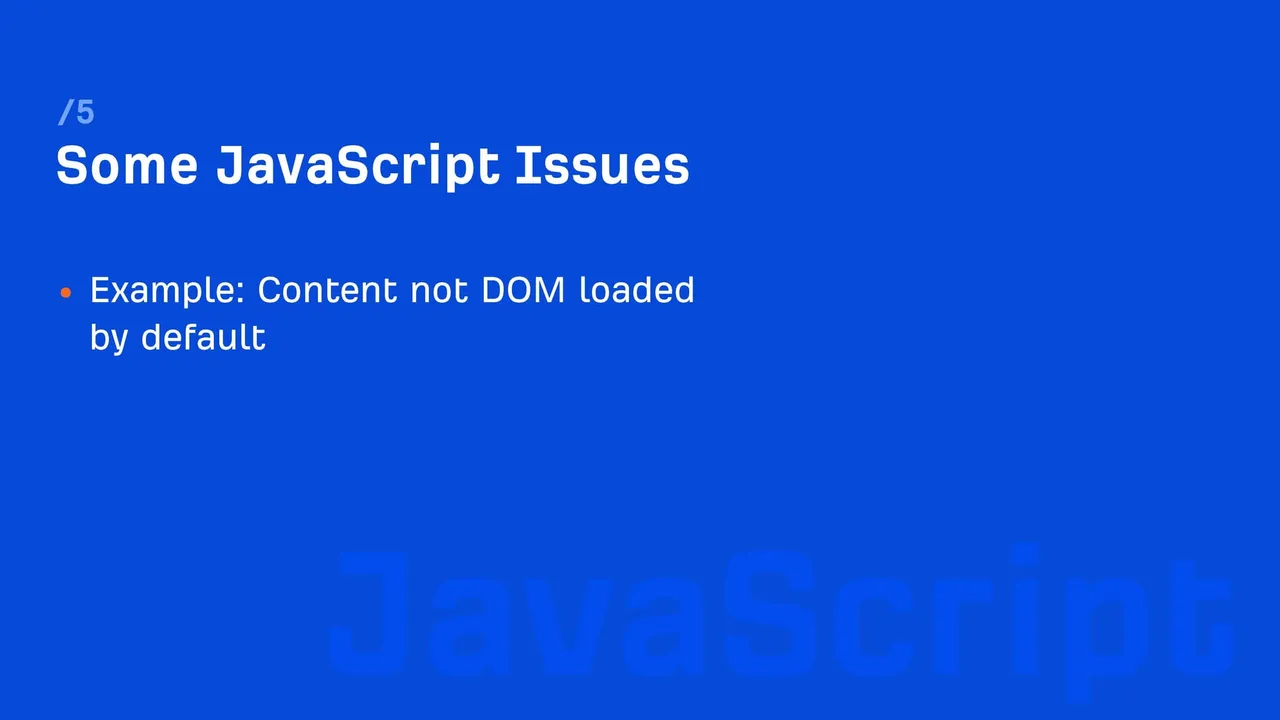
JavaScript enables dynamic content rendering and interaction on web pages. However, it can sometimes create challenges for SEO, as search engines may struggle to render or index JavaScript-heavy content efficiently.
How Cloudflare Workers and Similar Technologies Help
Cloudflare Workers is an edge computing platform that allows developers to execute custom scripts on Cloudflare’s network. For SEO, this enables real-time content manipulation before it reaches users or search engine bots.
Examples of JavaScript and Edge Worker Applications in SEO:
Dynamic Content Optimization: Workers can inject meta tags, canonical URLs, or schema markup into pages dynamically, ensuring search engines receive optimized content.
Example: A Cloudflare Worker could dynamically adjust meta titles and descriptions for specific product pages based on user location or search intent.
Pre-Rendering Content: Edge workers can pre-render JavaScript-heavy content, ensuring search engines receive fully rendered HTML versions for crawling and indexing.
Example: Single-page applications (SPAs) that rely heavily on JavaScript can serve pre-rendered content to Googlebot via edge workers.
Page Speed Improvements: Workers can serve optimized assets, such as compressed images or minified JavaScript, directly from the edge.
Example: A large retail site can use workers to optimize images and scripts in real-time, reducing load times across devices.
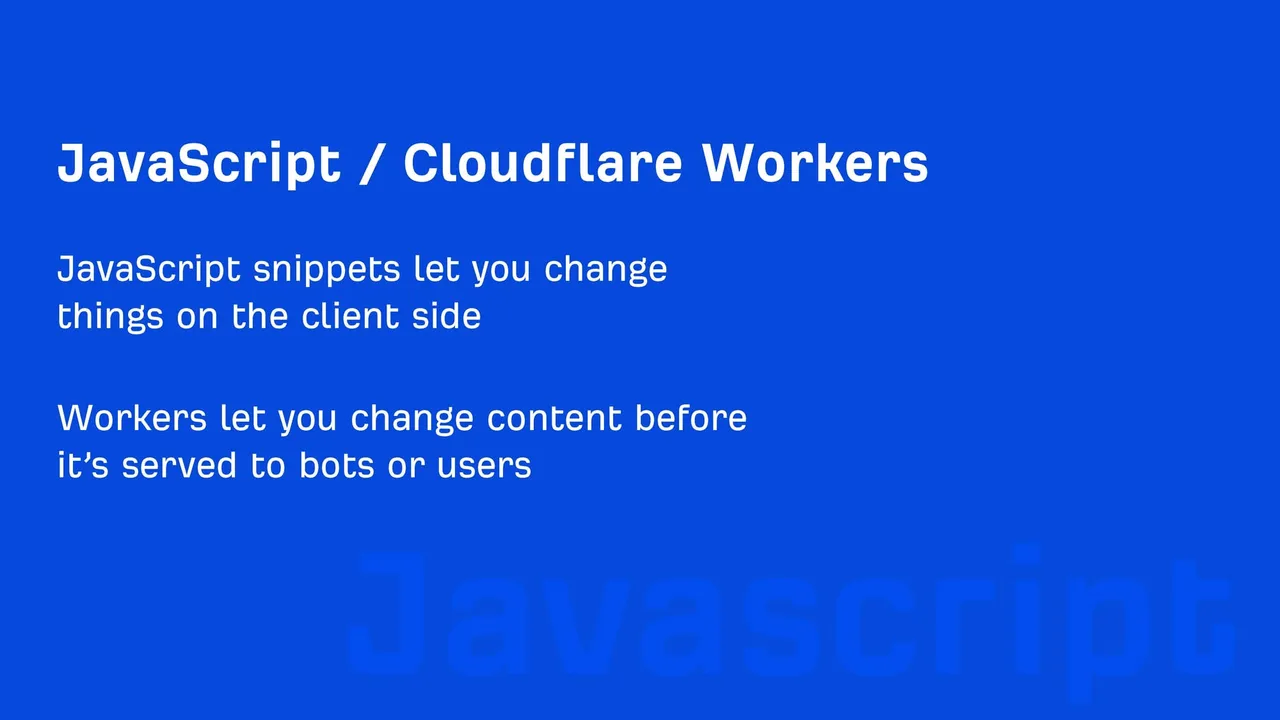
Benefits of Combining Edge Computing and AI in SEO
- Faster Processing: Edge computing ensures optimizations are applied in real time, reducing latency and improving user experience.
- Scalable Solutions: AI-powered tools can handle large-scale optimization tasks, such as generating meta descriptions or canonical tags for thousands of pages.
- Future-Proofing: As search engines prioritize performance and user experience, edge computing and AI prepare websites to meet evolving ranking factors.
Key Takeaways
- Edge Computing Enhances Performance: By processing tasks closer to users, edge computing improves load times, personalization, and dynamic content delivery.
- AI Automates Optimization: Tasks like alt text creation, meta tag generation, and personalization are streamlined with AI.
- Cloudflare Workers Empower Dynamic SEO: JavaScript-heavy websites can rely on edge workers for rendering, optimization, and real-time adjustments.
Conclusion
The landscape of SEO is constantly evolving, and staying ahead requires a strategic approach rooted in data-driven insights and practical solutions. Patrick Stox’s analysis of over one million websites has revealed critical areas for improvement, underscored the importance of prioritization, and showcased the potential of automation and emerging technologies.
Key Takeaways
Address High-Impact Issues First:
Focusing on core technical SEO problems like broken pages, hreflang issues, and duplicate content ensures a solid foundation for rankings and user experience. Tools like the Impact/Effort Matrix help SEO professionals identify tasks that deliver the greatest return on investment.
Leverage Automation for Efficiency:
Automating tasks such as redirect management, alt attribute generation, and content security policy enforcement saves time and scales well for large websites. Automation allows SEO teams to tackle repetitive tasks efficiently while focusing on higher-value strategic initiatives.
Prepare for the Future with Edge Computing and AI:
Emerging technologies like edge computing and AI provide dynamic solutions to longstanding challenges. From real-time personalization to pre-rendering JavaScript-heavy pages, these tools prepare websites to meet the demands of both users and search engines in a rapidly changing digital environment.
Continuous Improvement and Scaling
SEO is not a one-time project but an ongoing process. To stay competitive, SEO professionals must:
- Stay Updated: Keep track of evolving search engine algorithms, tools, and methodologies.
- Invest in Scalable Solutions: Adopt automation and edge technologies to manage SEO tasks at scale.
- Measure and Refine: Use analytics to monitor performance and adapt strategies based on results.
By combining a clear understanding of priorities with the latest tools and technologies, SEO professionals can drive measurable improvements, achieve long-term success, and adapt to future challenges with confidence.
FAQ: Addressing Common Questions About SEO Optimization
1. What is the most critical technical SEO issue to address first?
The most critical issue depends on your site’s current state. Typically, fixing broken pages (404 errors) and addressing slow page load times should be top priorities, as these directly affect user experience and search engine crawling.
2. How do I identify and prioritize SEO tasks effectively?
Use the Impact/Effort Matrix:
- Quick Wins: Fix broken links, update meta descriptions, and compress images.
- Long-Term Projects: Optimize site architecture or migrate to HTTPS.
- Tasks to Ignore: Low-impact changes like fixing harmless double slashes in URLs.
3. How does automation help in SEO?
Automation streamlines repetitive tasks, such as:
- Redirect management: Automatically creating 301 redirects for broken pages.
- Alt text generation: AI tools can create descriptive alt attributes for images.
- Mixed content resolution: Content Security Policies (CSPs) upgrade HTTP resources to HTTPS.
These tools save time and allow SEO professionals to focus on strategic initiatives.
4. Why are hreflang tags so important for multilingual websites?
Hreflang tags ensure search engines deliver the correct language or regional version of your page to users. Without them:
- Users may land on irrelevant versions of the site.
- Search engines may struggle with duplicate content across regional URLs.
5. How can I improve my site’s Core Web Vitals (CWV)?
To optimize CWV:
- Improve Largest Contentful Paint (LCP): Optimize images and use efficient hosting.
- Reduce Cumulative Layout Shift (CLS): Specify dimensions for media elements.
- Enhance First Input Delay (FID): Minimize third-party scripts and improve JavaScript execution.
These steps improve both SEO performance and user experience.
6. Are redirect chains and double slashes a serious concern?
Not always:
- Redirect Chains: Google can handle up to 10 hops but reducing them improves page speed and crawl efficiency.
- Double Slashes: These are ignored by search engines, making them low-priority unless they cause user confusion.
7. How does edge computing benefit SEO?
Edge computing reduces latency by processing data closer to users, enabling:
- Faster page loads.
- Dynamic content optimization.
- Real-time personalization for better user experiences.
It’s particularly effective for global sites or those with JavaScript-heavy content.
8. Should I prioritize mobile-friendliness or desktop optimization?
Both are essential:
- Focus on mobile-first optimization due to Google’s mobile-first indexing.
- Maintain a high-quality desktop experience, as some industries still have significant desktop traffic.
9. What tools are recommended for SEO audits?
Patrick Stox recommends using tools like:
- Screaming Frog: For site crawling and technical audits.
- Ahrefs or SEMrush: To analyze backlinks, keywords, and competitive data.
- Google Search Console: For monitoring site health and indexing issues.
10. How often should I perform an SEO audit?
Conduct an SEO audit:
- Quarterly: For large sites with frequent updates.
- Annually: For smaller or less dynamic sites.
- Additionally, run audits after major changes, such as migrations or redesigns.
Check other articles you may want to look:
How to Find Your Sitemap on Shopify in 2 Easy Ways
Top 10 Majestic SEO Alternatives to Evaluate
How to Find a Webflow CMS Sitemap in 3 Ways?


