

· 22 min read
SaaS Technical SEO: 8-Step Audit (151 Pricing Pages Tested)
We tested 151 B2B SaaS pricing pages from Google's page 1. Rendering and canonicals are mostly fine; only 32.5% mark up prices. The 8-step audit.
Mobile LCP fails on 58.4% of the 100,000+ sites we audited in H1 2026. Here are the ten most-failed technical SEO issues, ranked, with a fix for each.

Nick Sawinyh · Founder & CEO (2014–2026), SEOmator
Founded SEOmator in 2014 and led it as CEO until September 2026
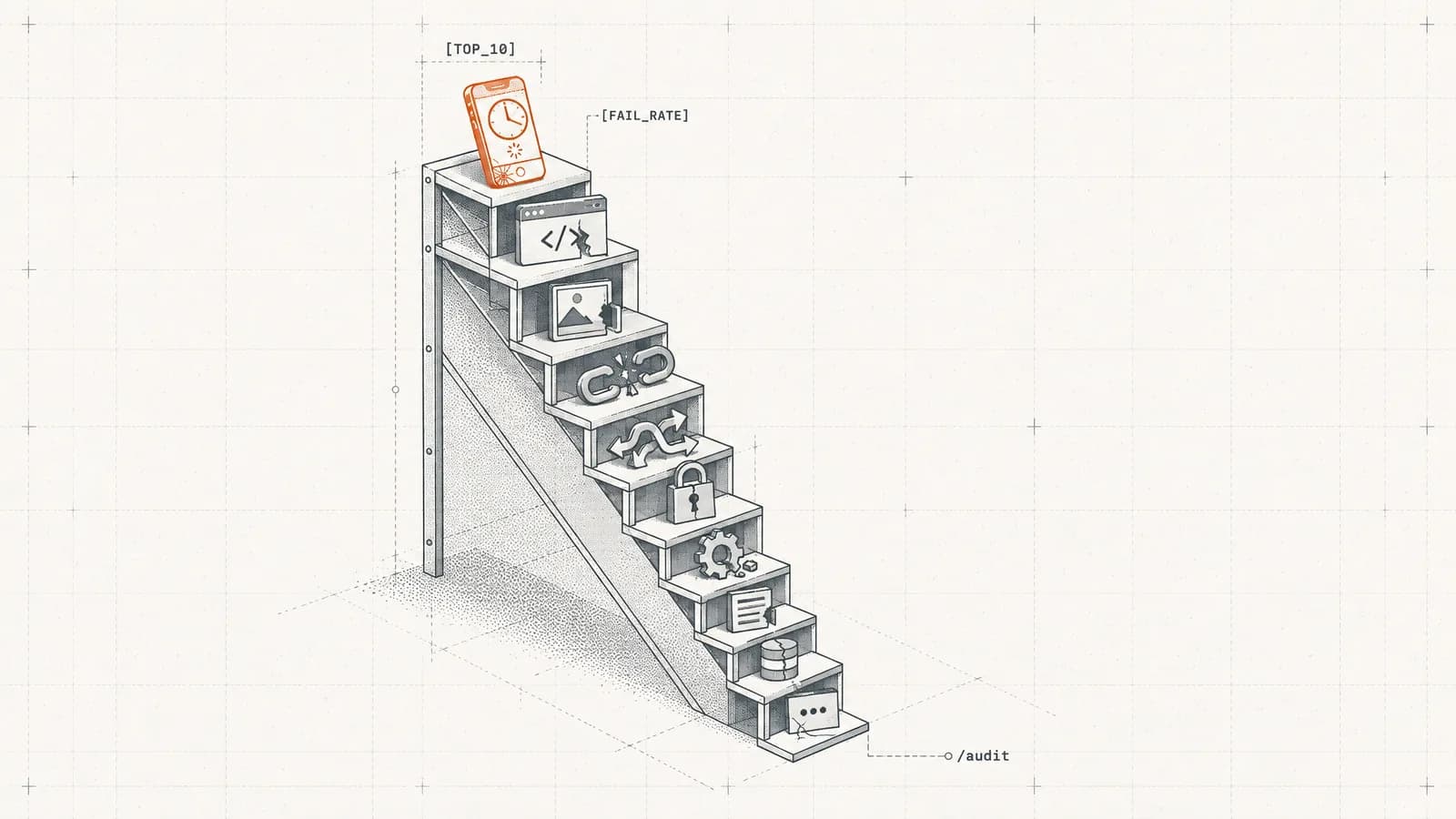
Quick answer: Across the 100,000+ sites we audited in the first half of 2026, mobile LCP above 2.5 seconds is the single most-failed technical SEO issue — 58.4% of sites trip it. Missing meta descriptions (52.4%) and missing image alt text (51.8%) follow. Here are all ten, ranked by measured failure rate, with the fix for each.
I'm Nick, and I've spent 12 years in SEO. I built SEOmator's audit engine because the same short list of defects kept costing good sites their rankings, and nobody could tell me which ones were genuinely the most common. Now we can measure it: 251 rules across 20 categories, run over 100,000+ websites and more than 50 million pages between January and July 2026. What follows is that ranking, not an opinion poll.
Technical problems are the ones that go unnoticed longest, because nothing visibly breaks — the site loads, the pages look right, and the traffic simply never arrives.
Key findings — SEOmator audit engine, 100K+ sites / 50M+ pages, H1 2026:
- Mobile LCP above 2.5s is the #1 failure, tripping 58.4% of the sites we audit.
- Three of the top four failures are metadata hygiene: meta descriptions (52.4%), alt text (51.8%), structured data (47.9%).
- 31.4% of sites serve content that's in the rendered DOM but not the raw HTML.
- AI/GEO readiness already fails on 54.6% of audits — a category that barely existed in 2024.

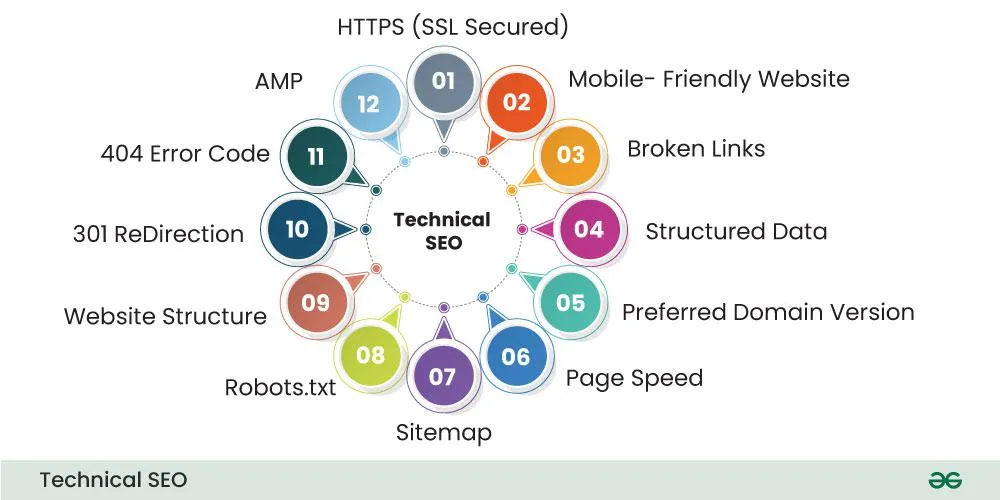
Technical SEO is the foundation upon which all other SEO efforts are built. It refers to optimizing the technical aspects of a website to improve its organic search rankings — the tasks that help search engines crawl and index your site more effectively, such as improving site speed, fixing broken links, and enhancing mobile compatibility.
The three disciplines split like this:
They're interconnected, but the order matters. Content and backlinks can't do their job if a crawler never reaches the page, or reaches it and finds an empty shell.

Most "top technical SEO issues" lists are ordered by how memorable the issue is. This one is ordered by how often it actually fails. Every site through our engine is checked against 251 rules in 20 categories. The ranking below is the share of audited sites failing each rule at least once, January to July 2026. One caveat up front: this describes the sites we audit, not the internet. Our panel runs roughly 60% B2B SaaS, 20% e-commerce, 20% mixed businesses — the business web, not the consumer web.
For wider context, the median site in that panel scores 71 out of 100, a C+, up from 69 in January to 72 in June 2026. If you want the score distribution and the category-level breakdown, that's the full audit dataset — this post stays on the ten specific failures and how to clear each one.
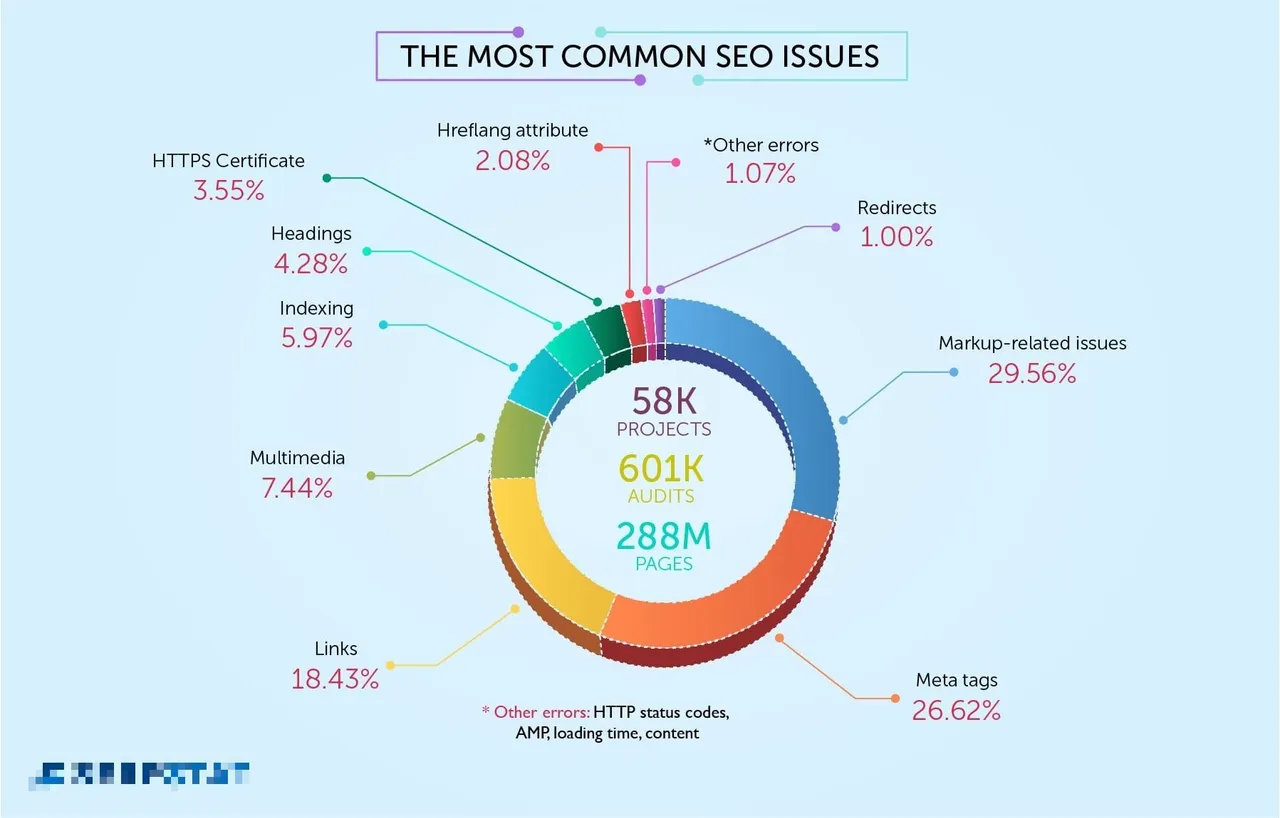
Percentages are the share of audited sites failing that rule, H1 2026.
| # | Issue | Sites failing | Category |
|---|---|---|---|
| 1 | LCP above 2.5s on mobile | 58.4% | Performance |
| 2 | Missing or duplicate meta description | 52.4% | Core SEO |
| 3 | Images missing alt text | 51.8% | Images |
| 4 | No structured data on eligible pages | 47.9% | Structured Data |
| 5 | Missing HSTS header | 38.6% | Security |
| 6 | Broken internal links (4xx) | 36.1% | Links |
| 7 | Duplicate title tags | 33.7% | Core SEO |
| 8 | Raw-vs-rendered HTML mismatch | 31.4% | JavaScript Rendering |
| 9 | INP above 200ms | 29.6% | Performance |
| 10 | Redirect chains of 2+ hops | 24.3% | Redirects |
Source: SEOmator audit engine, 100K+ sites, Jan–Jul 2026.
Why it costs you traffic. Largest Contentful Paint measures when the biggest element in the viewport finishes painting; Google's Core Web Vitals thresholds put "good" under 2.5 seconds. Fail it on mobile and you fail on the version of your site Google indexes, usually across every template at once. The independent 2025 Web Almanac found only 48% of mobile pages pass all three Core Web Vitals — our 58.4% failure rate on this one metric sits alongside it.
How to detect it. Start in Search Console's Core Web Vitals report: it uses field data from real Chrome users and groups URLs by template, so you see which page types fail. Then run one URL per template through PageSpeed Insights for the lab trace naming the LCP element, or test your page load speed for a quick baseline.
How to fix it. Uncompressed images slow down loading times, so use image formats like WebP for better compression — TinyPNG and ImageOptim both do this well. Never lazy-load the hero image; preload it instead. Too many scripts and stylesheets increase load times: combine CSS and JS files where possible, and get server response time down, because LCP is mostly TTFB plus resource load time.
How to verify. Re-run the lab test, then wait 28 days for the field window in Search Console to move. Our guide on how to fix a failed Core Web Vitals assessment walks the full loop.
Why it costs you traffic. Meta descriptions aren't a ranking factor, which is exactly why they get skipped. They are the snippet. When one is missing or copy-pasted across 400 URLs, Google writes its own from your body text, and you've handed away the one line that earns the click.
How to detect it. Search Console won't report this, so it needs a crawl. Sort by description length of zero, then group identical strings — on a templated site the duplicates usually outnumber the blanks.
How to fix it. Write 140–160 characters per indexable page, lead with the specific value rather than echoing the title, and end with something the reader can act on. Templated descriptions on product and category pages are fine when a real variable makes each one distinct.
How to verify. Re-crawl, count blanks and duplicate groups, then watch click-through rate in Search Console over four weeks.
Why it costs you traffic. Alt text is how image content reaches Google Images, and how a screen reader reaches your users. On a typical failing site in our panel, 19% of images carry no alt attribute at all.
How to detect it. A crawler's image report gives you the inventory and the ratio. Lighthouse's accessibility audit catches the same thing page by page.
How to fix it. Ten to fifteen descriptive words per image, front-loading what the image actually shows. Skip "image of" — Google's image guidelines are explicit that alt text should describe content, not announce itself. Decorative images get a deliberately empty alt="", which is different from having no attribute.
How to verify. Re-crawl. The missing-alt ratio should approach zero, and the empty-alt count should equal your decorative image count.
Here our data disagrees with someone else's, which is more useful than another number that agrees. An SE Ranking analysis of 418,125 site audits found missing alt text was their most common issue, at 74% of sites. Ours puts it third at 51.8%, with mobile LCP first. Two independent panels, two different #1s — and the gap is explainable. The populations differ: our panel skews toward B2B SaaS sites with a handful of images per page, while a panel weighted toward e-commerce measures catalogues where one un-templated upload path leaves hundreds of blanks.
Why it costs you traffic. Structured data is how a page declares what it is instead of hoping the parser infers it. Without it, a page is eligible for nothing beyond a plain blue link, and answer engines have to reconstruct entity relationships from prose.
How to detect it. Search Console's enhancement reports only show types it already found, so absence is invisible there — a page with zero markup never appears. Crawl instead, and flag templates missing the @type you'd expect: Article on posts, Product and Offer on product pages, Organization sitewide.
How to fix it. Use the JSON-LD format as recommended by Google, and implement relevant schema types for your content, such as Article, Product, FAQ — the full schema.org vocabulary lists them. Fill every required property and keep the markup consistent with what's visible on the page. Errors in schema code can cost you the rich result entirely, so validate before you ship.
How to verify. Run one URL per template through Google's Rich Results Test, then watch the enhancement reports populate.
Why it costs you traffic. HTTPS is close to universal now. The header that enforces it is not. Without HSTS, the first request of a session can still leave over plain HTTP before the redirect fires, and every one of those redirects is a hop crawlers pay for.
How to detect it. curl -I https://yoursite.com and look for Strict-Transport-Security. While you're there, open DevTools' security panel to check for mixed content: secure pages loading insecure content (e.g., images, scripts).
How to fix it. Send Strict-Transport-Security: max-age=31536000; includeSubDomains. MDN's HSTS reference covers the directives. For insecure assets, upgrade the asset URLs rather than proxying them. And regularly renew SSL certificates to maintain secure status: an expired one causes browsers to warn users about security risks.
How to verify. Re-check the response header and confirm no mixed-content warnings in the console.
Why it costs you traffic. Dead internal links waste crawl requests and strand link equity on pages that no longer resolve, and a lack of internal linking can cause orphan pages. The median failing site in our panel carries 14 broken internal links, and 8% of its pages are orphans.
How to detect it. Search Console's page indexing report shows the 404s Google actually hit. A crawl shows where the links live so you can fix the source. Our crawl waste numbers explain where those wasted requests go.
How to fix it. Repoint the link to the live URL rather than leaning on a redirect to catch it. Delete links to pages that are genuinely gone, and 301 only when a real equivalent exists. Then hunt the other direction: orphan pages, which have no inbound internal links at all.
How to verify. Re-crawl to zero 4xx, then watch the "Not found" bucket in Search Console shrink.
Why it costs you traffic. Duplicate titles are usually the visible symptom of a duplicate-content problem underneath: different URLs leading to identical content due to parameters like session IDs, accessible versions of the site on both protocols without proper redirects, paginated series repeating the parent title. Search engines then pick which version to rank, and it may not be the one you'd have picked. Duplicate content also spreads earned authority across several near-identical URLs instead of concentrating it on one.
How to detect it. Group titles in a crawl and look at the clusters. Cross-check Search Console's page indexing report for "Duplicate without user-selected canonical" and "Google chose a different canonical than user" — those labels show where your intent and Google's judgment diverged.
How to fix it. Give every indexable page a title that describes that page, following Google's guidance on title links. Use canonical tags to consolidate duplicate URLs onto the preferred version, keep URL structures consistent (trailing slashes, letter case, parameter order), and 301 the versions that shouldn't exist at all. Our write-up on canonical issues covers the failure modes.
How to verify. Run URL Inspection on a sample: the Google-selected canonical should match your declared one.
Why it costs you traffic. The most invisible failure on the list, and often the most expensive. Content exists in the rendered DOM, so it looks fine in a browser, but it isn't in the raw HTML response. Google renders JavaScript, though rendering is queued and budgeted, and many answer-engine crawlers don't render at all. If your copy only materializes after hydration, an AI crawler sees an empty shell where your argument should be.
How to detect it. View source and search for a full sentence from your body copy. If it isn't there, you've found it. Confirm with URL Inspection's "View crawled page" HTML, or crawl your site the way Googlebot does and diff raw against rendered.
How to fix it. Server-render or pre-render the primary content: H1, body copy, canonical tag, meta robots, and internal links at minimum. Google's JavaScript SEO basics covers the patterns that break, and hydration-dependent routing breaks hardest.
How to verify. Diff raw and rendered again. Your test sentence should appear in view-source, and internal links should be real anchors.
Why it costs you traffic. Interaction to Next Paint replaced First Input Delay as a Core Web Vital in March 2024, and many sites have never looked at it because FID passed almost automatically. INP is harder: it measures the latency of every interaction across the visit, not just the first. A page that feels fine on your laptop can fail badly on a mid-range Android.
How to detect it. Search Console's Core Web Vitals report now carries INP, and PageSpeed Insights shows the field value where CrUX has data. For diagnosis, use Chrome DevTools' performance panel with 4× CPU throttling.
How to fix it. Break up long tasks so the main thread can respond between them, defer third-party scripts that aren't needed for the first interaction, cut work out of event handlers, and avoid forcing layout on input. The INP guide on web.dev has the optimization order.
How to verify. Field INP under 200ms at the 75th percentile in CrUX, which takes 28 days to move. Lab numbers prove nothing on their own.
Why it costs you traffic. Every hop adds latency and costs a request from your crawl budget. Chains outlive the migrations that created them — a site that has moved platforms twice usually has URLs going A to B to C, and nobody remembers why. Loops are worse: they resolve to nothing.
How to detect it. A crawl's redirect report lists chains and loops with hop counts. Server logs show which chains bots are actually walking, which tells you what to flatten first. On large sites this connects directly to crawl budget management.
How to fix it. Point every source URL directly at the final 200-status destination, and use a single 301 rather than stacking them. Update internal links so they never hit a redirect in the first place. Keep the old rules, just flatten them.
How to verify. Re-crawl and confirm the maximum hop count is 1, with no loops. Internal links should resolve to 200 directly.
The ranking above tells you what's common. It doesn't tell you what to do on Monday. Prevalence isn't priority — a rule that fails on 58% of sites might still be the third thing you fix if your dev team has a two-day window and a cheap win is sitting there.
Practitioners sort audit findings into three buckets: issues to fix, warnings to investigate, opportunities to take. Here's how the ten map onto that, with the effort estimate that decides sprint order.
| # | Issue | Severity | Dev effort | Fix order |
|---|---|---|---|---|
| 6 | Broken internal links | Critical | Low | Sprint 1 |
| 7 | Duplicate title tags | Critical | Medium | Sprint 1 |
| 1 | Mobile LCP above 2.5s | Critical | High | Sprint 1 |
| 5 | Missing HSTS header | Warning | Low | Sprint 1 |
| 2 | Missing or duplicate meta descriptions | Warning | Low | Sprint 2 |
| 3 | Images missing alt text | Warning | Low | Sprint 2 |
| 8 | Raw-vs-rendered mismatch | Critical | High | Sprint 2 |
| 4 | No structured data | Opportunity | Medium | Sprint 2 |
| 10 | Redirect chains | Warning | Medium | Sprint 3 |
| 9 | INP above 200ms | Warning | High | Sprint 3 |
Severity here is a default, not a verdict. Business context overrides it: a broken link in checkout is a five-alarm fire, the same link in a 2019 archive is housekeeping. Structured data sits at "opportunity" for most sites and jumps to critical for a catalogue that depends on Product rich results. Our walkthrough on how to run a full technical audit covers the sequencing.
The earlier version of this list had six issues and none of them touched this. That was defensible two years ago. It isn't now.
AI/GEO readiness fails on 54.6% of the sites we audit, making it the fifth most-failed category in our engine — ahead of Core SEO, Security, and Content. The checks are unglamorous: is there an llms.txt, are AI crawlers blocked by a default robots.txt someone copied in 2021, is the markup semantic enough for an answer engine to lift a passage out of it.
It's also our fastest-improving category. Failures fell from 58.1% in January to 53.9% in June 2026, faster than any other category we track.
There's a gap between intent and execution, and we can size it. Across a separate scan of 109,440 top domains, 81.2% now publish AI-crawler rules in robots.txt, but fewer than 7% serve clean markdown to agents that request it. Rules without readiness: most sites have decided which bots may enter, and almost none have made the room worth entering. Our AI crawler traffic report tracks the monthly split by bot.
The practical version: check what your robots.txt rules actually allow, make sure your content survives Issue #8's raw-versus-rendered test, and put your claims in extractable shapes — tables, defined terms, direct answers under the heading that asks the question.
Yes, sharply enough to change your fix order.
| Vertical | Share of our panel | Median health score | The failure that defines it |
|---|---|---|---|
| B2B SaaS | ~60% | 74 | 64% fail mobile LCP |
| E-commerce | ~20% | 68 | Product/Offer schema errors on 52% |
| Mixed businesses | ~20% | 70 | Broadly average across all ten |
B2B SaaS sites post the best median in our panel at 74 and still fail mobile LCP at 64%, six points worse than the overall rate. Sites built on heavy frameworks score well on everything that's a checkbox and badly on everything that's a measurement. Our technical SEO for SaaS checklist works through that profile.
E-commerce sits lower at 68, and its defining failure is structured data: 52% of the e-commerce sites we audit have Product or Offer schema errors, usually a missing required property like price or availability. That's a rich-result eligibility problem with a revenue line attached, which is why schema moves from "opportunity" to "critical" in an e-commerce site audit.
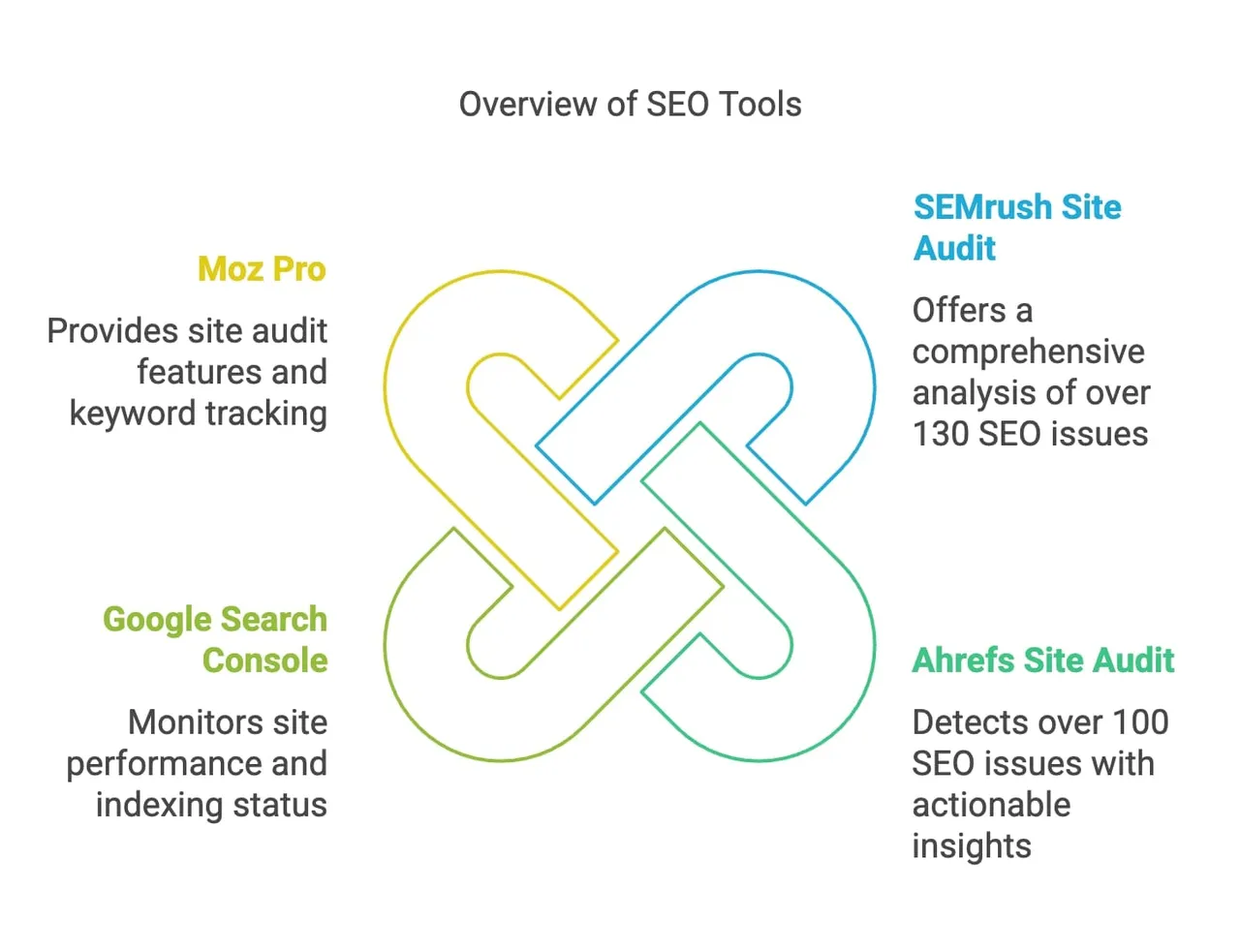
Two paths, and you need both. Google Search Console tells you what Google actually did: what it crawled, what it indexed, which canonical it picked, what real Chrome users experienced. A crawler tells you what's on the site right now, including pages Google hasn't reached. Search Console is evidence; a crawl is the map.
The loop that works, in order:
One correction, because it still circulates: Google retired the Mobile-Friendly Test in December 2023. Any guide still linking it is out of date. Use PageSpeed Insights for the lab view and Search Console's Core Web Vitals report for mobile field data instead.
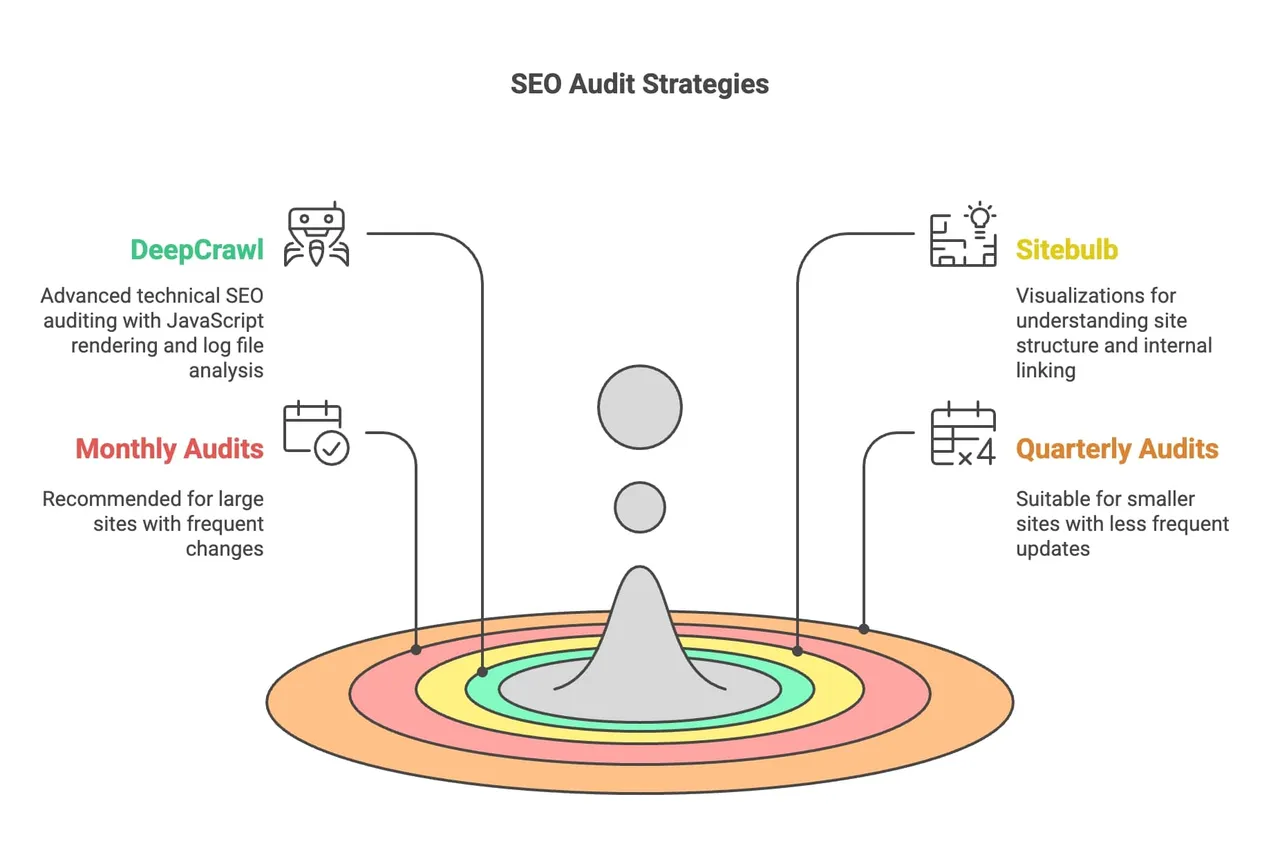
Routine audits help catch issues before they escalate, and keep your site aligned with the latest SEO standards. The cadence depends on how much your site changes.
| Site profile | Cadence | Why |
|---|---|---|
| For large sites with frequent changes | Monthly | Every deploy touching a template can break a rule at scale |
| For smaller sites, or those with less frequent updates | Quarterly | Enough to catch drift without audit fatigue |
| After a migration, redesign, or replatform | Immediately | Redirect chains and rendering changes appear here first |
| Any site with a traffic drop | Immediately | Rule out technical causes before rewriting content |
Most of these fixes need developer support. Collaboration ensures technical recommendations are implemented correctly and efficiently, and facilitates troubleshooting complex issues that may involve backend systems. Use clear, non-technical language when necessary, prioritize issues to align with development schedules, and track the work in whatever tool the team already uses. Regular meetings on priorities, plus documentation detailed enough to implement from, are what turn an audit report into shipped changes.
The fastest place to start is to run a free SEO audit on one URL. It's the same 251-rule engine every number in this article came from, and it'll tell you in under a minute which of the ten apply to you.
Here are the questions that come up most often about technical SEO issues and their impact on website performance.
1. What is technical SEO, and why is it important?
Technical SEO refers to optimizing the technical aspects of your website to improve its ranking on search engines. It ensures that your site is crawlable, indexable, fast, secure, and provides a good user experience. Technical SEO forms the foundation upon which all other SEO efforts are built. Without a technically sound site, content and backlinks may not achieve their full potential.
2. How do I identify technical SEO issues on my website?
By running regular site audits and cross-checking two sources: Google Search Console for what Google actually crawled, indexed, and measured, and a full site crawl for what's on the site right now. Between them you'll see crawl errors, broken links, duplicate content, missing metadata, redirect chains, and performance failures. Schedule the audits monthly and fix the critical errors first — an issue that fails at template level is worth ten that fail on a single page.
3. What are the most common technical SEO issues affecting websites today?
Ranked by measured failure rate across the 100,000+ sites we audited in H1 2026:
4. How does site speed affect SEO and user experience?
Site speed is a critical factor for both SEO and user experience. Fast-loading websites are favored by search engines and provide a better experience for users. Google's threshold for "good" LCP is under 2.5 seconds, and 58.4% of the sites we audit fail it on mobile — it's the single most-failed rule in our engine. Optimizing images, minimizing render-blocking code, and improving server response time are the three fixes that move it most.
5. What is crawlability, and how can I improve it?
Crawlability refers to the ability of search engine bots to access and index your website's content. To improve crawlability:
6. Why is mobile optimization essential, and how can I ensure my site is mobile-friendly?
With Google's mobile-first indexing, the mobile version of your site is considered the primary version for ranking purposes. To ensure your site is mobile-friendly:
7. How can I fix duplicate content issues on my website?
To address duplicate content:
8. What is structured data, and how does it benefit my SEO efforts?
Structured data is code added to your website to help search engines understand the content better. It enables your site to appear with rich results in SERPs, such as featured snippets, star ratings, and FAQs. Benefits include:
To implement structured data, use Schema.org markup in JSON-LD format and validate it with Google's Rich Results Test. In our data, 47.9% of audited sites have no structured data on pages that qualify for it.
9. How often should I perform technical SEO audits on my website?
The frequency of technical SEO audits depends on your website's size and complexity:
Regular audits help you identify and fix issues promptly, ensuring optimal site performance and SEO health. Sites under continuous monitoring score a median 71 in our engine; sites checked once with a free tool score 63.
10. How do HTTPS and security issues affect my website's SEO?
Websites with security issues can suffer from:
Ensure your site uses HTTPS by obtaining and maintaining an SSL certificate, and send an HSTS header so browsers never try HTTP first — 38.6% of the sites we audit don't. Fix any mixed content issues where secure pages load insecure resources.
11. What is the role of XML sitemaps in technical SEO?
An XML sitemap is a file that lists all the important pages on your website, helping search engines find and crawl them efficiently. Benefits include:
Submit your sitemap to search engines through Google Search Console, and keep it clean: a sitemap full of redirected or 404 URLs teaches crawlers to trust it less.
12. How can I improve my website's indexing in search engines?
To improve indexing:
13. What are 3XX redirect issues, and how do they impact SEO?
3XX redirect issues involve improper use of redirects, such as:
These issues can:
Fix redirects by using direct 301 redirects where necessary and eliminating unnecessary hops. Chains of two or more hops fail on 24.3% of the sites we audit.
14. How does technical SEO differ from content and off-page SEO?
All three areas are interconnected, but technical SEO ensures that the content and off-page efforts are effectively communicated to search engines.
15. Why is collaboration with development teams important in technical SEO?
Technical SEO often requires changes to the website's code and infrastructure. Collaboration with development teams matters because:
Regular communication with developers leads to smoother implementation, particularly for the high-effort items like LCP and INP that can't be fixed in a CMS field.
16. How do I prioritize technical SEO fixes by impact?
Sort by severity first, then effort, then business context. Anything that blocks crawling or indexing outranks anything that affects presentation. Within that, take the cheap fixes early — broken internal links, HSTS, and meta descriptions need no redesign and clear three of the ten. Save high-effort performance work for a dedicated sprint, because LCP and INP fixes touch templates, third-party scripts, and infrastructure at once. And weight by page value: the same defect on checkout and on a 2019 archive page are not the same ticket.
17. Do technical SEO issues affect AI search and AI Overviews?
Yes, and one of them disproportionately. If your content only exists after JavaScript hydration, an answer-engine crawler that doesn't render sees an empty page — the 31.4% raw-versus-rendered failure, which costs citations rather than rankings. AI/GEO readiness is now the fifth most-failed category in our engine at 54.6%: blocked AI crawlers, no llms.txt, markup too thin for a passage to be lifted cleanly. And indexability still matters — a page that isn't indexed can't be retrieved.
18. When should I hire a technical SEO agency?
When the fixes are identified and the constraint is capacity, or when the diagnosis needs a specialist you don't have in-house — log file analysis, a platform migration, an international site with hreflang. Running an audit isn't the hard part; a free tool surfaces most of the ten in a minute. The hard part is prioritizing against a roadmap and getting them shipped. If your team can do that, spend the budget on developer time.
The first-party figures here come from SEOmator's own audit engine — 251 rules across 20 categories, aggregated across the sites we audited from January to July 2026: more than 100,000 websites and over 50 million pages crawled. Each failure rate is the share of audited sites failing that rule at least once.
A few honest caveats. These shares describe our panel — roughly 60% B2B SaaS, 20% e-commerce, 20% mixed businesses — so they reflect the business web we track, not the consumer internet at large. July is partial (through July 21), so month-over-month trends use June as the latest complete month. Grade bands are A 90–100, B 80–89, C 70–79, D 50–69, F 0–49. The AI-crawler robots.txt figures come from a separate scan of 109,440 top domains over the same period.
External figures are cited to their original sources: the HTTP Archive's 2025 Web Almanac, Google's web.dev documentation for Core Web Vitals thresholds, and an SE Ranking analysis of 418,125 site audits for the alt-text comparison in Issue #3.
Source: SEOmator crawling and audit data, January–July 2026 (100,000+ websites audited, 50M+ pages crawled, 251-rule audit engine).
Who wrote it, what changed and how to tell us about a mistake.

Nick Sawinyh
Founder & CEO (2014–2026), SEOmator
Founded SEOmator in 2014 and led it as CEO until September 2026
Nick Sawinyh founded SEOmator in 2014 and led it as CEO until September 2026. He built it to make technical SEO auditing accessible to teams without a dedicated SEO engineer, and the articles below are the ones he wrote here about search strategy, algorithm shifts, and what actually moves rankings — usually with the audit data to back it up.
Published · Updated
Spot a mistake or a number that has gone stale? Tell us. We correct it and log the change in the History above. Report an error →
SEOmator Rank Tracker
Technical fixes are invisible until positions move. Track the keywords a fix was meant to affect and watch whether it actually landed.
SEOmator Rank Tracker· 22 min read
We tested 151 B2B SaaS pricing pages from Google's page 1. Rendering and canonicals are mostly fine; only 32.5% mark up prices. The 8-step audit.
· 10 min read
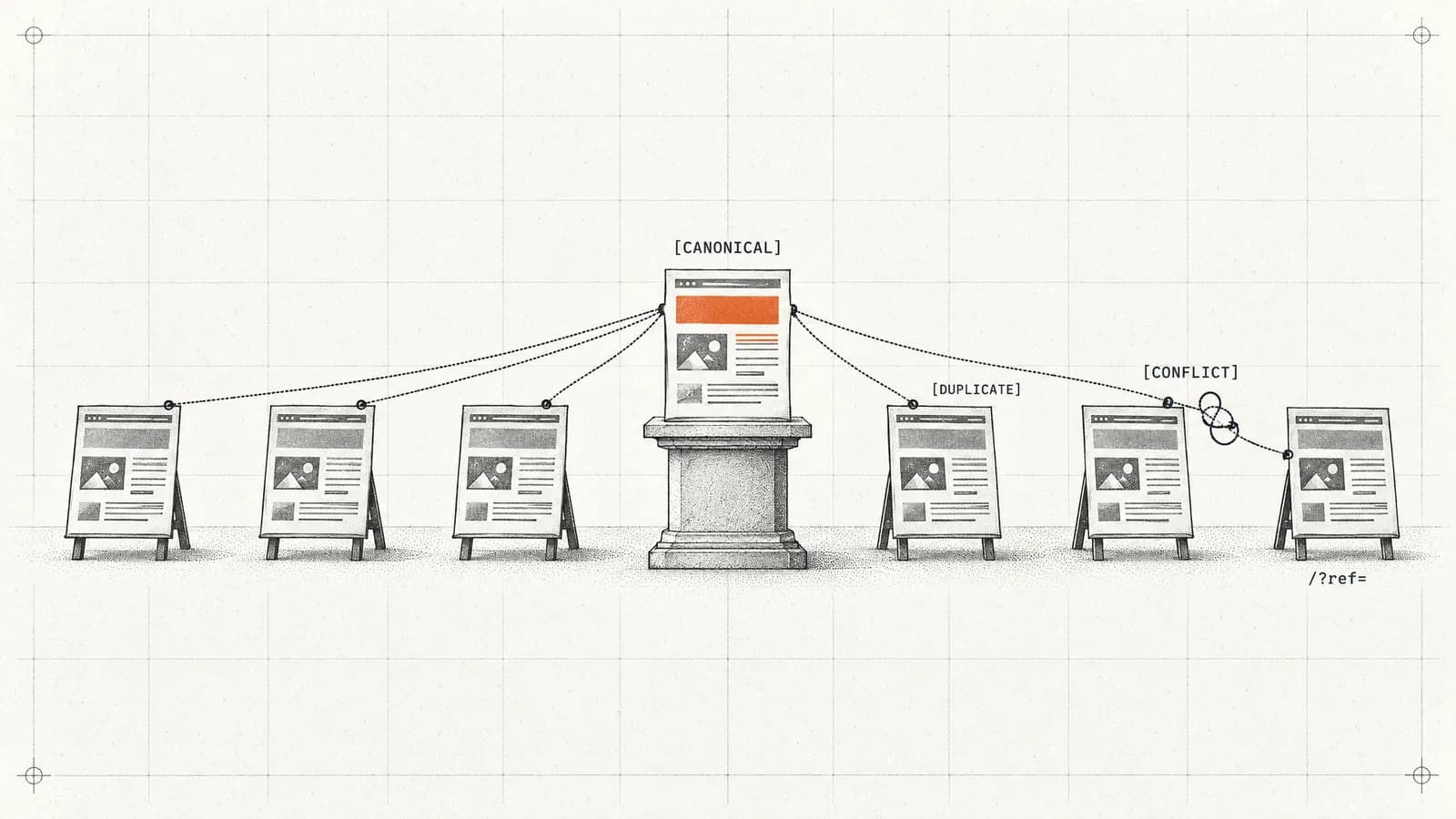
Recognizing canonical issues is your first step towards resolving them efficiently. As with any other SEO strategy, you must equip yourself with the right knowledge, take proactive steps to avoid common pitfalls, and keep a close eye on your implementation.
· 8 min read
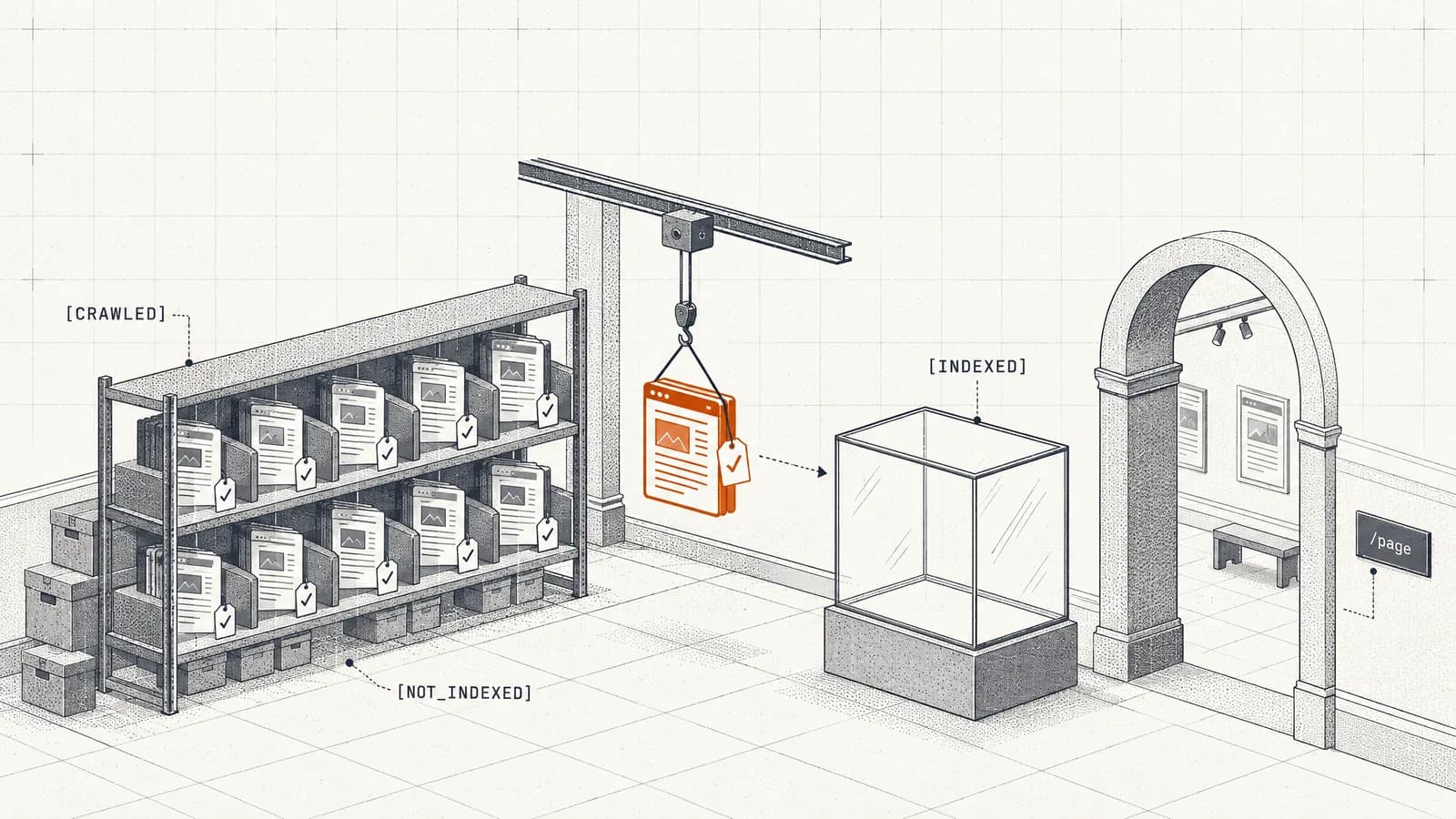
Have you ever come across the pesky ‘Crawled-Currently Not Indexed’ error in your Google Search Console?


