How to Find Your BigCommerce CMS Sitemap: A Comprehensive Guide
Discover the transformative power of QR codes in the hospitality industry, their significant benefits to hotels, and their promising future. Dive into key stats and insights on QR code usage in 2024.
Published
Online businesses are thriving now more than ever, and a crucial driver of this e-commerce growth spurt is the use of robust platforms like BigCommerce. Known for providing comprehensive e-commerce solutions, BigCommerce is a big name in the industry, assisting marketers and business owners to set up aesthetically appealing and user-friendly online stores.
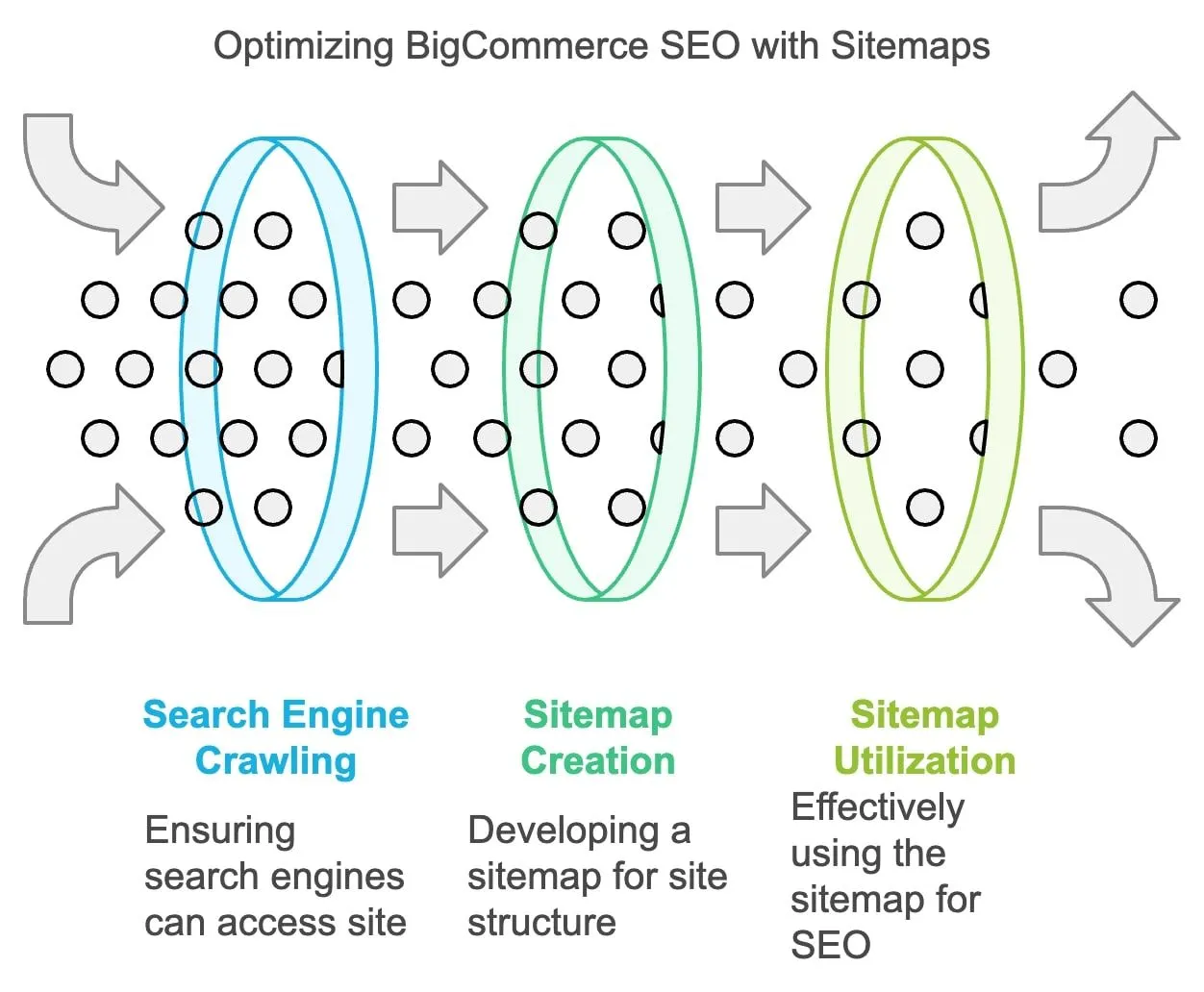
One crucial aspect of running a successful e-commerce store, however, is ensuring that search engines can crawl your site efficiently. This is where sitemaps come into play. A sitemap can significantly impact your online store's Search Engine Optimization (SEO) and overall site navigation. It operates like a blueprint guiding search engines to understand and index all the critical pages on your site efficiently.
In this comprehensive guide, we will navigate the process of locating and utilizing your BigCommerce CMS sitemap effectively. If you have questions about how to find your sitemap or why it's essential, this blog post will offer you clear, concise answers.
Understanding Sitemaps
What is a Sitemap?
In the most basic terms, a sitemap is a list of all the pages on your website. It's like a roadmap guiding search engines to all the important parts of your site, enabling them to crawl and index your content more efficiently.
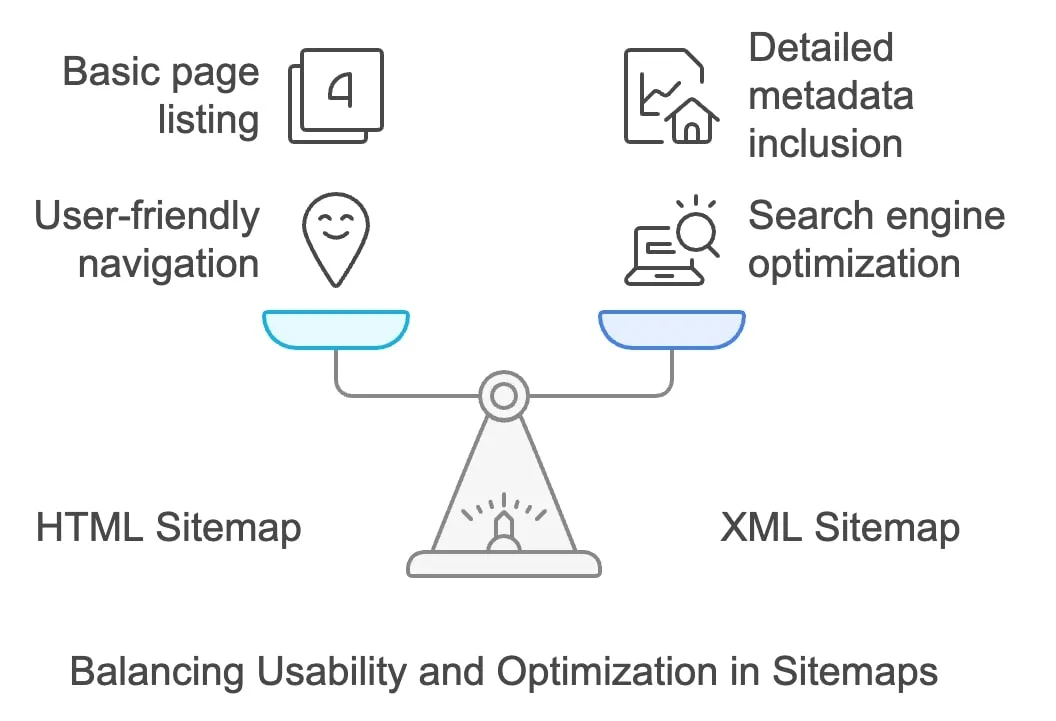
There are mainly two types of sitemaps: XML and HTML. The XML sitemap is a structured document that feeds search engines data about your website pages, while the HTML sitemap is a page on your site enabling easy navigation for your site visitors.
Types of Sitemaps
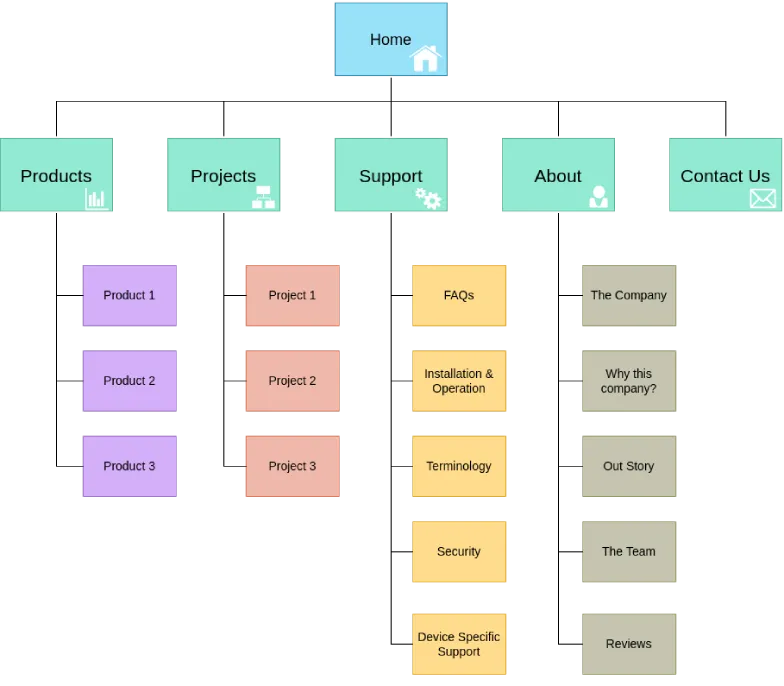
An HTML sitemap provides a clickable list of pages on your site, primarily created to improve website usability for human visitors. It's a form of secondary navigation that helps users find particular pages on your site, especially if it's extensive.
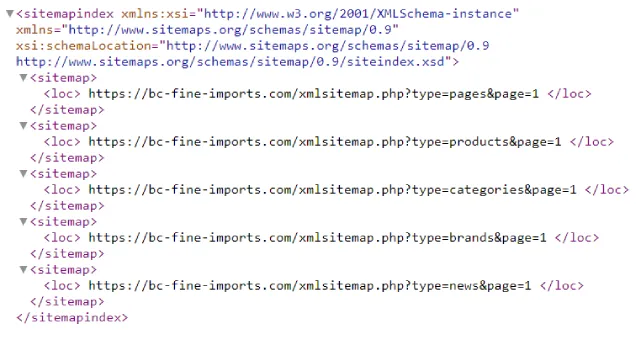
An XML sitemap, on the other hand, is designed for robots. More specifically, it's a roadmap for search engine bots, showing them the structure of your site and letting them find your web pages quickly. It contains more metadata about each URL: when it was updated, how often it changes, and how important it is in relation to other URLs of the site.
Role in SEO
Sitemaps play a vital role in SEO. By listing all the pages of a website in a structured format, sitemaps ensure that search engine bots can discover and index content that may not be found during the regular crawling process. This neat segregation and visibility of sites often contribute significantly to enhancing your website's ranking on search engines and attracting organic traffic.
Moreover, with a correctly structured sitemap, you can also instruct search engine bots which pages to crawl and which ones to ignore. It's a practical way to inform search engines about any updates or alterations to any page on your website.
In conclusion, sitemaps, both HTML and XML, deliver unique advantages and serve different purposes. Together, they contribute to making your website both user and search engine-friendly. A website, especially an e-commerce store, benefits greatly from having both types of sitemaps for efficient navigation and superior SEO advantage.
The Importance of a Sitemap for Your BigCommerce Store
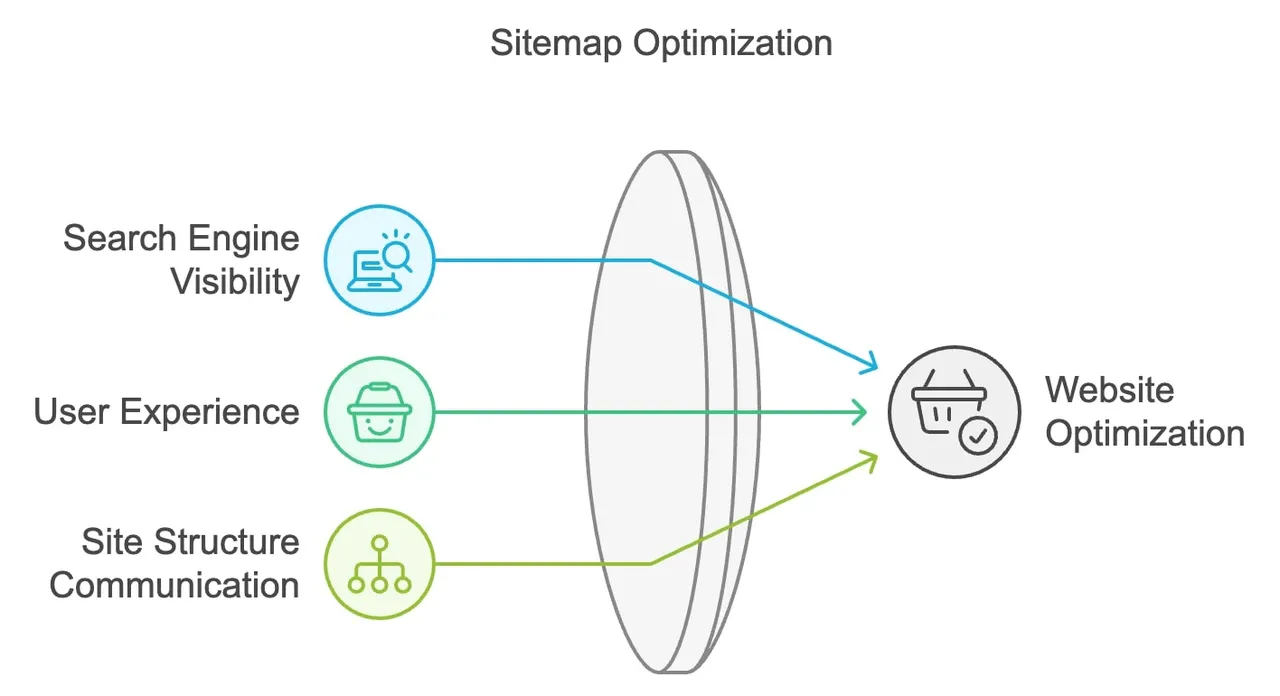
An optimized sitemap ensures that your pages are smoothly discoverable by search engines. It helps Google, Bing, and other search engines locate your web pages quickly and efficiently, even those that might get missed during regular crawling. This increased visibility aids your website in being correctly indexed, ensuring all your content lands in the search results where your potential customers can find it.
Enhanced User Experience
If you maintain an HTML sitemap, it can contribute significantly to enhancing the browsing experience for your users. With clearer site navigation, it helps customers find what they are looking for on your site, minimizing their effort and optimizing your site's user-friendliness.
Site Structure Communication
A well-structured sitemap helps search engines understand your website's hierarchy and structure. It becomes an essential tool, pointing search engines to all the important parts of your site and informing them about how each page is related. This clarification can significantly enhance your SEO and contribute to improved search engine rankings.
How BigCommerce Handles Sitemaps
Automatic Generation
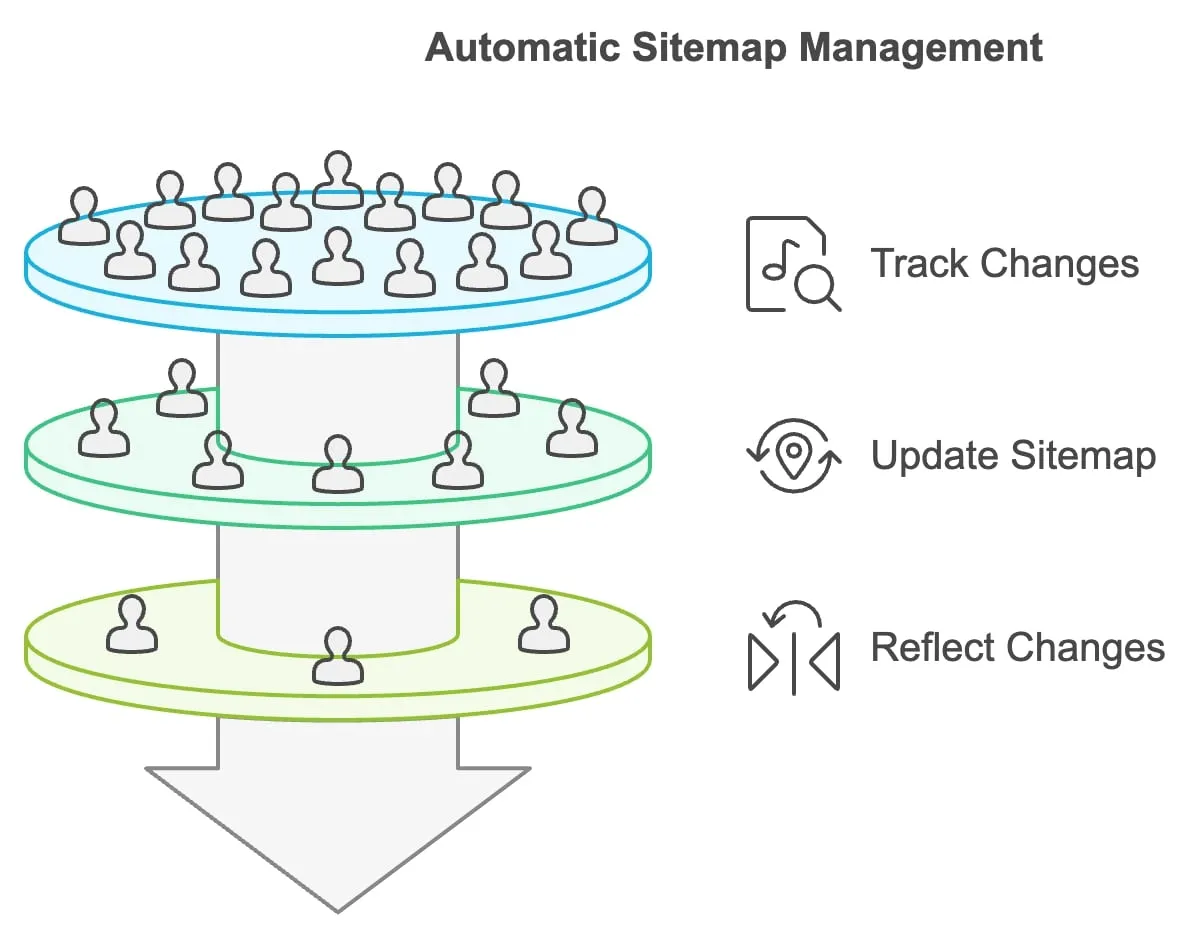
As a user-friendly e-commerce platform, BigCommerce simplifies website management by automatically creating a sitemap for your online store. The system keeps track of all your product pages, categories, and brand pages, featured on your sitemap, saving you the hassle of manual creation.
Sitemap Updates
The good news is that BigCommerce further streamlines the process by updating your sitemap automatically when there are any new additions or alterations to your site. Whenever you add a new product or category, change any content, or adjust your site structure, BigCommerce updates your sitemap accordingly, ensuring it reflects the most current state of your online store to both search engines and users.
Locating Your BigCommerce Sitemap
Locating the sitemap for your BigCommerce store is a simple process. The system automatically generates it, and the sitemap is typically available at the default URL: www.yourstore.com/sitemap.xml (replace 'yourstore' with your store's domain name).
Step-by-Step Guide
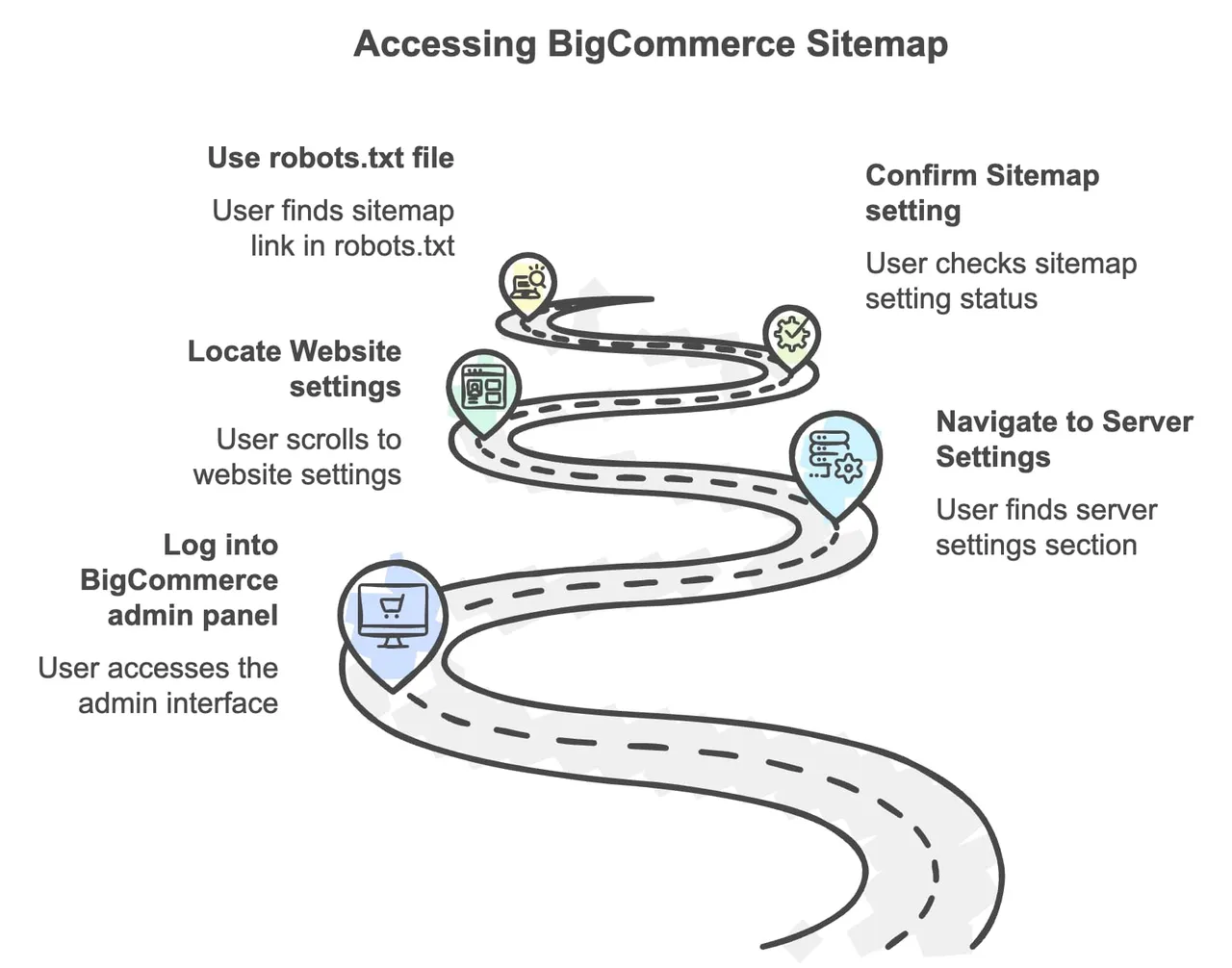
To access your sitemap via your BigCommerce admin panel, follow these steps:
Log into your BigCommerce admin panel.
Under 'Server Settings' in the 'Advanced Settings' section, find 'Website'.
Under the 'Website' settings, scroll down to the 'Sitemap' section.
Confirm the setting 'Enable XML Sitemap' is turned on. If it's not checked, enable it and click 'Save'.
This process ensures that your sitemap is active and ready to be accessed by search engines.
Using Robots.txt File
Another method to locate your sitemap link would be through your robots.txt file. It's typically available at yourstore.com/robots.txt. Open it, and you'll see the sitemap link at the top.
Submitting Your Sitemap to Search Engines
Submitting your sitemap to search engines like Google and Bing is a great way to ensure that these search engines are aware of all the important pages on your site.
Google Search Console
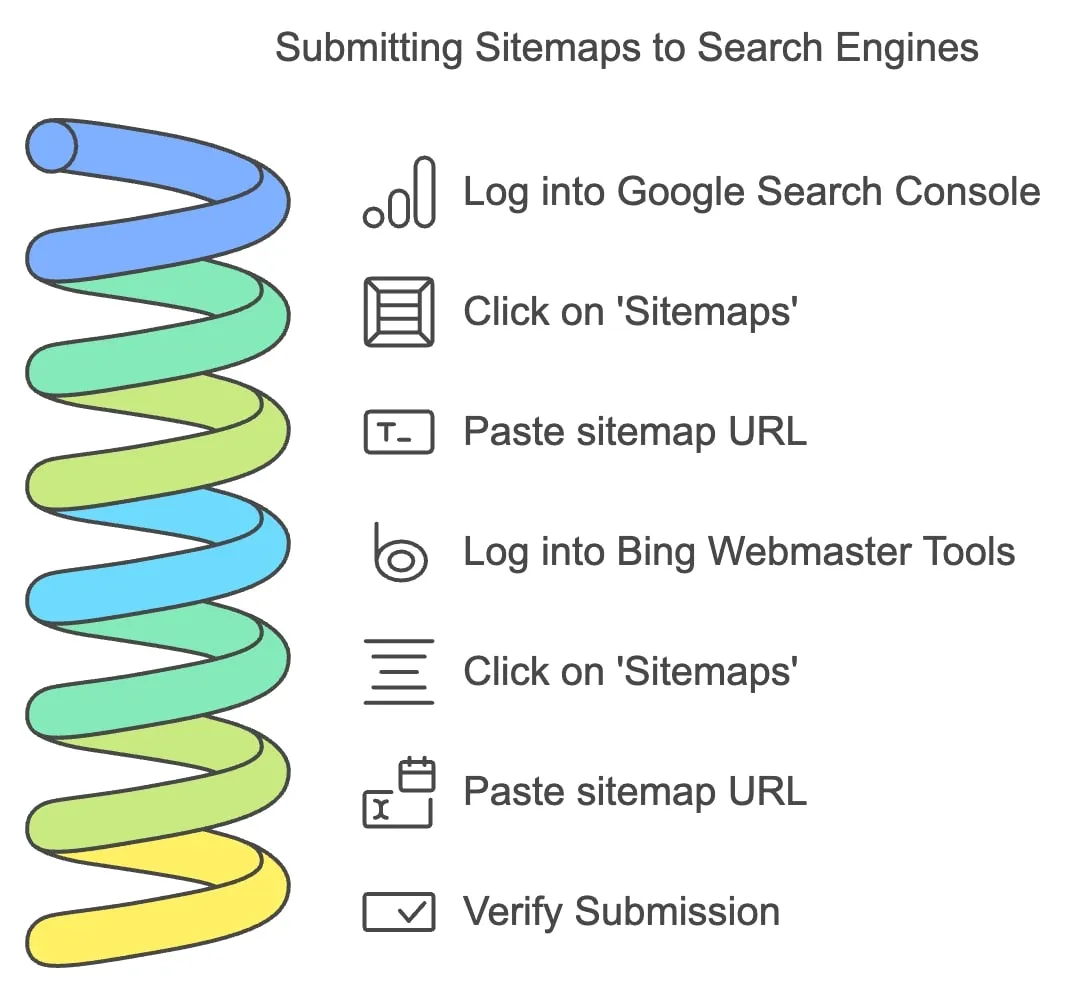
If you want to submit your sitemap to Google, follow these steps:
Log into your Google Search Console account.
Click on 'Sitemaps' on the left menu.
It opens an 'Add a new sitemap' field where you paste your sitemap's URL.
Once the URL is submitted, Googlebots will efficiently crawl through your website's pages, using the sitemap as a guide.
Bing Webmaster Tools
The process of submitting your sitemap to Bing is similar:
Log into your Bing Webmaster Tools account.
Click on 'Sitemaps' on the left menu.
Into the 'Submit a Sitemap' section, paste your sitemap's URL and submit.
Verifying Submission
Once you’ve submitted your sitemap, it’s a good idea to wait for a few hours or days and check back to see if your sitemap has been successfully processed, through the Google Search Console or Bing Webmaster Tools. You can verify the sitemap submission status, and ensure the search engine bots have begun crawling your website.
Troubleshooting Common Issues
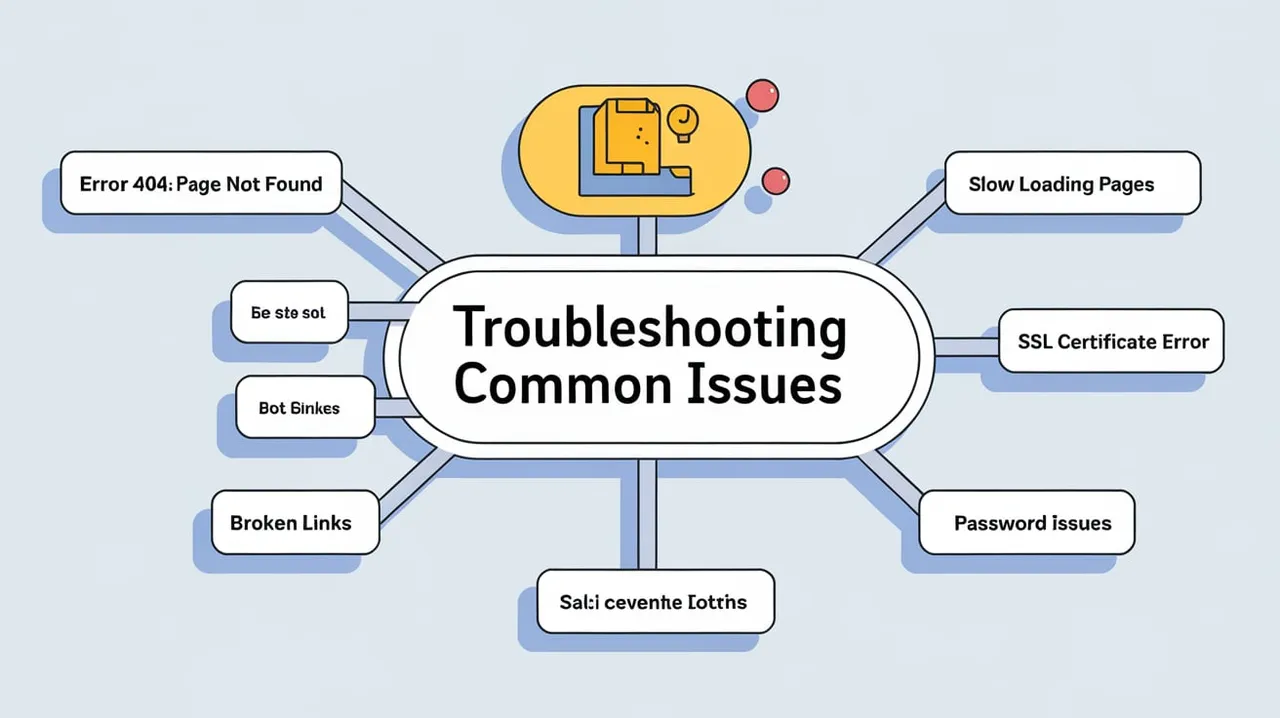
As you work with your BigCommerce sitemap, you might encounter a few common issues. Here are a few problems that users often experience and solutions for each.
Sitemap Not Found
If you encounter an issue with the sitemap not being found, double-check the sitemap URL. The default URL is usually in the form of www.yourstore.com/sitemap.xml.
Errors in Sitemap
Sometimes, search engines may report errors in the sitemap. The nature of these errors can vary, but they often relate to issues like broken links in the sitemap, unavailability of listed pages, or other technical issues. You can usually get more information about the error in Google Search Console or Bing Webmaster Tools. Resolve these issues on priority to ensure that your sitemap is fully functional and accessible.
Sitemap Not Updating
If your sitemap does not seem to reflect recent changes to your site, ensure that the "Enable XML Sitemap" setting is turned on in your BigCommerce admin panel. If the issue persists, consider reaching out to BigCommerce Support for assistance.
Optimizing Your Sitemap
While it's essential to include all product, category, and brand pages in your sitemap, also consider other relevant pages like important blog posts, FAQs, or user guides. However, exclude pages such as discontinued product pages or those that do not add significant value to users or search engines.
Excluding Duplicate Content
Having duplicate pages appear in your sitemap can confuse search engines and lead to inefficient crawling. Ensure that only one version of each page (often, the canonical version) is represented in the sitemap.
Prioritizing Content
If applicable, you can specify priority levels for different pages in your XML sitemap. This informs search engines which pages are more important and should be crawled more frequently.
Leveraging Third-Party Tools and Apps
While BigCommerce provides you with a basic, automatically generated sitemap, you might need additional features as your site grows. Here are a couple options you could consider:
BigCommerce Apps
There are a variety of apps available in the BigCommerce app store that can help manage and fine-tune your sitemap. These apps may provide features such as automatic refreshing, adding or removing certain URLs, or other advanced sitemap settings.
External Sitemap Generators
You might also consider using third-party sitemap tools, such as Screaming Frog or XML-Sitemaps.com, especially for larger sites. These generators can create more detailed sitemaps, and may offer additional features like scheduled sitemap updates, email notifications, and integration with Google Search Console and Bing Webmaster Tools.
9. Best Practices for Sitemap Maintenance
While BigCommerce handles sitemap updates automatically, it's a good practice to schedule periodic checks to ensure all important pages are included. Particularly after major site updates, like adding a new product category or changing your website structure, double-check your sitemap to ensure it's current and accurate.
Monitoring Performance
Utilize tools like Google Search Console or Bing Webmaster Tools to monitor how effectively search engines are able to crawl your site using your sitemap. Watch for any crawl errors or sitemap processing issues that could affect your SEO efforts.
Staying Informed
Keep up with SEO best practices and BigCommerce updates that could affect your sitemap. Google and other search engines can change their algorithms at any time, and staying informed will ensure you are always following the best current practices for your sitemap.
Conclusion
Your sitemap is an important tool for SEO optimization and improving your BigCommerce store's visibility and user experience. By finding it, submitting it to search engines, and maintaining it properly, you can ensure that both your visitors and search engines can navigate your site effectively.
While handling a sitemap might seem like a daunting task, remember that the BigCommerce platform simplifies much of the process for you, from automatic sitemap generation to smooth updates. Taking the time to understand and manage your sitemap will yield worthwhile benefits for your online store.
What has been your experience with managing sitemaps for your BigCommerce store? Share your thoughts, insights, or ask questions in the comments below. We'd love to hear from you!
Additional Resources
To further deepen your understanding, here are some resources that could be useful.
BigCommerce Support Documentation
Check out the official BigCommerce guides on sitemap management here.
SEO Best Practices
There are countless articles and tutorials available to help improve your SEO skills. Moz's guide is a reliable starting point for understanding SEO fundamentals.
Community Forums
Joining BigCommerce community forums can be an excellent way to learn from shared experiences and insights. Try the BigCommerce community for interactive learning.
Frequently Asked Questions
1: What is a sitemap?
A sitemap is a file that provides a roadmap of a website's pages for search engines. It can help search engines discover and index content they might not find during the regular crawl process.
2: What's the difference between an XML sitemap and an HTML sitemap?
An XML sitemap is a document that helps search engines understand a website's structure while crawling it, usually intended for search engine bots. An HTML sitemap, on the other hand, is designed for human visitors to a website, making navigation easier and more intuitive.
3: How can I find the BigCommerce CMS sitemap for my online store?
BigCommerce automatically generates a sitemap for your store, which is generally accessible at the URL: www.yourstore.com/sitemap.xml (replace ‘yourstore’ with your actual domain name).
4: Why should I submit my sitemap to search engines?
Submitting your sitemap to search engines ensures that they are aware of all the pages on your site. It facilitates faster and more efficient discovery, crawling, and indexing of your website by search engine bots, improving your visibility in search results.
5: How can I submit my sitemap to Google?
You can submit your sitemap to Google through the Google Search Console. Once you've verified your website ownership, go to 'Sitemaps', enter your sitemap URL, and click 'Submit'.
6: How often do I need to update my sitemap?
BigCommerce automatically updates your sitemap when there are any new additions or changes on your site. However, it's a good practice to manually check your sitemap periodically and especially after making major changes to your website.
7: How can I optimize my sitemap for SEO?
To optimize your sitemap for SEO, ensure it includes all pivotal pages, excludes duplicative content, and that content is prioritized correctly. Moreover, submit your sitemap to search engines, and regularly monitor and update it.
8: What happens if Google finds an error in my sitemap?
If Google finds an error in your sitemap, it will report it in the Google Search Console. You should fix any reported errors promptly to ensure your sitemap effectively aids in site crawling and indexing.
9: How do third-party tools help with sitemap management?
Third-party tools can provide more advanced control over your sitemap, including customizing which pages to include or exclude, scheduling automatic updates, and providing notifications about broken links or other issues.
10: How does a sitemap impact my website's SEO performance?
A well-structured and maintained sitemap can significantly impact your site's SEO. It makes it easier for search engines to crawl and index your site, improves your site's visibility in search results, and can ultimately drive more organic traffic to your site.
I've seen websites cut server response times by 40% and improve crawl efficiency dramatically—all by implementing two simple HTTP headers correctly. Here's exactly how If-Modified-Since and Last-Modified work, and why they matter more than ever for SEO.
Have you ever wondered how websites communicate with search engine crawlers? Your curiosity ends right here. Welcome to a comprehensive introduction to Robots.txt.

 Nick Sawinyh